feature
Downgrade Firmware Version

Downgrade UHD-unfriendly Firmware for 4K UHD Blu-ray Ripping, Copying, or Playing

Several problems may appear due to the prevalence of 4K, such as firmware incompatible on a drive - the firmware on UHD Drives prohibit third-party UHD backup/ripper software tools from accessing 4K discs from the drives. In this scenario, Leawo UHD Drive Tool enables to downgrade UHD-unfriendly Firmware on Blu-ray drive to a compatible version for 4K UHD Blu-ray ripping, copying or playing via certain programs, like Leawo UHD Ripper, Leawo UHD Copy and Leawo Blu-ray Player. With this superb yet flexible Drive Tool, clients are allowed to read, rip, or burn the discs without any restriction.
Supported 4K UHD Drives

Support Almost All 4K UHD Drives

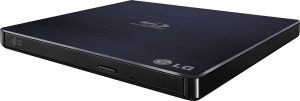
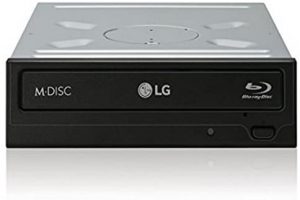
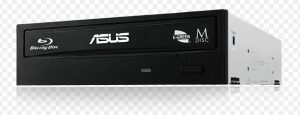
Covering internal 4K Blu-ray drives with SATA interface, external 4K Blu-ray drives and external USB drives, Leawo UHD Drive Tool is designed to support the overwhelming majority of 4K UHD drive existing. There is a list of UHD drives below that Leawo UHD Drive Tool is compatible with.
  • ASUS BC 12D2HT Tested
  • ASUS BW 16D1HT Tested
  • LG BH16NS40 Tested
  • LG BH16NS55 Tested
  • LG WH16NS58(Firmware 1.V5 and previous) Tested
  • LG WH16NS60 (Official) Tested
  • LG BU40N/hp HLDS BDRE BU40N(Official,BU13 not included) Tested
  • LG BU50N (Official) Tested
  • ASUS BC 12B1ST b
  • ASUS BW-16D1H-U(E115 not included)
  • LG BE16NU50
  • LG BH14NS50
  • LG BH14NS58(Firmware V1.02 and previous) Tested
  • LG BH16NS50
  • LG BH16NS58(Firmware V1.02 and previous) Tested
  • LG BH16NS60
  • LG BP50NB40 (Official)
  • LG BP55EB40
  • LG BP60NB10 (Official)
  • LG CH12NS40
  • LG UH12NS40
  • LG WH14NS40 Tested
  • LG WH16NS40 Tested
  • LG WP50NB40 Tested
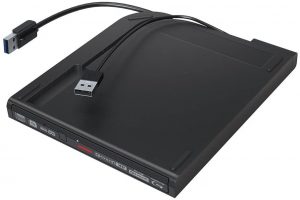
  • Buffalo BRUHD-PU3-BK (Official)
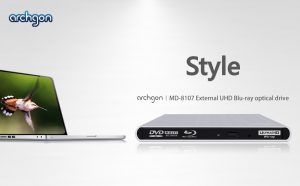
  • Archgon MD 8107S U3 UHD BU40N (Official)
  • Learn More >


Note: Friendly drives are highly recommended, especially to those who plan to purchase new drives.
feature
feature
Easy to Use

Utterly Simple to Use & Downgrading Just One Click

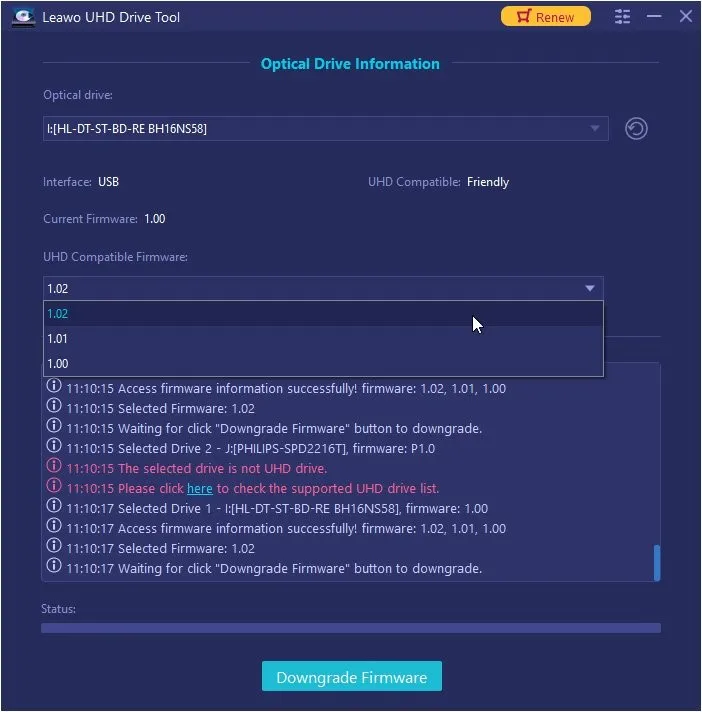
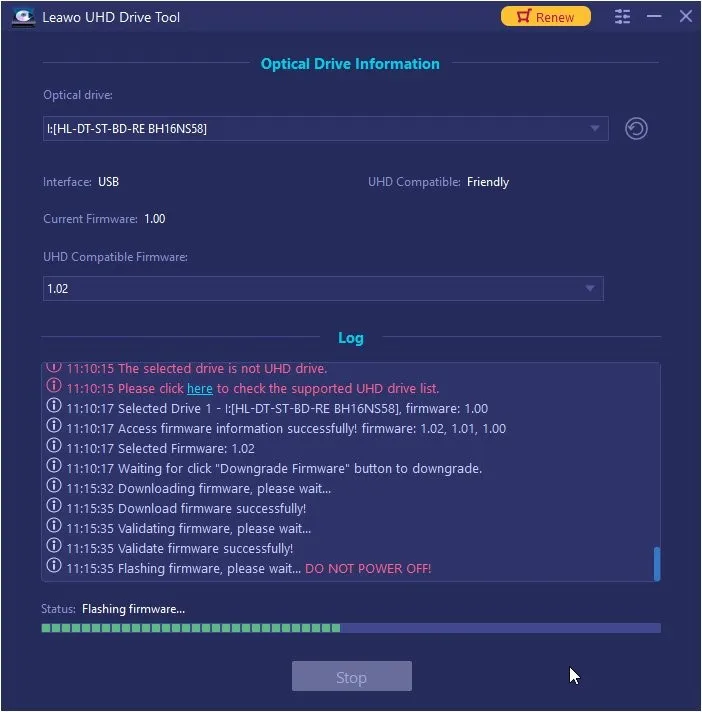
Presenting an intuitive interface and clear guidance, Leawo UHD Drive Tool provides a practical way for both novices and veterans to carry out the downgrading process. Launch this gadget after connecting the UHD drive to PC, then choose the desired item to downgrade firmware.
Download Leawo UHD Drive Tool for Mac Now !
  • 20+ Years Experience

  • 10,000,000+ Happy Clients

  • 100% Safe & Clean

  • 100+ Countries

How to Downgrade UHD Blu-ray Drive Firmware

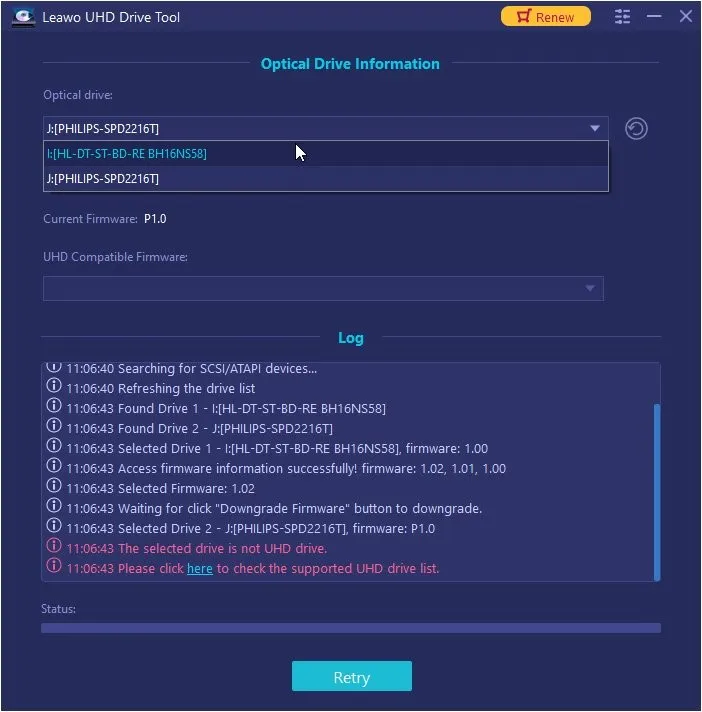
Step 1: Select firmware to downgrade

Under the “Optical drive”, select the source UHD Blu-ray drive firmware to downgrade.

Step 2: Set target firmware

Under the “UHD Compatible Firmware”, select the target firmware version to downgrade to.

Step 3: Start downgrading firmware

Click the green “Downgrade Firmware” button to start downgrading UHD Blu-ray drive firmware.

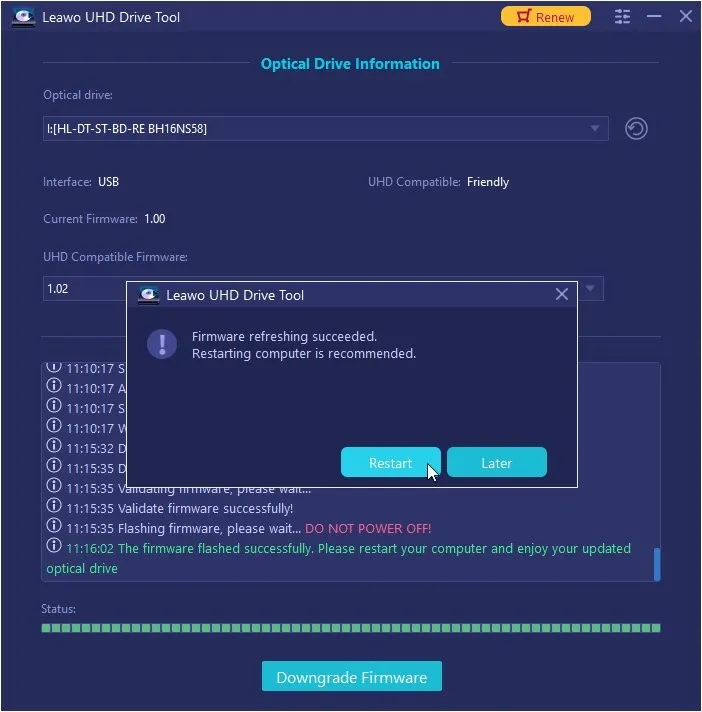
Step 4: Restart computer

Click the “Restart” button to restart computer to activate firmware refreshing.
Visit Full User Guide >
Step1 Step2 Step3 Step4

    System Requirments

    Leawo UHD Drive Tool
    Languages
    中文 English Japan deutsch francais Italiano Español 한국어

    Size 186 MB

    Version

    Update

    • Supported OS : Microsoft® Windows 7/8/8.1/10/11
    • RAM : 2GB of RAM
    • Free Hard Disk : 10GB of free hard disk space
    • Processor : Core 2 Quad and above
    • Others : Internet Connection
    • Supported OS : macOS Yosemite (10.10), macOS X El Capitan (10.11), macOS Sierra (10.12), macOS High Sierra (10.13), macOS Mojave (10.14), macOS Catalina (10.15), macOS Big Sur (11), macOS Monterey(12), macOS Ventura(13), macOS Sonoma (14), macOS Sequoia (15), macOS Tahoe (26)
    • RAM : 512 MB RAM (1024 or above recommended)
    • Free Hard Disk : 2GB or larger of free space
    • Processor : 1 GHz or above Intel Processor and Apple M1/M2 chip(Rosetta required)
    • Others : Internet Connection
    button

    Testimonials

    What Our Clients Say

    • avatar

      "

      This is the ever best tool I have used for removing the Cinavia watermark from my Blu-ray discs. Excellent.

      • star
      • star
      • star
      • star
      • star

      TopTenReviews.com

    • avatar

      "

      This tool does its job well. Now I can freely watch the Blu-ray discs I bought on any Blu-ray players.

      • star
      • star
      • star
      • star
      • star

      Reviewster Editor

    • avatar

      "

      Currently there are quite few Blu-ray Cinavia watermark removal tools. Leawo's Blu-ray Cinavia Removal is a top choice. The Cinavia module is reliable, practical, quick and efficient. Would like to recommend it to my friends.

      • star
      • star
      • star
      • star
      • star

      David Cooper

    button
    close

    Purchase Leawo UHD Drive Tool for Mac

    Windows
    Mac
    1 Year

    $ 99.95

    • 1 License for 1 PC
    • All Features for 1 Year
    • Auto-renewal. Cancel Anytime
    • 5 Days Money Back Guarantee
    • Unlimited Free Upgrades
    Top Seller
    Lifetime

    $ 109.95

    • 1 License for 1 PC
    • All Features for Lifetime
    • One-time Payment
    • 14 Days Money Back Guarantee
    • Unlimited Free Upgrades

    50% OFF

    UHD Ripper + UHD Copy + UHD Drive Tool (Lifetime)

    $ 154.91 $309.85

    • 1 License for 1 PC
    • All Features of
      3 ModulesLeawo UHD Ripper, Leawo UHD Copy, Leawo UHD Drive Tool
      for Lifetime
    • One-time Payment
    • 14 Days Money Back Guarantee
    • Unlimited Free Upgrades
    41% OFF
    Prof. Media 13 + CleverGet Video Downloader (Lifetime)

    All of 17 modules included, provides full Solution to (4K UHD) Blu-ray, DVD and Video

    • Standard Price: $1269.15
    • Bundle Price: $389.88
    • Final Price: $229.95
    We Accept: