



Copy BDAV without Quality Loss While Keeping All Elements

100% Compatible with Any BDAV Blu-ray Player
6X Higher BDAV Copy/Backup Speed



-

20+ Years Experience
-

10,000,000+ Happy Clients
-

100% Safe & Clean
-

100+ Countries
How to Copy BDAV for Backup
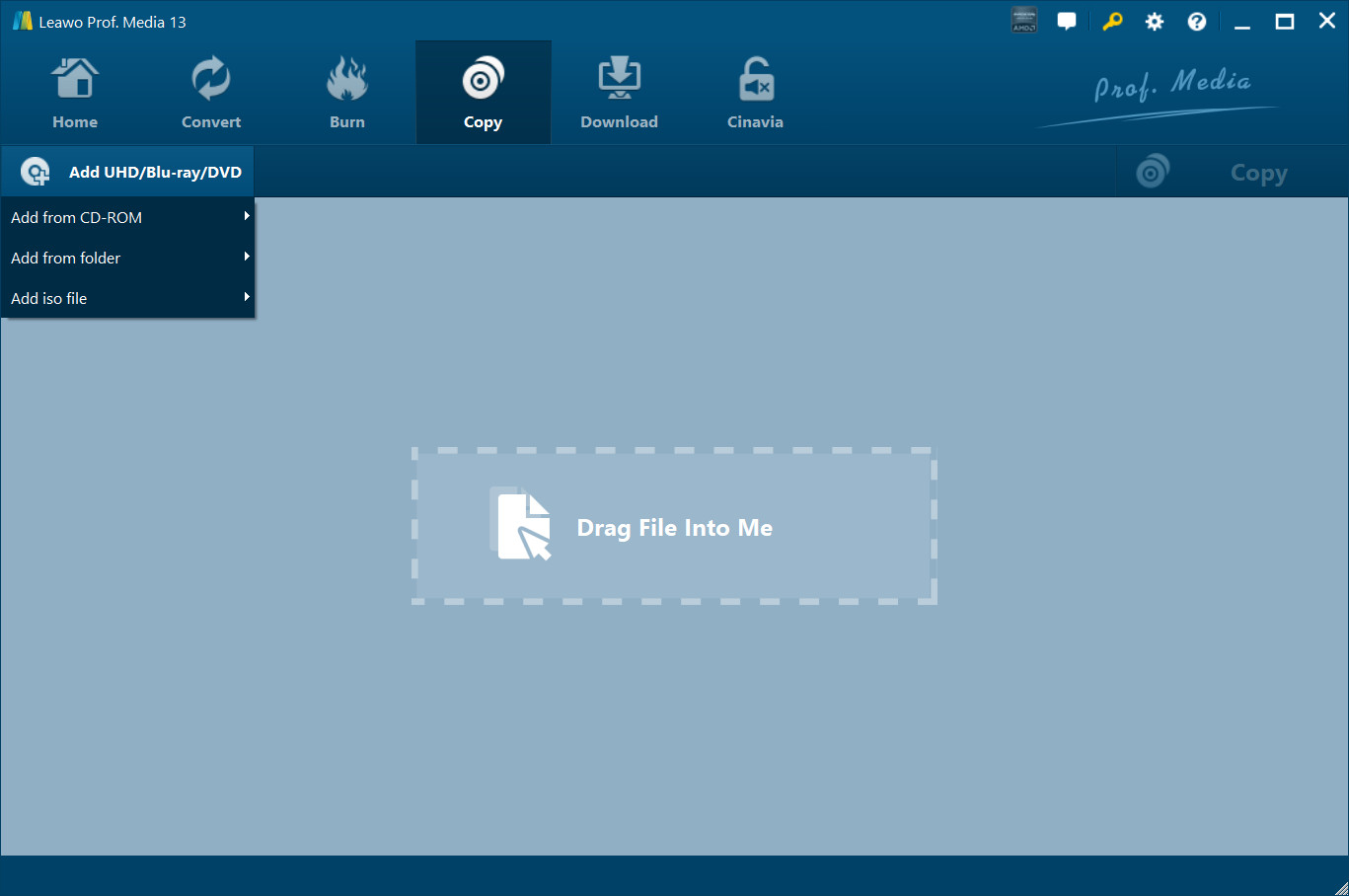
Step 1: Add source BDAV file
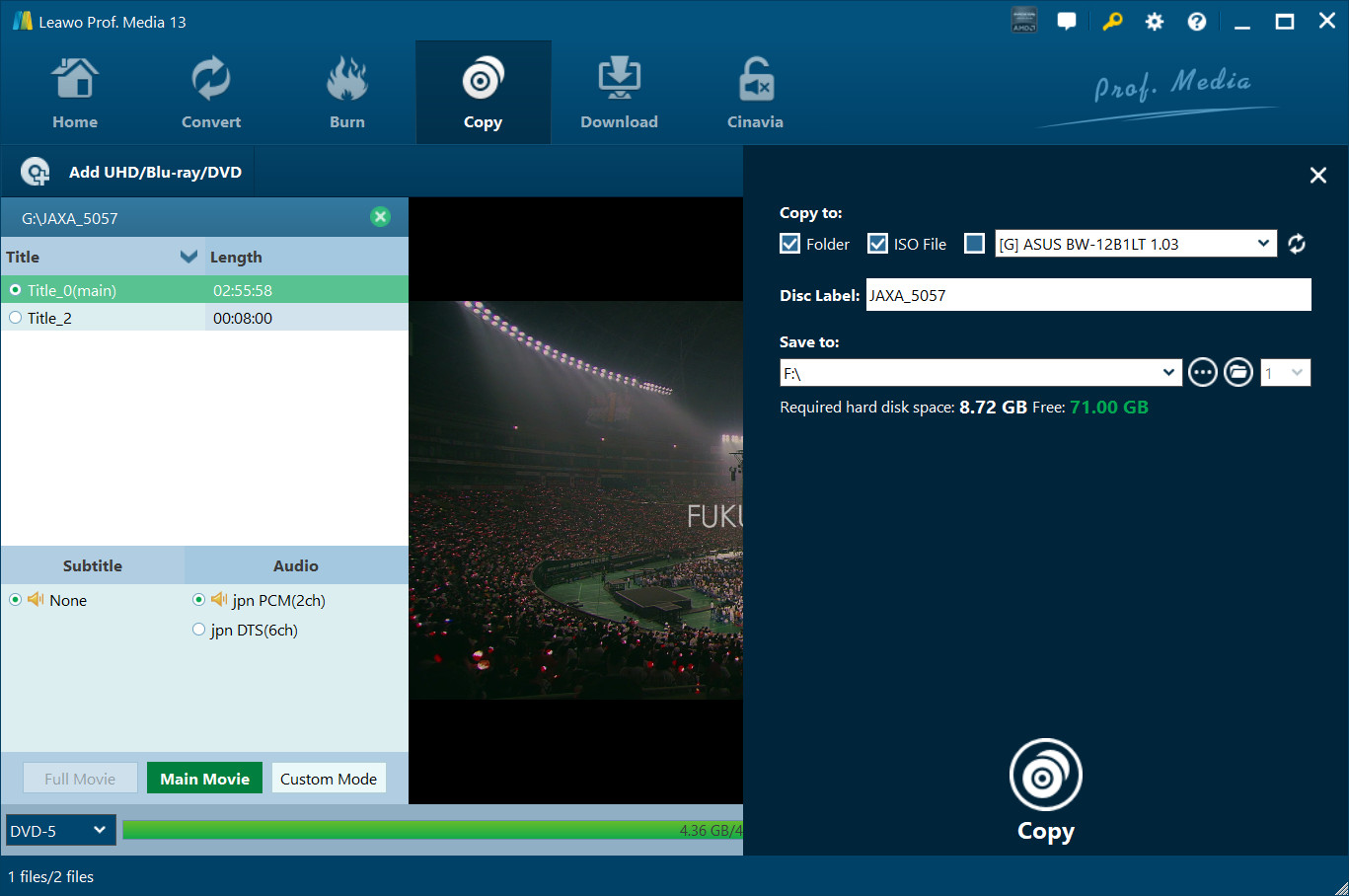
Open the “Copy” tab and then click the “Add UHD/Blu-ray/DVD” drop-down button to browse and add source BDAV file.
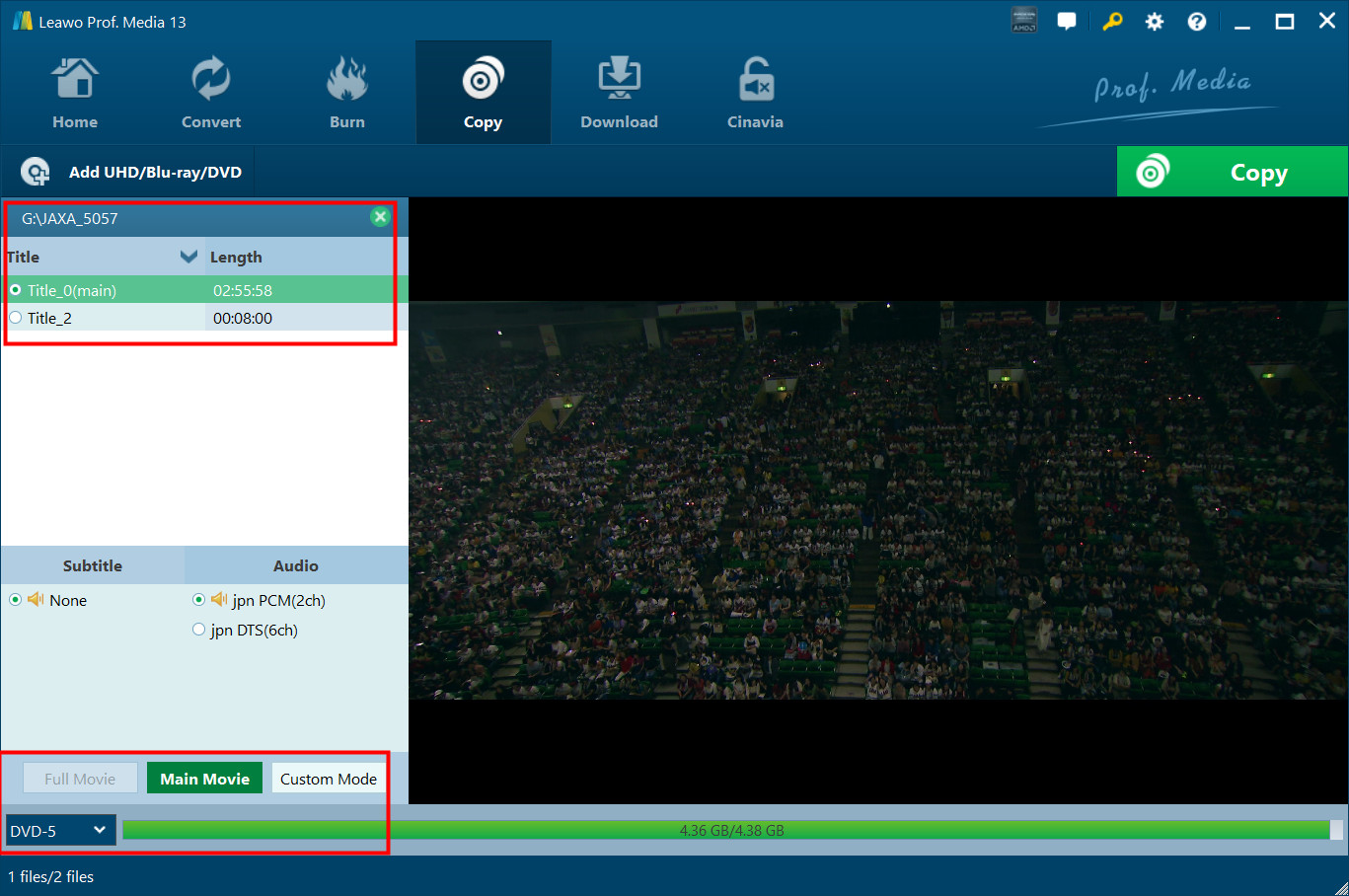
Step 2: Choose copy mode and contents
Select copy mode and then choose Blu-ray titles, audio tracks and subtitles for copying.
Step 3: Output settings
Click the green “Copy” button to call out sidebar, and then choose “Copy to”, “Disc Label” and “Save to” options.
Step 4: Start copying BDAV file
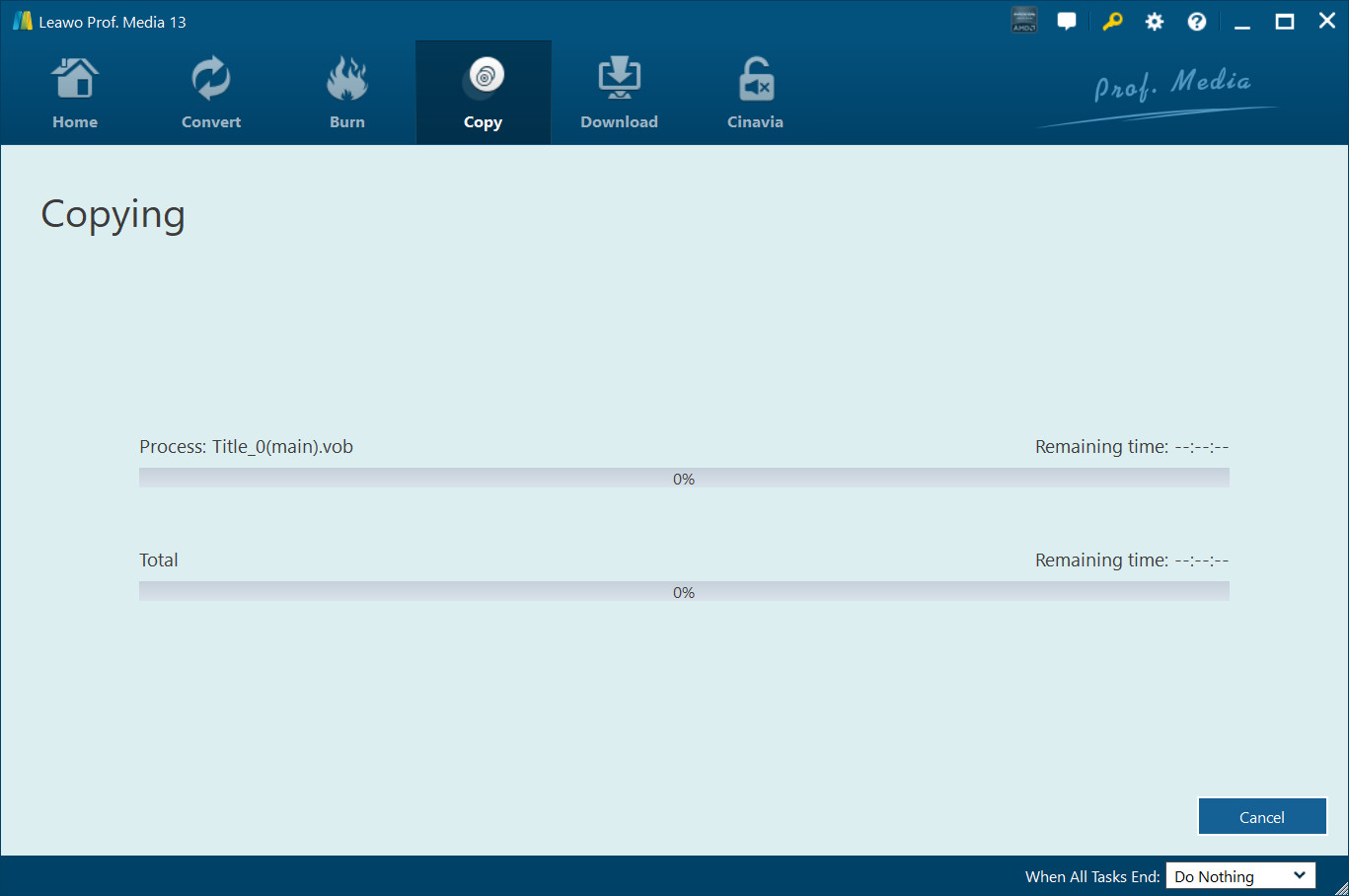
Finally, click the bottom “Copy” button to start copying BDAV file for backup.
System Requirments


Size 186 MB
Version
Update
- Supported OS : Microsoft® Windows 7, Windows 8, Windows 8.1, Windows 10, Windows 11
- Processor : 1GHz Intel or AMD CPU
- RAM : 512MB RAM (1024MB or above recommended)
- Free Hard Disk : 25GB+ (Blu-ray Disc) hard disk space
- Graphic Card : NVIDIA GeForce GTX 260 and above
- Others : Blu-ray drive, Internet Connection
- Supported OS : macOS High Sierra (10.13), macOS Mojave (10.14), macOS Catalina (10.15), macOS Big Sur (11), macOS Monterey (12), macOS Ventura(13), macOS Sonoma (14), macOS Sequoia (15), macOS Tahoe (26)
- Processor : 1 GHz or above Intel Processor and Apple M1/M2 chip
- RAM : 512MB RAM (1024MB or above recommended)
- Free Hard Disk : 25GB+ (Blu-ray Disc) Free Hard Disk Space
- Others : Recordable Blu-ray drive, Internet Connection

Testimonials
What Our Clients Say
-

"
What a wonderful Blu-ray copy software tool. I was able to transfer my recorded Blu-ray discs to an old and scratched disc to a new blank Blu-ray disc. No quality loss. That's awesome.
Miky Miller
-
-
"
This tool is easy to use. Only a few clicks could complete the BDAV file backup issue. No loss in image and audio quality. The whole backup procedure is quite fast. An effecient but simple tool.
Jon Tone
-
-
"
Had to say this Blu-ray Recorder Copy worked exactly as expected. Made quite a few backups of my recorded Blu-ray discs. Save my happy moments even better.
Layla Kelly
-






Decrypt and Copy Various Recorded Blu-ray Movies