

How to Copy 4K Blu-ray/Blu-ray/DVD for Backup with Leawo Prof. Media 13
You learn how to copy and backup 4K Blu-ray/Blu-ray/DVD content to computer or blank disc, and how to copy 4K Blu-ray/Blu-ray/DVD ISO image file to blank writable disc in one click.


- Home
- /
- Leawo Prof. Media 13
- /
- User Guide
How to Copy 4K UHD Blu-ray/Blu-ray/DVD
The Copy function module  inside Leawo Prof. Media 13 allows you to copy and backup 4K UHD/Blu-ray/DVD disc, folder and ISO image file to either computer hard drive or blank disc. This part of Leawo Prof. Media 13 user guide would show you how to copy DVD/Blu-ray/4K Blu-ray with Leawo Prof. Media 13.
Step 1: Load source UHD/Blu-ray/DVD
Click "Add UHD/Blu-ray/DVD" button  to load source UHD/Blu-ray/DVD files. You could then see a drop-down list as below:

You are able to choose add 4K UHD Blu-ray/Blu-ray/DVD content from various origins: disc, folder and ISO image file. Browse and load Blu-ray/DVD content according to your own real need (To add Blu-ray/DVD disc, you need to firstly insert source Blu-ray/DVD disc into the disc drive).
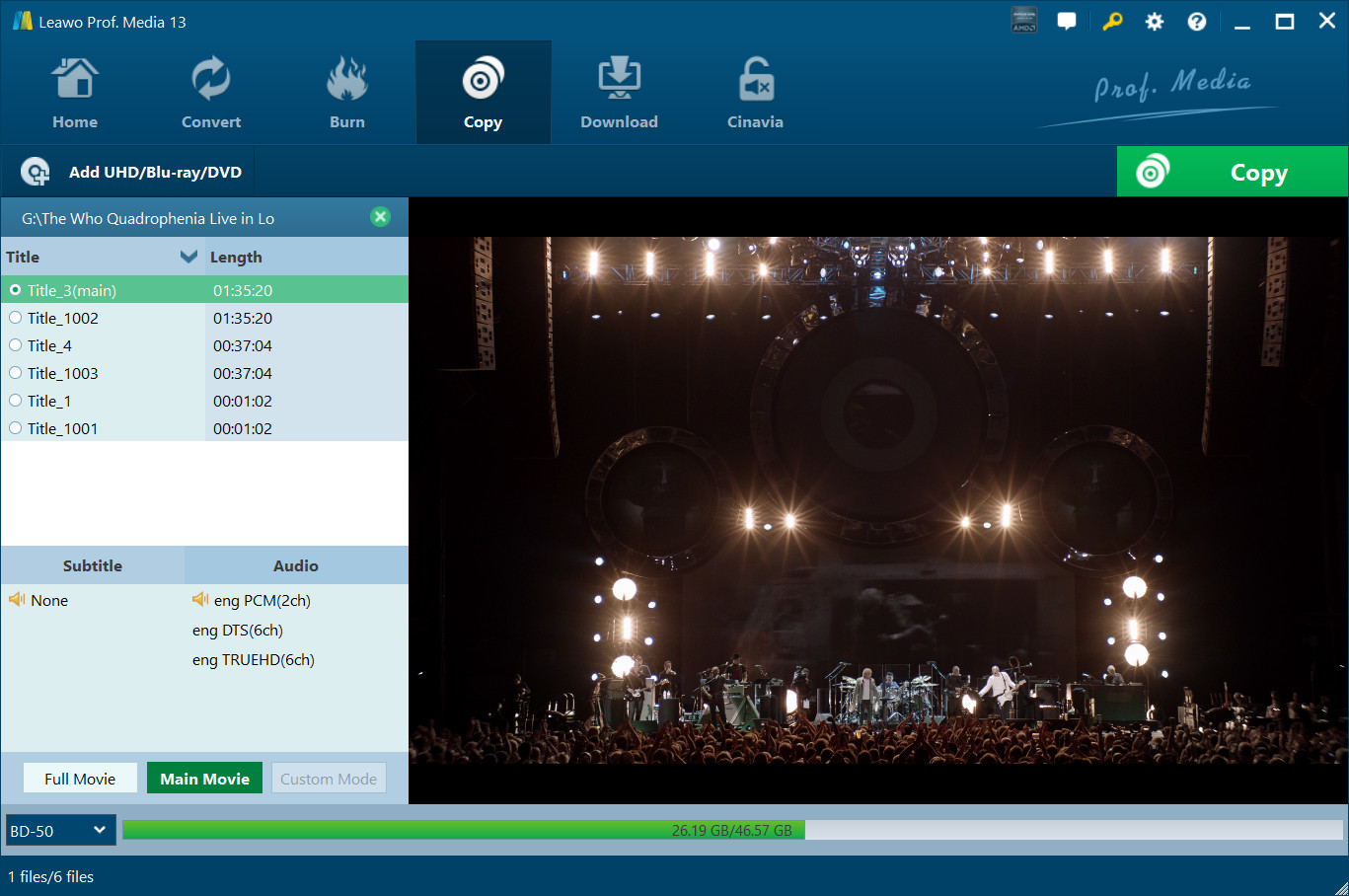
After loading Blu-ray or DVD content, you need to
1. Select a copy mode from Full Movie, Main Movie and Custom Mode options  . If you choose Full Movie mode, Leawo Prof. Media 13 would load entire source Blu-ray/DVD content. If you choose Main Movie mode, Leawo Prof. Media 13 loads the longest title (by default, mostly the main movie) from source Blu-ray/DVD content, but allows you to decide which title is the main movie. Custom Mode is similar to Main Movie mode, but allows you to choose multiple titles for backup.
2. Open the disc type drop-down button  at the bottom left corner to select output disc type (DVD-9, DVD-5, BD25 or BD50).
If you choose Main Movie or Custom Mode, you could select subtitles under  and audio tracks under
  (audio-track-selecting.jpg) for output as long as source Blu-ray/DVD content contains multiple subtitles and audio tracks.
Also, before you determine which one to copy, you could make use of the internal Blu-ray/DVD player to play back the Blu-ray/DVD title you want to copy by clicking the Play button  on the right player panel. If you want to remove loaded Blu-ray/DVD content and wish to load other Blu-ray/DVD content, just click the Remove button
  .
.
Step 2: 4K UHD Blu-ray/Blu-ray/DVD backup settings
Then, click the big green "Copy" button  to call out the Blu-ray/DVD copy setting panel, where you need to figure out the "Copy to", "Disc Label" and "Save to" options.
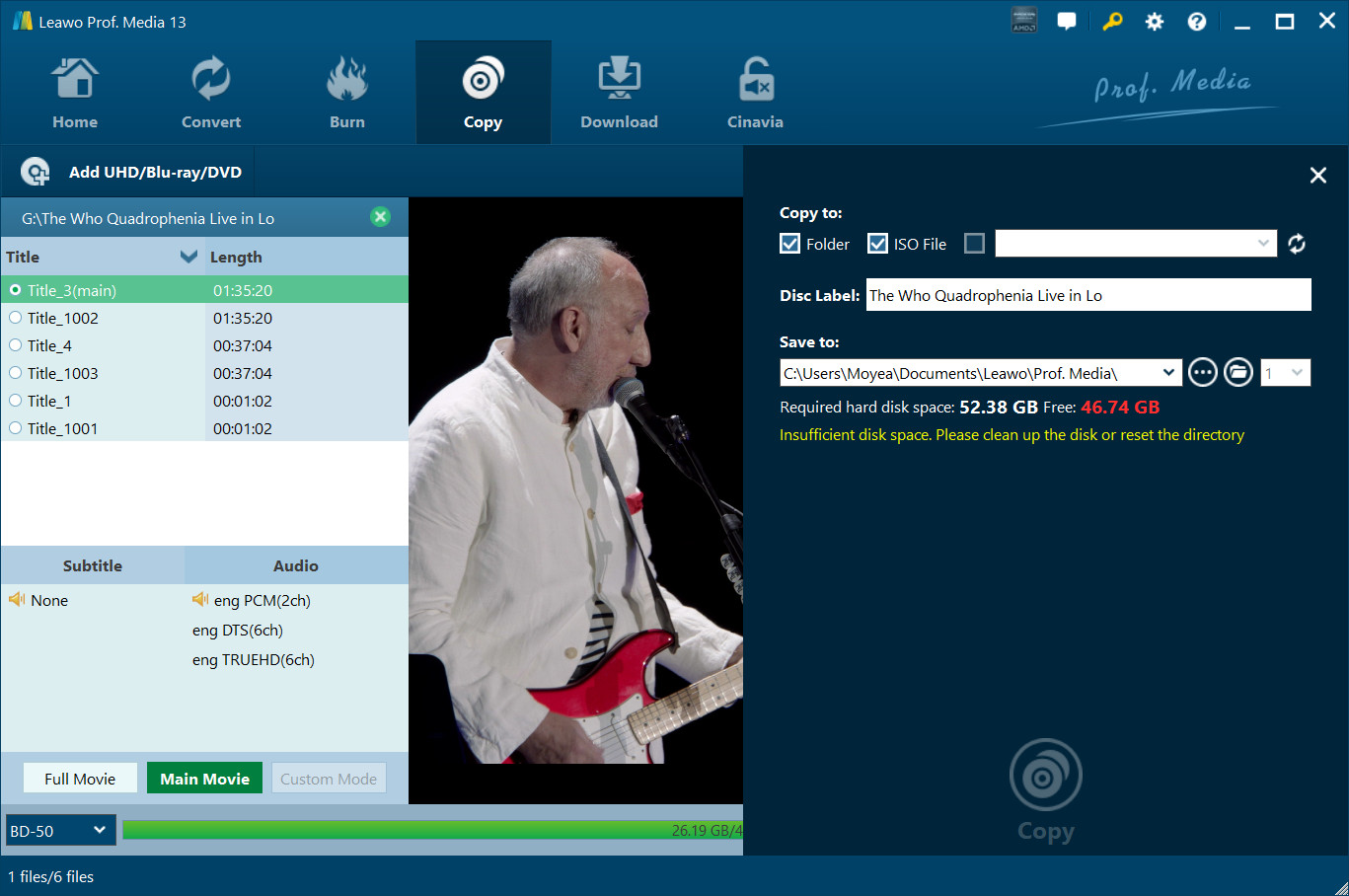
Note:
1. Copy to option allows multiple choices. You could choose to create Folder, ISO File and/or disc as you like.
2. To copy Blu-ray/DVD disc to disc, you need to firstly insert a blank writable disc to the disc drive and then choose it as output under Copy to. If your inserted disc doesn’t show up under Copy to, click the refresh button  or check whether your inserted disc is writable or not.
3. To create folder or ISO file, make sure your computer hard drive gets enough space. Required storage is viewable.
Step 3: Copy 4K UHD/Blu-ray/DVD content
Then, click the bottom "Copy" button  on the sidebar to start copying Blu-ray/DVD content.
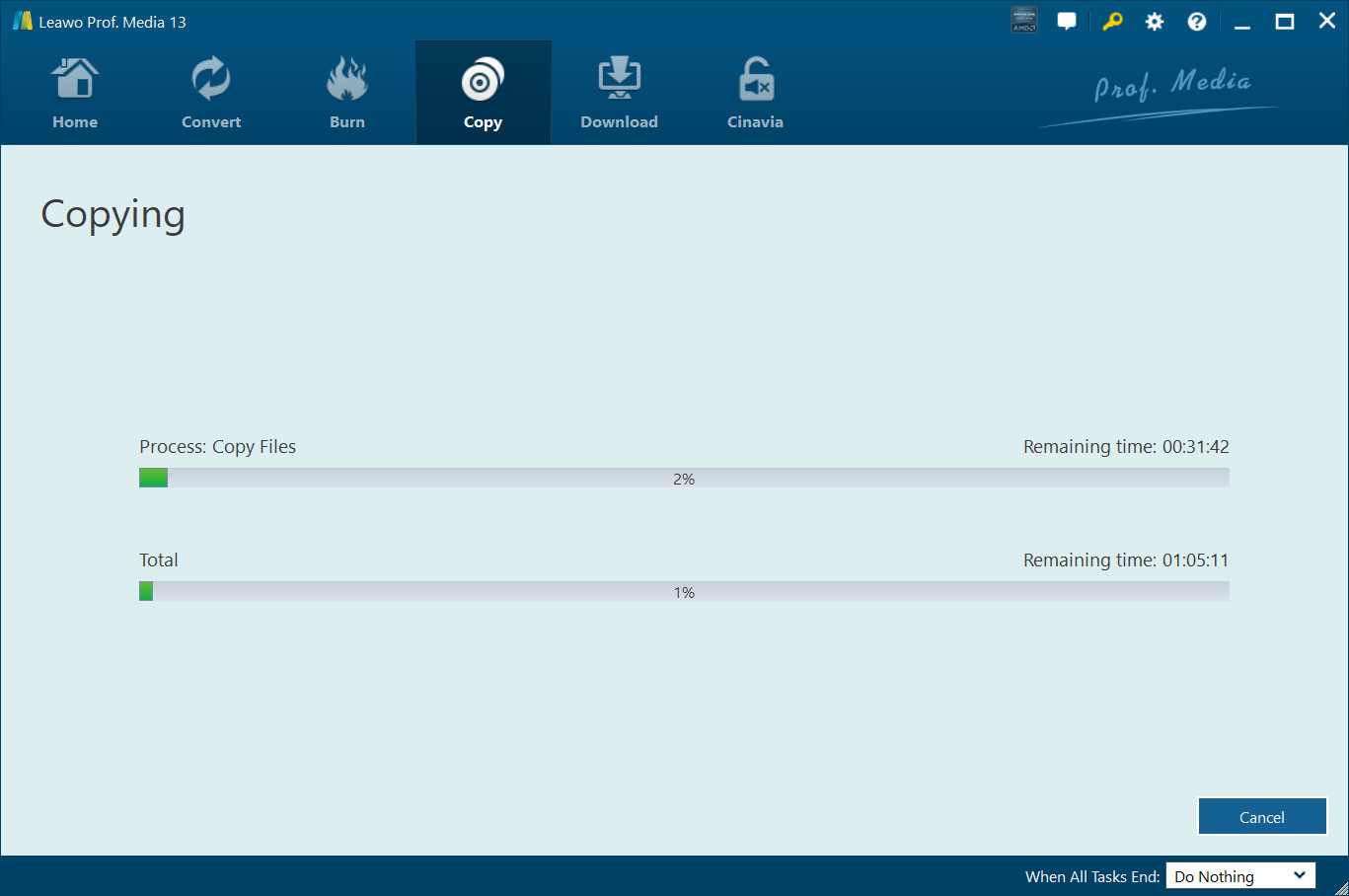
On the Copying interface, you could cancel copying anytime by clicking Cancel button  and set after-done arrangement by clicking When All Tasks End button
  .
.
Note:
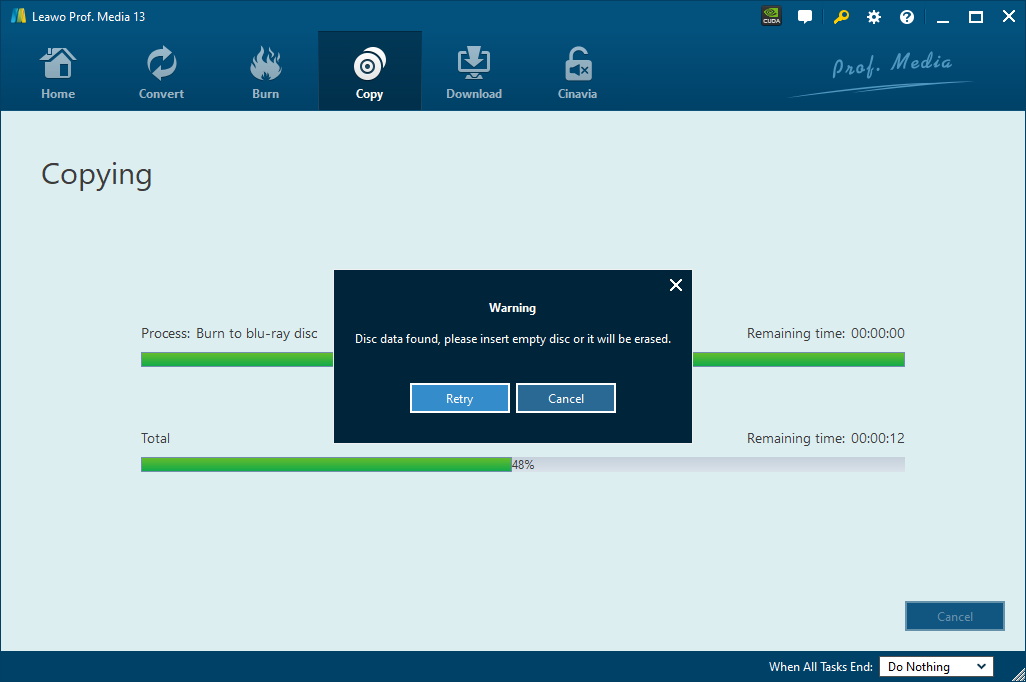
1. Leawo Prof. Media 13 could help you copy 4K UHD Blu-ray/Blu-ray/DVD content between disc and computer. If you want to copy 4K Blu-ray/Blu-ray/DVD disc to another blank disc but have only one disc drive, you need to firstly choose to copy to disc drive (next to the "ISO File" option) on the "Copy to" sidetab mentioned in Step 2. Then, once the copy process completes, there will pop up a notice to let you eject the source disc and then insert a blank writable disc or rewritable disc into the disc drive for copying.
2. If you want to copy NTSC DVD disc to PAL disc, or vice versa, you need to open the settings wheel icon  on the top-right corner and then open the "Copy & Burn" tab to set Default Video Mode.