feature
Why Choose Us

A Handy Free Stream Recorder Revolutionizes Streaming Video Recording Experience

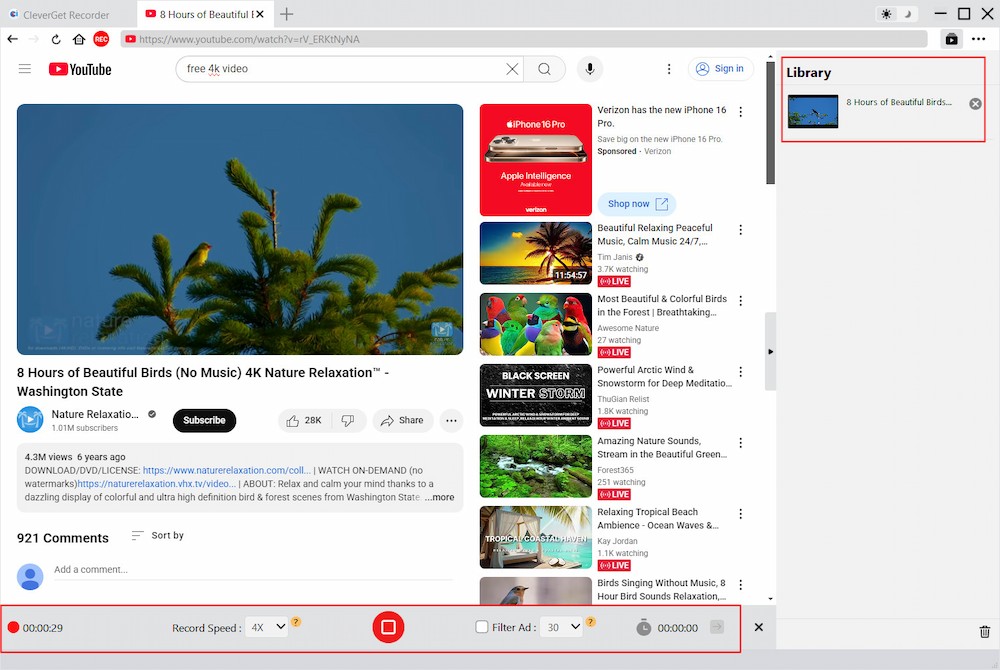
As a totally free streaming video recorder, CleverGet Recorder could record online video (even capture DRM streaming video), including on-demand videos and live streaming contents at up to 4K resolution and 60 FPS, without quality loss. This free stream video recorder could record on-demand videos like movies, shows, documents, animes, etc., and capture live stream content, to save as MP4/MKV files for unlimited offline watching. Through only a few simple clicks, CleverGet Recorder could automatically locate target video, and record target online video smoothly and fluently. The ad-filter feature even helps record streaming video with ads skipped for ad-free offline watching.
  • Free Universal
    Recorder
  • 4K UHD Output
  • Skip-ads
    Recording
  • Recording Scheduler

Record Online Video from Most of Streaming Services

As a free streaming recorder, CleverGet Recorder delivers powerful and user friendly online video recording features. It could record online video from nearly all streaming services like Amazon, Netflix, Disney+, Hulu, YouTube, etc. It could record streaming video of both on-demand videos like movies, TV series, shorts, etc., and live streaming contents like YouTube Live, Facebook Live, etc. It helps you record any kind of online videos, even DRM-protected videos.

Up to 4K 60FPS Video Record with Original Quality Output

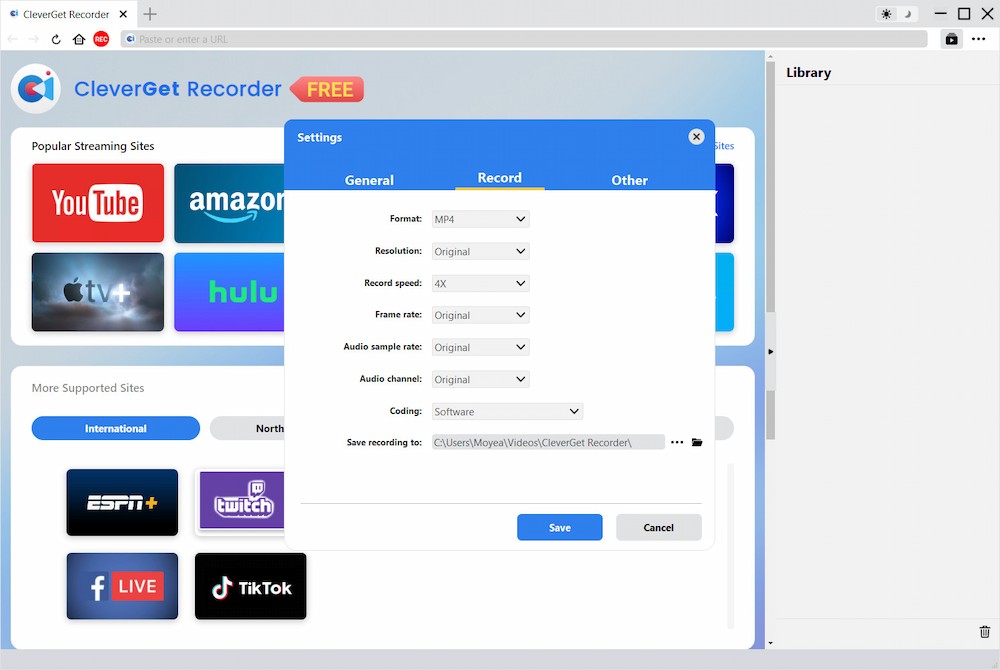
CleverGet Recorder supports lossless recording in both video and audio. By default, this free stream recorder records online video in original quality. However, this free streaming video recorder even could record online video at up to 4K resolution and 60FPS, according to your own preferences. What's more, CleverGet Recorder could record and save online video as MP4/MKV files, so as to let you watch recordings on nearly all media players and devices offline.

Skip Ads as Preset to Record Streaming Content

This free streaming video recorder comes with a beta feature - the ad filter, which allows you to preset ad filter length for different streaming services. The free stream recorder would record online video and skip ads upon preset ad filter length, so as to achieve ad-skipping video recording. CleverGet Recorder helps you record streaming video and watch online videos offline without ads. You will no longer be annoyed by the annoying ads.

Preset Recording Length to Schedule Recording

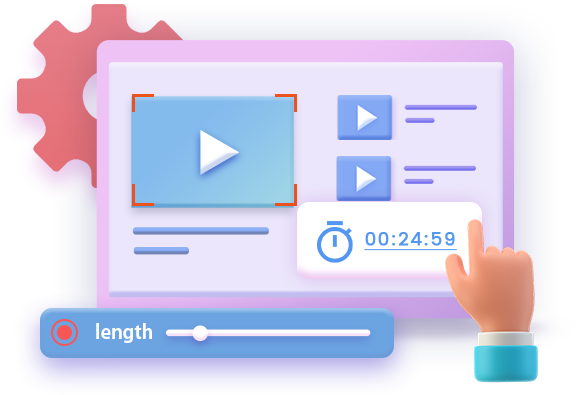
CleverGet Recorder provides a practical recording scheduler feature, which enables you to preset recording length to let this free streaming video recorder record online video. The recording scheduler will take effect instantly once the setting is completed and executed. CleverGet Recorder will automatically stop and save online video recording once it reaches the prset recording length. This feature frees your attention and allows you to do other things easily.

Download CleverGet Recorder for Mac Now !
  • 20+ Years Experience

  • 10,000,000+ Happy Clients

  • 100% Safe & Clean

  • 100+ Countries

How to Record Online Video with CleverGet Recorder

Step 1:

Specify recording settings

Step 2:

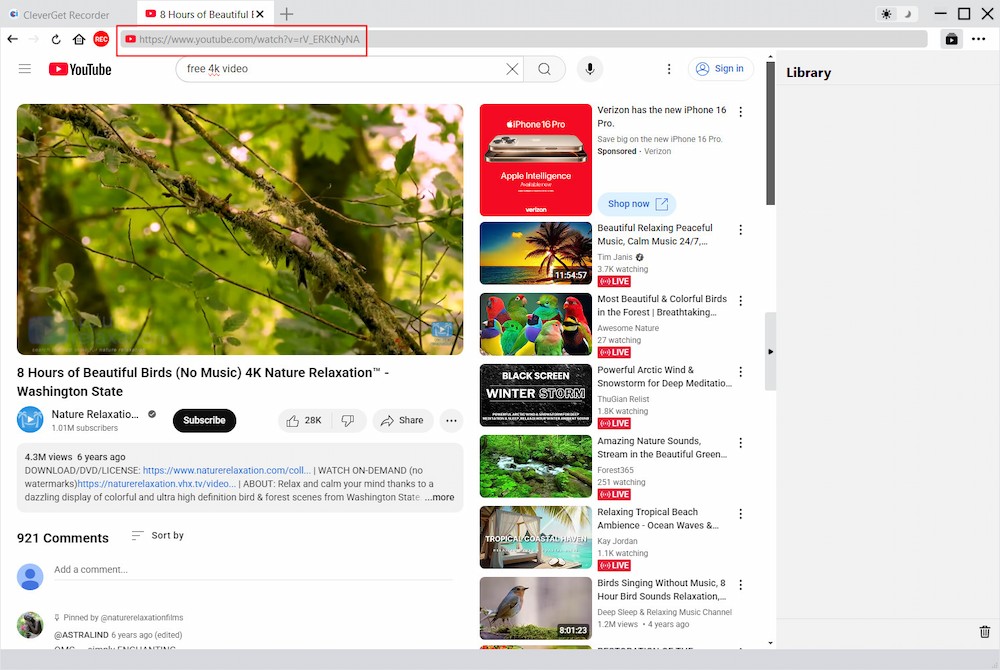
Play back target video

Step 3:

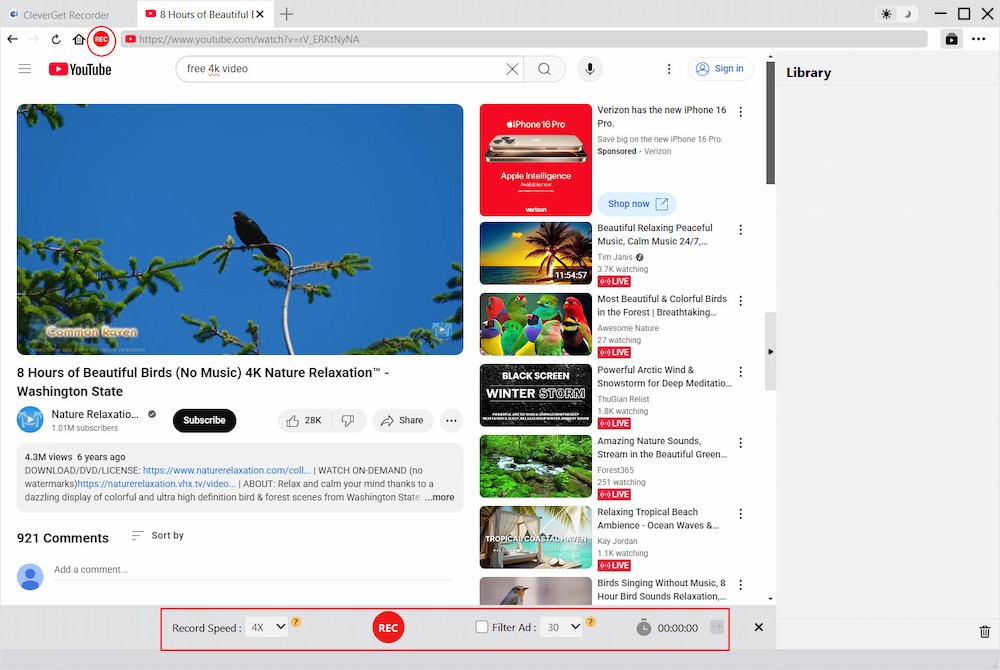
Call out recording toolbar

Step 4:

Start recording online video

Visit Full User Guide >
Step1 Step2 Step3 Step4

    TECH SPECS

    CleverGet Recorder
    Languages
    中文 English Japan deutsch francais Italiano Español 한국어

    Size 217 MB

    Version

    Update

    • Operating System : Microsoft Windows 7, 8, 8.1, 10, 11 (64-bit)
    • CPU : 1GHz or faster Intel/AMD processor
    • RAM : 512MB RAM (1024MB or above recommended)
    • Free Hard Disk Space Required : 5GB+
    • Graphic Card : NVIDIA GeForce GTX 260 and above
    • References
    • Supported Output formats : MP4/MKV (video)
    • Operating System : macOS 11/12/13/14/15/26
    • CPU : 1GHz or faster Intel/AMD processor
    • RAM : 512MB RAM (1024MB or above recommended)
    • Free Hard Disk Space Required : 5GB+
    • Graphic Card : NVIDIA GeForce GTX 260 and above

    Testimonials

    What Our Clients Say

    • avatar

      "

      This streaming video recorder is really powerful. With DRM encryption, most streaming sites tend to block recorders, for either recording or downloading. But this recorder can do it all, even DRM-encrypted videos, and it'll record online videos as MP4 or MKV files. It's pretty awesome.

      • star
      • star
      • star
      • star
      • star

      Kim Kelly

    • avatar

      "

      This is a 10 out of 10 perfect free streaming video recorder with powerful features, easy-to-use interface, high-quality recording, and user-friendly operation making it super easy to capture streaming videos with no hassle. Highly recommended.

      • star
      • star
      • star
      • star
      • star

      Paul Shane

    • avatar

      "

      Excellent video recording tool for live shows. I have used this free streaming video recorder to record several live concerts online and all went smoothly. The 4K video quality is completely satisfactory.

      • star
      • star
      • star
      • star
      • star

      Oliver Jones

    button

    Frequently Asked Questions

    Is there any limit of CleverGet Free Video Recorder?

    CleverGet Free Video Recorder allows you to record video at 1X recording speed without any limit. If you change the recording speed to 2X, 3X, 4X or even 5X, you could only record up to 3 minutes. You can unlock these limits by upgrading to the registered version of CleverGet Video Recorder.

    Can I record 4K video from 4K streaming platforms?

    Yes, you can. CleverGet Video Recorder could record video at up to 4K resolution and 60FPS. It could also record video at original quality.

    How to enable ad filter for recording onlin e videos?

    Once you call out the recording toolbar, you could check the Ad Filter option and set the filter length.

    Does CleverGet require a VPN to download geo-restricted videos?

    Yes, if a video is region-locked, you need a VPN to access it before downloading.

    Can I check/uncheck Ad Filter during recording?

    Yes, you can. Once you check/uncheck the Ad Filter option, the change will take effect in the next ad playback.

    Can I check/uncheck Ad Filter during recording?

    Yes, you can. Once you check/uncheck the Ad Filter option, the change will take effect in the next ad playback.

    Does CleverGet support GPU graphics card processing for recording?

    Yes. CleverGet will automatically detect your computer configuration and then list available GPU graphics card type in the Settings > Record > Coding for you to choose from.

    Can I record video from Amazon, Disney+, Netflix and other mainstream services?

    Yes, CleverGet can help you record movie, show, and other video from nearly all streaming services, including Amazon, Hulu, Netflix, Disney+, Paramount+, Apple TV+, Max, and others.