



 Try for Free
 Try for Free


Fansly is always considered to be the best alternative to OnlyFans, so Fansly vs. OnlyFans has been a very popular topic for a long time, making it very popular with people who like to watch exclusive or explicit content. Occasionally, users may want to download or save videos for offline or personal use. That's where the Fansly downloaders come in.
The following are the top 5 best Fansly Downloaders based on their features and advantages. These tools will be simpler than ever for content collectors, or indeed anyone who wants to store it, and for fans who want to preserve their favorite Fansly videos. Let’s dive in and see what Fansly downloads are all about!
Outline
Part 1: Best Fansly Downloader Software: CleverGet Fansly Downloader
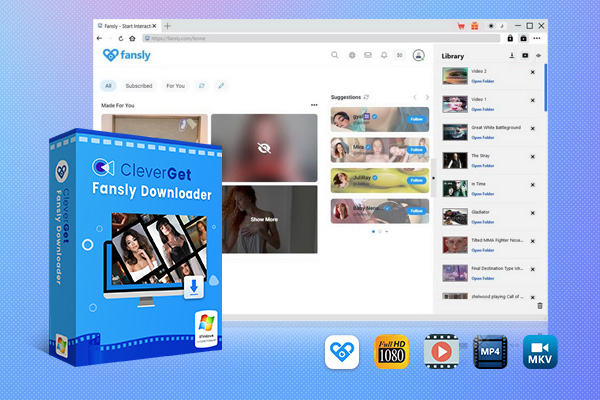
CleverGet Fansly Downloader definitely ranks as one of the best tools to grab your favorite Fansly files. This program makes it super easy to archive those spicy videos for later use. What I love about CleverGet is that you can download more videos with a few clicks, not downloading each one separately. And the coolest part? It preserves the raw video resolution, so you’ll still get to watch that fantastic 1080P footage in pristine condition.

-
CleverGet Fansly Downloader
- Download up to 4K Fansly videos
- Support live streaming video and M3U8 link
- Remove ads from source videos
- Batch processing & playlist downloading
- Support MP4/MKV format output
- Built-in browser and player
- Hardware acceleration to download videos 6x faster
No matter if you are an artist who wishes to back up your artwork or a fan who aims to back up the short videos, CleverGet is here for you. It's simple, it's reliable, and will enable you to watch those Fansly moments again and again, wherever you are in the world. If you want to download Fansly smoothly, try out this downloader.
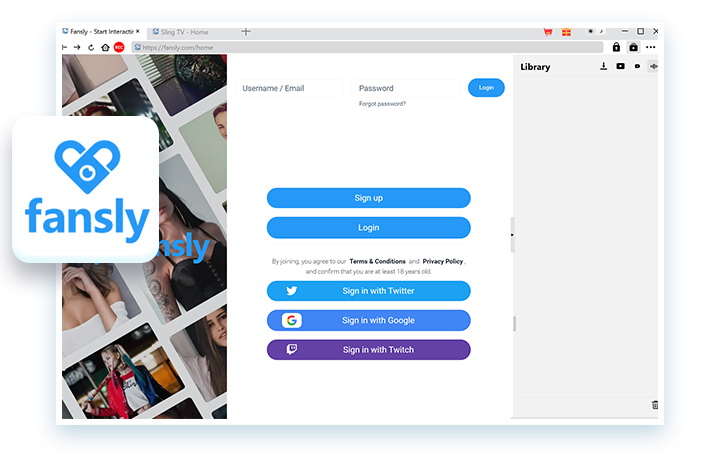
Step 1: Log into Fansly.com Within CleverGet
Sign in to Fansly.com through the CleverGet application. This connects the downloader directly to your Fansly account.
Step 2: Open Video Post or Play Back the Target Video
Navigate to the specific video post or playback that you wish to download. CleverGet will automatically recognize the content you are looking at.
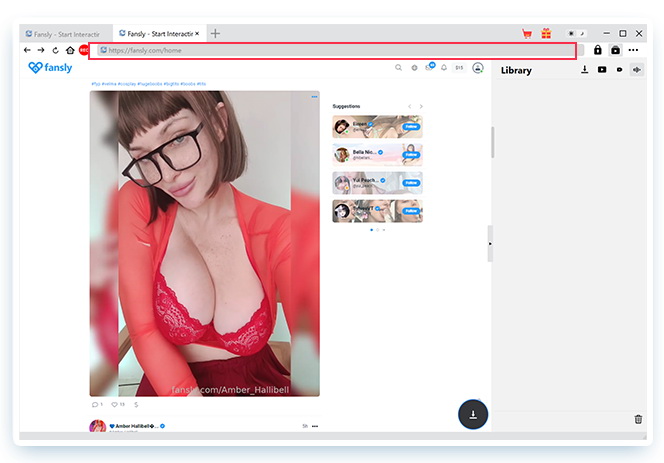
Step 3: Let CleverGet Parse Target Post or Video
Let CleverGet parse the post/video. It will automatically detect all the downloaded materials.
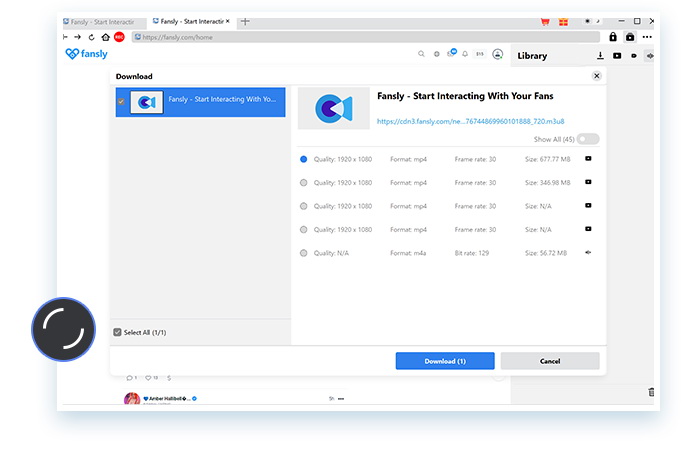
Step 4: Choose Download Options and Output
Choose your desired download parameters (video quality, file type, output location). CleverGet gives you full control.
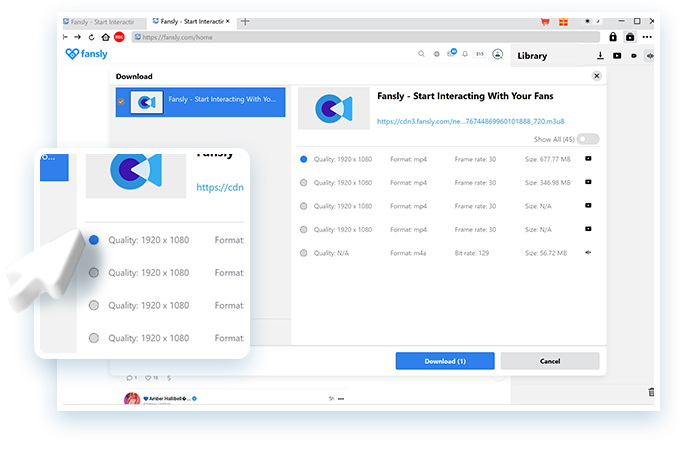
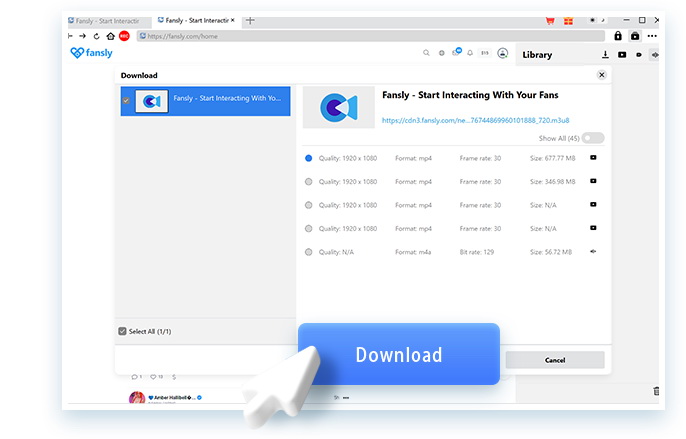
Step 5: Start Downloading Fansly Videos
Click that button, and CleverGet will take care of the rest, automatically downloading your Fansly videos.
The beauty of CleverGet is that it simplifies everything. You don’t have to copy links or wade through complicated download options. Simply log in to your Fansly, pick your content and let CleverGet take care of the rest. It’s the easiest way to grow your personal Fansly video library!
Part 2: Most Flexible Choice: Fansly Downloader Chrome/Firefox Extensions
However, if you’re not the kind of person who likes to download any software then you can use extensions to download Fansly videos. In this part of our article, I am going to discuss the extensions for Firefox and Chrome that work the best.
Locoloader
Locoloader is a must-have for anyone who is seeking an open, flexible way to download content from Fansly. This tool can be used on both Chrome and Firefox. One of the greatest features of Locoloader is that it automates downloading. With a single click, you can save files directly from the site. And automatic file names keep things organized automatically for you. How to use this extension to download content on Chrome and Firefox:
Step 1: Ensure you have the Locoloader extension installed in your Chrome or Firefox browser. You can easily download it by looking for "Locoloader" in the extension store.
Step 2: After installation, just jump into the Fansly site and locate the target page. When you find a video, image, or any file that you want to download, simply click on the download button Locoloader places on the page.
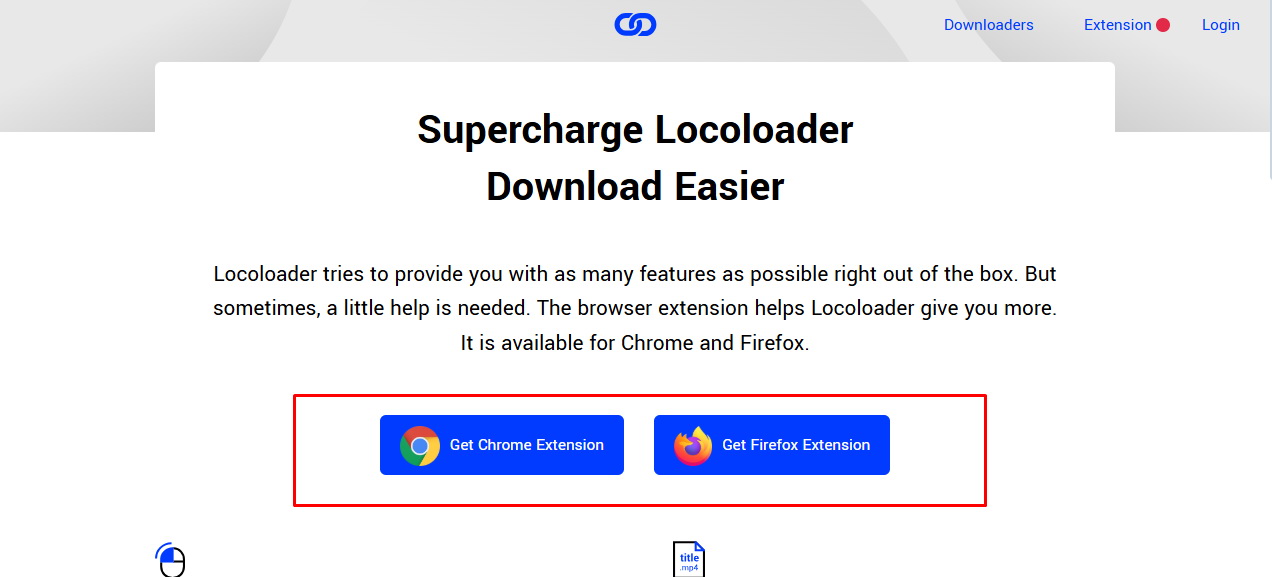
Step 3: The awesome part? Locoloader automatically locates the file and initiates the download instantly. Don’t worry about copying links or navigating complicated settings, it does it all for you.
Step 4: Do you want to save a whole playlist, gallery, or album? Locoloader’s bulk download is so simple! Click on the one-click bulk download button and it will take everything in one go.
Automatically name your downloads based on the title of the content. This ensures your files remain clean and accessible without extra effort. Then there are Locoloader’s add-ons that enable you to have more control over your downloads. You can alter quality settings, select output types, and many other options to personalize your Fansly content.
The Fansly Downloader Chrome Extension and an excellent way to download from Fansly. Videos, pictures, and more can be saved in a single click. It also lets you download several files at once and saves time if you have multiple Fansly accounts. The extension is simple and you’ll be able to master it easily, even if you’re not an expert.
To use the Fansly Downloader Chrome Extension:
Step 1: Go to the Chrome Web Store and type in "Fansly Downloader". Then click "Add to Chrome" to install it.
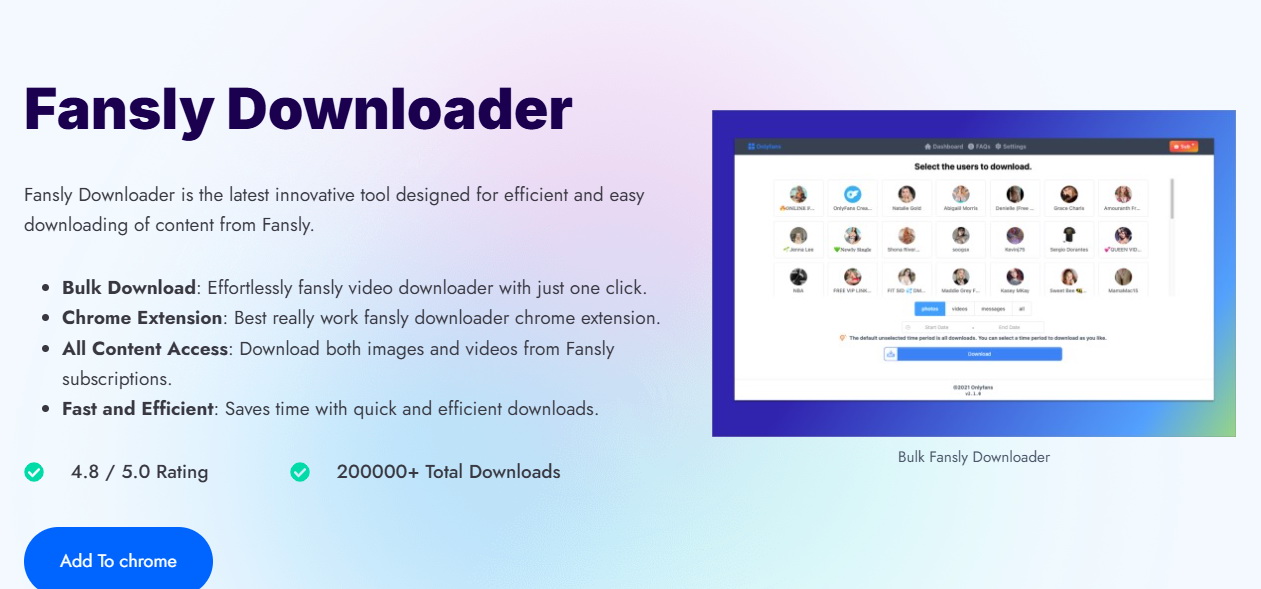
Step 2: Open Fansly in your browser and sign in to your account.
Step 3: Browse for the image, video, or file you wish to download.
Step 4: Click the Fansly Downloader icon in your browser toolbar.
Step 5: Select whether you wish to download the file individually or as a batch.
Step 6: That's it! It will start downloading the content to your computer.
Part 3: Most Easy to Use: Fansly Downloader Online
And if you are someone looking for an online video downloader, then yes you have several options there too. Just to name two here: The Fetchpik online Fansly Video HD Downloader and Ivigo Fansly Downloader are the best choices for those who want to download videos from Fansly shortly and straightforwardly. You don’t need to install anything. These two online services are very easy to use and allow you to store your videos in high quality hassle-free.
The interface is easy to navigate, making it available for everyone. It’s not meant for the tech pro; it’s for everyone. This downloader can do everything you need to download a video or many videos at a time. It’s a smooth and seamless process, so you can have your videos online in no time. To get you started with the Fansly Video HD Downloader, here’s a step-by-step guide;
Step 1: Open your web browser and visit the Fansly Video Downloader website.
Step 2: Open Fansly and copy the URL of the video you want to download.
Step 3: Copy the copied link and copy it into the input box of the downloader site.
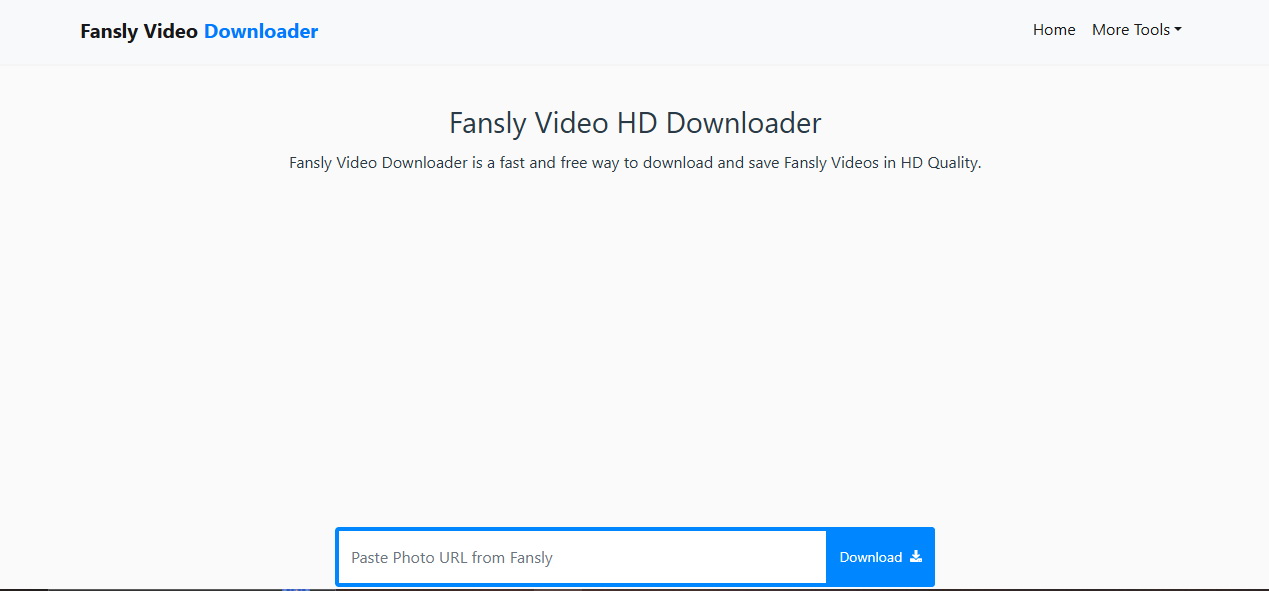
Step 4: Select the quality of the video you want to stream.
Step 5: Hit the "Download" button, and the video will begin to download onto your computer.
It’s as simple as that. This website helps you to download Fansly videos quickly and efficiently. Use it and save all your favorite things easily.
Conclusion
Downloading videos from Fansly can be made easy and efficient with the right tools. This post ranked the best 5 Fansly downloaders, each one providing its own functionality for a variety of uses, from speedy internet downloaders to powerful browser extensions. CleverGet Fansly Downloader is one of the most trusted Fansly video downloaders out there that provides fast downloads and great support for people who want to save Fansly videos. It's simple design and the ability to store videos at the highest quality make it a must-have application for efficient and convenient users.
-
Netflix vs HBO Max: Which Should You Choose?Cassie J./2026-03-11
-
How to DVR on YouTube TV and Fix Recording IssuesSunny Wen/2026-03-11
-
Loom Screen Recorder Guide: How It Works + Free Alternative ToolsSunny Wen/2026-03-10
-
Locoloader OnlyFans Downloader Review: Is It Really Working?Patrick Murray/2026-03-09
-
How to Download YouTube 8K Video Without Quality LossCassie J./2026-03-09
-
Disney Plus 8-Digit Code: How to Activate Your Account on Any DeviceLeia Liu/2026-03-06
-
Wondershare DVD Creator Review: Features, Test & PriceCassie J./2026-03-06
-
HiDIVE Downloads: Do They Expire? How to Keep Them Forever?Patrick Murray/2026-03-03
-
Paramount Plus Error Code 3205 Explained: Causes & Proven FixesLeia Liu/2026-02-27
-
Disney Plus HDCP Issue Explained: Causes, FixesLeia Liu/2026-02-25


-
12 Best Sites Like BestGore for Shocking VideosAugust/2025-03-17
-
12 Best Sites Like BestGore for Shocking VideosAugust/2024-02-22
-
12 Best Free Web Series Download Websites 2026August/2025-02-05
-
Top 10 Sites to Download Anime FreeAugust/2024-12-27
-
Top 5 OnlyFans Viewer Tools to View OnlyFans FreeAugust/2024-04-29
-
Top 10 Websites to Watch Uncensored AnimeAugust/2024-02-21
-
[2026] AudioBookBay Proxy Sites & Alternatives for Free AudiobooksCassie J./2026-01-06
-
How to download videos from MissAV? – Ways to download MissAV JavPatrick Murray/2025-02-08
-
Top 10 OnlyFans Search to Find Someone on OnlyFansAugust/2024-02-29
-
7 Best Free Sites for Pinoy Movies Download in 2026August/2024-10-31


Leave a Reply
You must be logged in to post a comment.