


 100% Safe & Clean |
 License Instant Delivery |
 4.9(
4.9(
2023-07-26
Best Software for Video_TS Burning to DVD/Blu-ray...
Video_TS folders are often seen from the files you downloaded fro...

Video Editor
The built-in video editor brings more fun for getting personalized Blu-ray/DVD content, like clip, trimming, watermark, black margin removing, 3D movie effect, etc.

Video Trimmer
Trim video length to remove unwanted video clips and retain only the video clip you want, saving time and storage.

Video Cropper
Crop video size to remove the black margin or unwanted space, to get the focus you need with ease.

Video Effect
Determine the output Blu-ray/DVD video effect by adjusting the video contrast, saturation, brightness, volumezoom, etc.

Remove Noise
One click to remove the noise from the source movies to get better quality of audio enjoyment.

Watermark
Add a text or image watermark as signature to make the Blu-ray/DVD content your own patent.

Video Rotate
Rotate videos by different angles to get special angle of view or for a special purpose.

3D Creator
Create 3D Blu-ray/DVD in Red/Cyan, Red/Green, Red/Blue, Blue/Yellow, Interleaved or Side-by-Side, setting 3D Depth for more vivid 3D effect.

Create Chapter
Create chapters by setting chapter’s total number or chapter length to get all chapters at once, or set the chapters one by one.

Other Features
The Blu-ray burner software also comes with other wonderful bonus features to improve user experience, like screenshot snapper, 4K video player, instant previewer, batch burning, etc.
Built-in media player enables you to play loaded videos and generated photo slideshow. It could play up to 4K videos without quality loss.
The Blu-ray burner software offers instant preview during video editing, 3D movie applying, photo slideshow editing, disc menu selecting and designing.
With a built-in camera, during playing back loaded video, this Blu-ray DVD burner could take screenshots and save in JPG, BMP, or PNG format.
This Blu-ray burner software supports importing multiple media files at the same time and then burning to one Blu-ray/DVD file in batch.
This burning program also enables users to save the chapters from MP4, MKV and Blu-ray source movies before the burning process and get better content organization in the output.
Leawo Blu-ray Creator is designed with easy-to-use interface. Simple steps to import source, set directory and start the burning process. This comprehensive software is very friendly even for green hands.

20+ Years Experience

10,000,000+ Happy Clients

100% Safe & Clean

100+ Countries
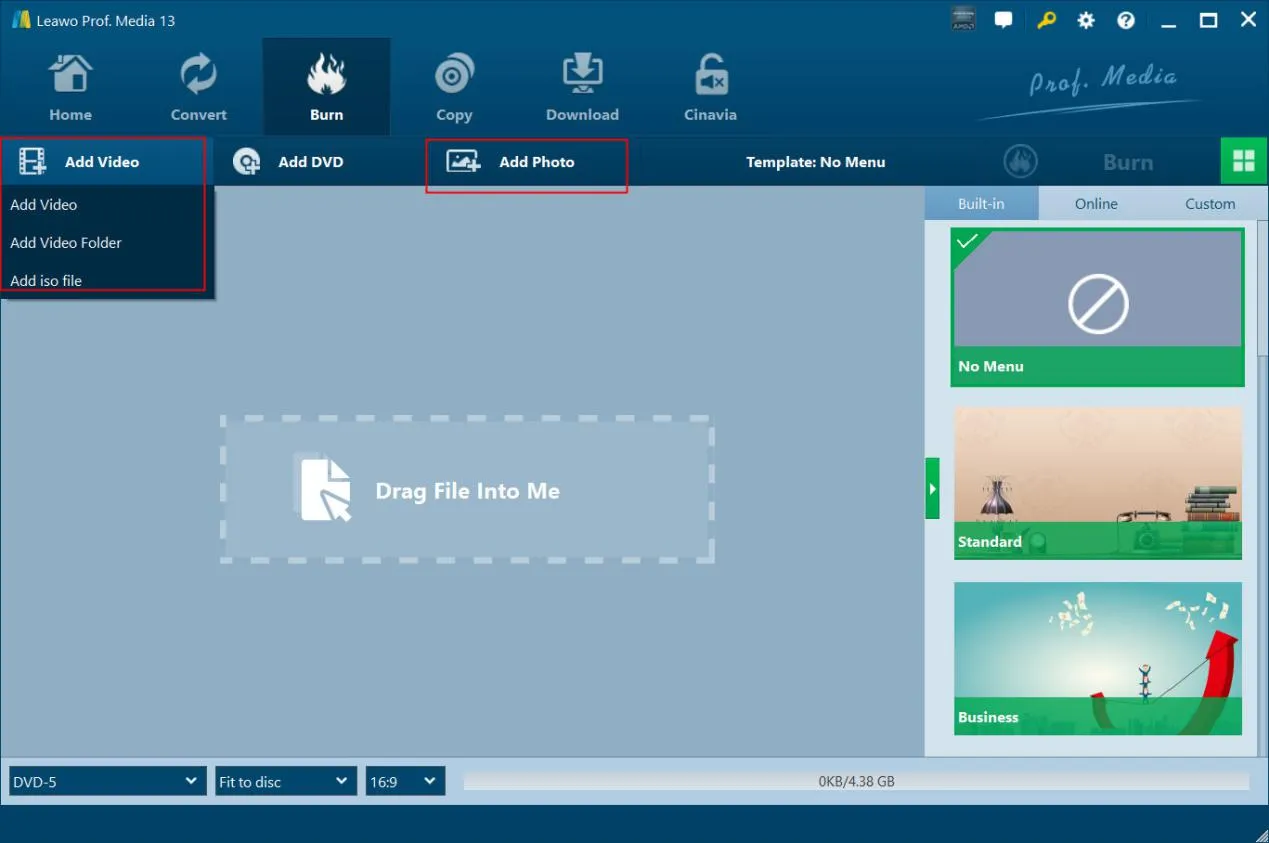
Step 1: Add source video/photo files
Open the “Burn "tab and add source video/photo files by clicking “Add Video "button or “Add Photo "button respectively.
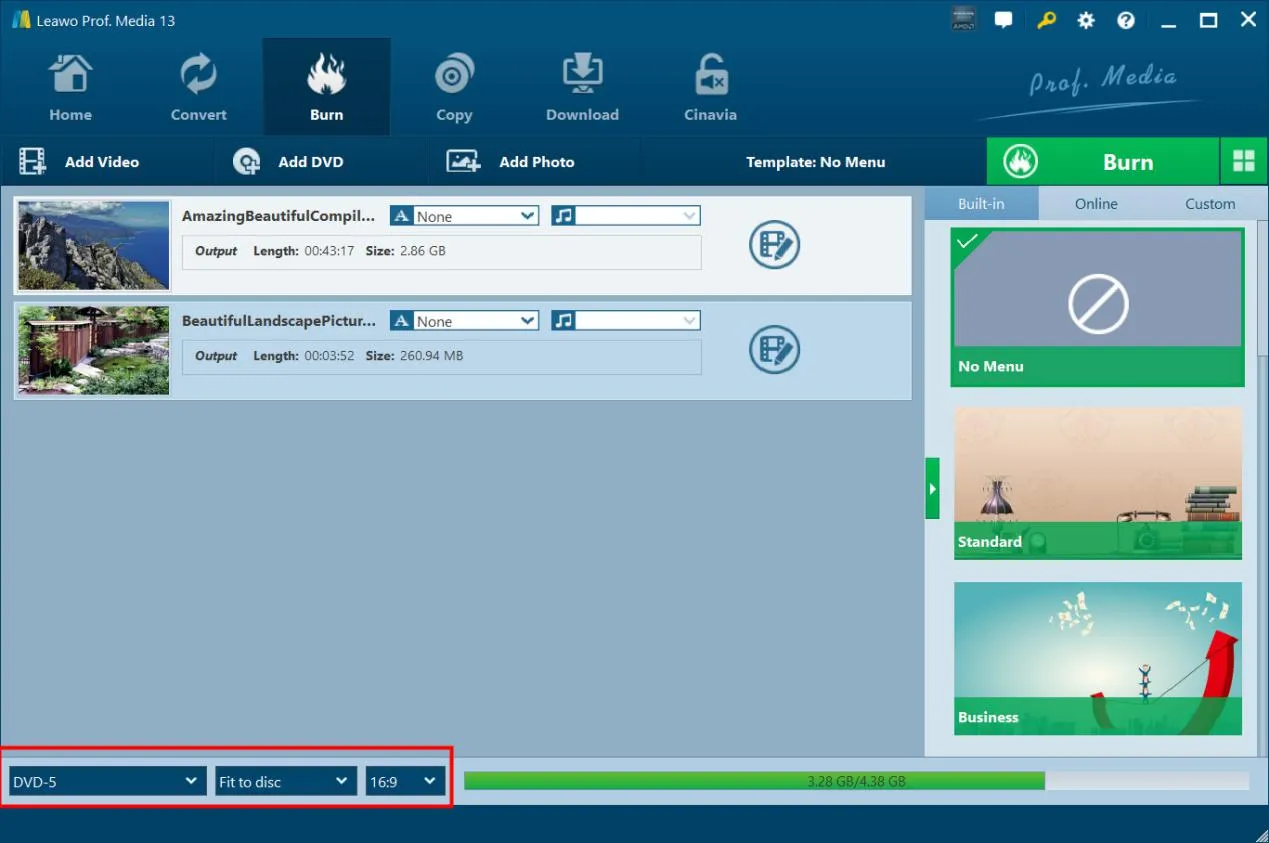
Step 2: Set output Blu-ray types
After loading source video or photo files, at the bottom left corner, choose output Blu-ray type, quality and aspect ratio.
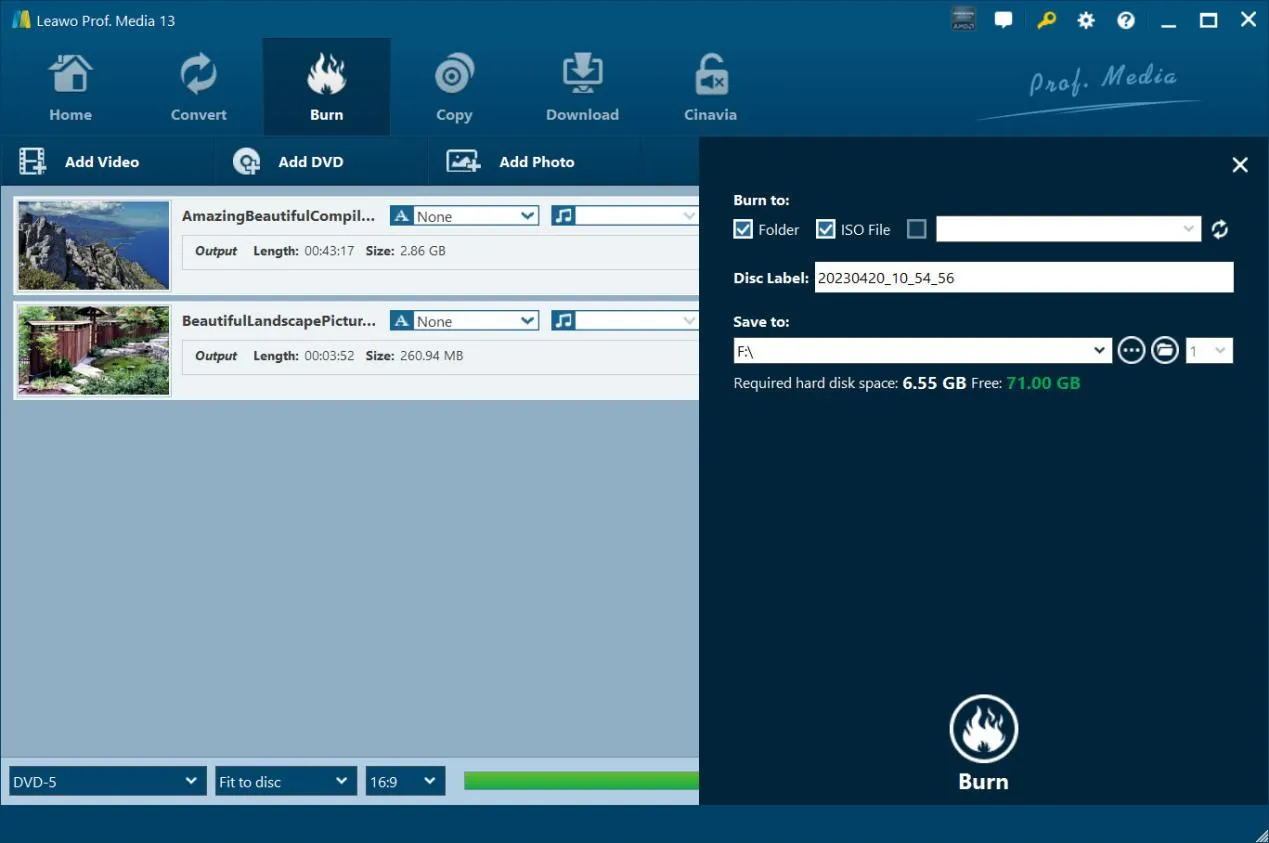
Step 3: Burning settings
Click the green “Burn "button to call out sidebar, and then complete burning settings including “Burn to”, “Disc Label "and “Save to "options.
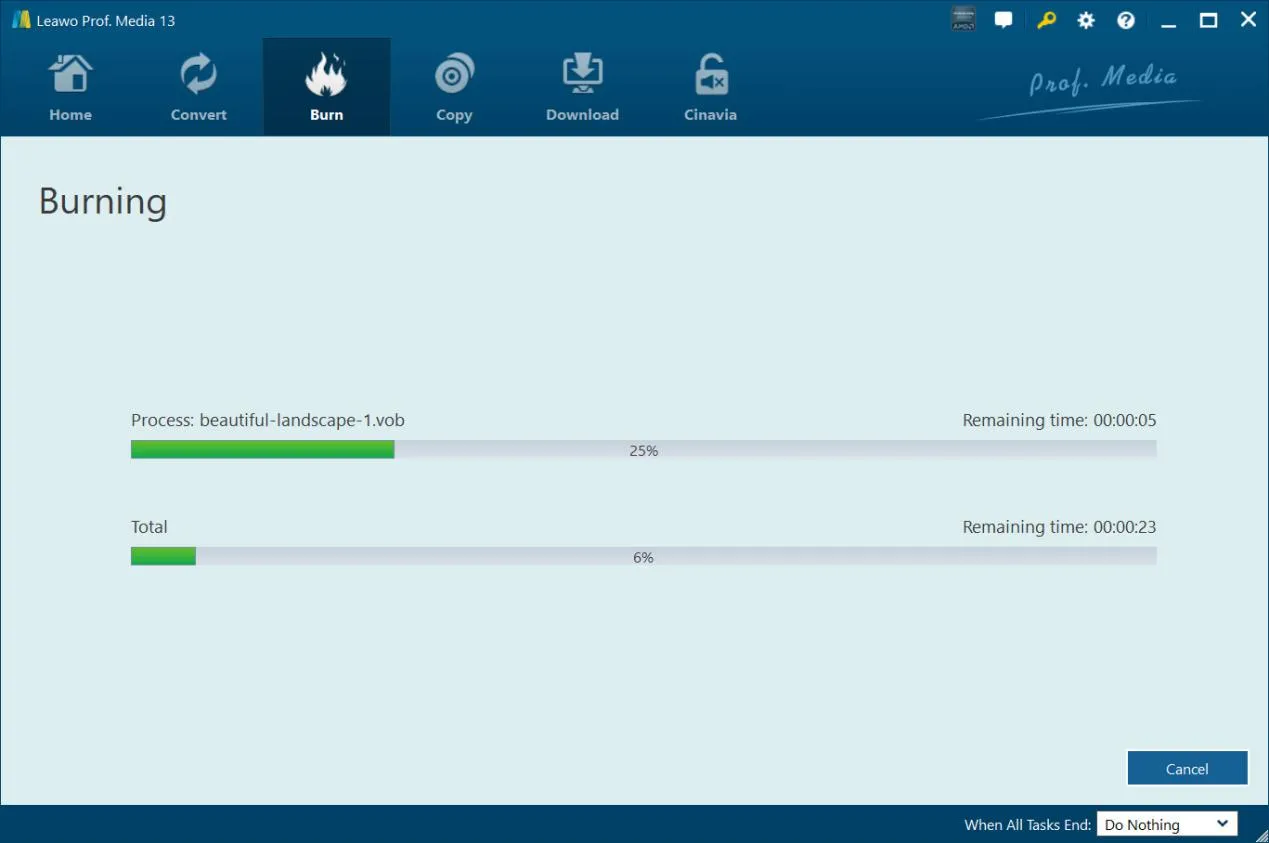
Step 4: Start burning Blu-ray
Finally, click the bottom “Burn "button to start burning video or photo files to Blu-ray disc, folder and/or ISO file.
System Requirments


Size 186 MB
Version
Update

Testimonials

"
What a wonderful Blu-ray copy software tool. I was able to transfer my recorded Blu-ray discs to an old and scratched disc to a new blank Blu-ray disc. No quality loss. That's awesome.

Miky Miller

"
This tool is easy to use. Only a few clicks could complete the BDAV file backup issue. No loss in image and audio quality. The whole backup procedure is quite fast. An effecient but simple tool.
Jon Tone

"
Had to say this Blu-ray Recorder Copy worked exactly as expected. Made quite a few backups of my recorded Blu-ray discs. Save my happy moments even better.
Layla Kelly
Latest Articles

Purchase Leawo Blu-ray Creator
$ 39.95

$ 59.95
30% OFF
$ 69.92 $99.99
 41% OFF
 Includes: Blu-ray Copy, Blu-ray Recorder Copy, Blu-ray to DVD Converter, DVD Copy, Blu-ray Ripper, Blu-ray Recorder Ripper, DVD Ripper, Blu-ray Creator, DVD Creator, Video Converter, CleverGet Video Downloader





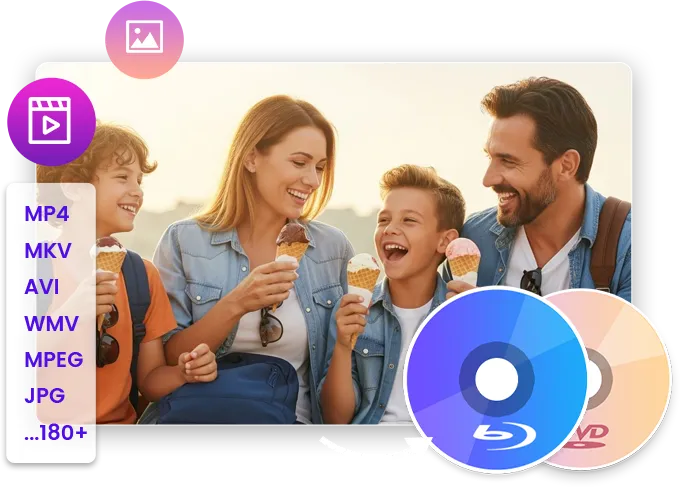
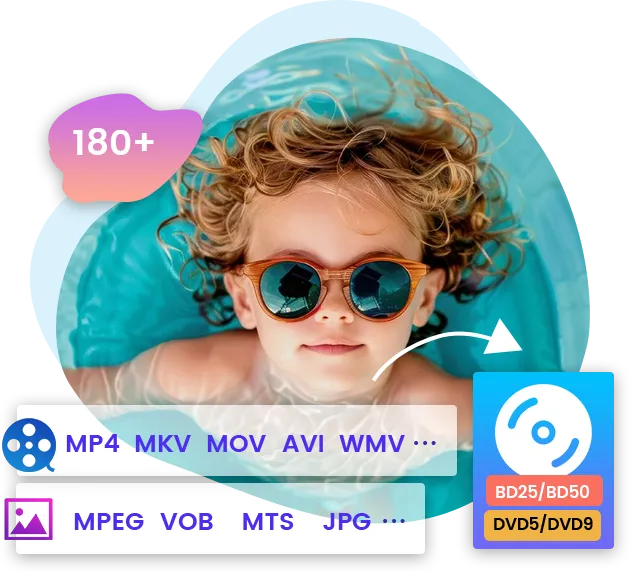
Burn Blu-ray/DVD with 180+ Formats Supported