


2025-08-26
Top 5 Alternatives to 4Media Blu-ray Ripper
At present, watching the latest or most popular movies by...

Lossless Quality
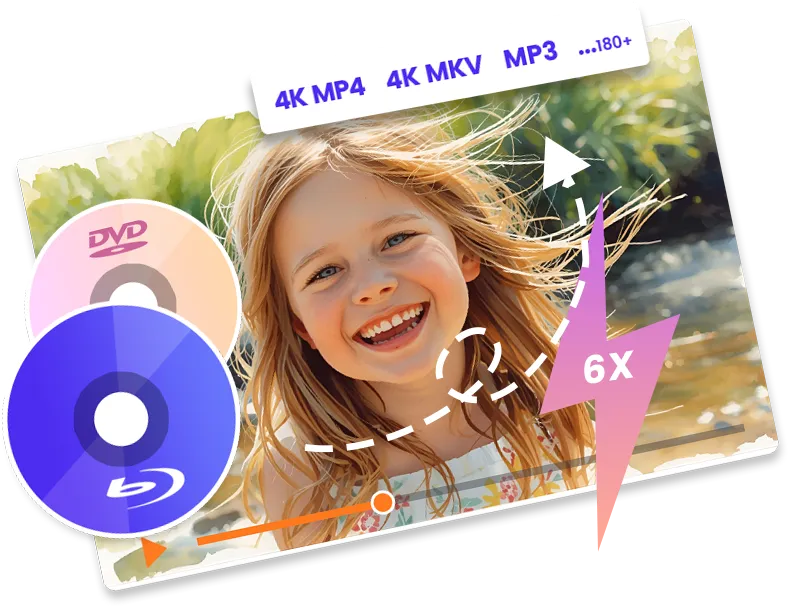
Featuring quality-lossless Blu-ray/DVD conversion tech, Leawo Blu-ray Ripper offers cinema-like movie watching experience for you with your home theatre system. Keep all element in source Blu-ray/DVD content after conversion, without any quality loss.

Leawo Blu-ray Ripper retains all image element from original Blu-ray/DVD content according to personal settings. It could keep the same image pixel density, aspect ratio, image frame, etc. as that in source Blu-ray/DVD content.

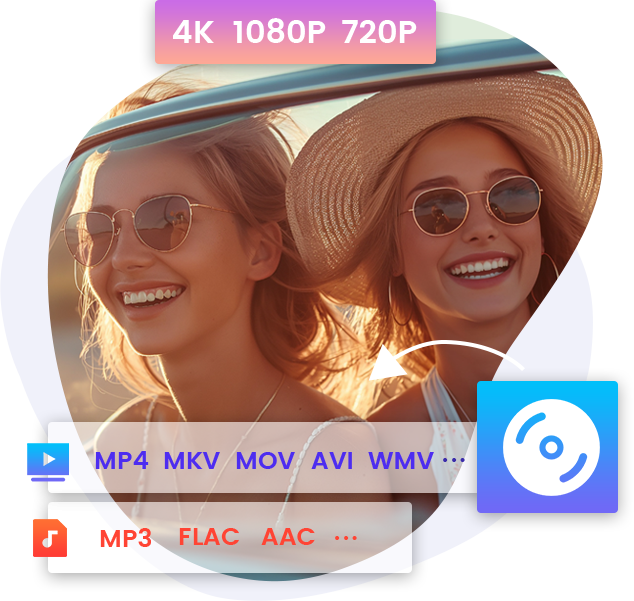
Leawo Blu-ray Ripper enables you to rip Blu-ray to video in 720P, 1080P and even 4K resolution. It could even convert and upscale Blu-ray disc to 4K MP4/4K MKV video for movie experience on 4K displays.

Leawo Blu-ray Ripper offers "Audio Copy" audio output, to enable you get 5.1/7.1 audio channel output. You could get a cinema-like audio experience with your home theatre system like computer, TV, etc.

This Blu-ray DVD ripper enables you to adjust video codec, bit rate, aspect ratio, resolution, quality, audio codec, sample rate, frame rate, channel and other parameters to meet target player before converting.

With lossless video output support, Leawo Blu-ray Ripper lets you rip and convert Blu-ray/DVD movies to lossless multi-track MKV/lossless multi-track MP4 with all or multiple audio tracks and subtitles retained.
Video Editor
Leawo Blu-ray Ripper enables you to edit Blu-ray/DVD movies before converting Blu-ray/DVD to video to get more enjoyment, including: file merging, media editing, 3D movie creating, parameter adjusting, etc. Get movie from Blu-ray/DVD with your own patent.

Merge
Merge multiple Blu-ray/DVD titles into one single video file

Trim
Trim video length to cut unwanted clips and retain what you need only

Crop
Crop video to remove black margin and accomedate your screen

Adjust video effect
Adjust brightness, saturation, contrast, and zoom volume of the video to apply desired effect to output file.

Watermark
Add text or image as video watermark as your own logo

3D
Convert 2D Blu-ray/DVD to 3D video or convert 3D Blu-ray to 2D video

Other Features
With advanced graphic accelerating technologies and batch Blu-ray to video conversion support, this Blu-ray DVD ripper can rip Blu-ray/DVD and handle Blu-ray/DVD to video conversion faster than rivals do. The program is extremely easy to use, no technique knowledge required.
The batch conversion of this Blu-ray ripper software could handle multiple Blu-ray/DVD to video conversions at one time.
The built-in region-free Blu-ray player can play Blu-ray/DVD files, and preview video editing and 3D movie effects.
This Blu-ray ripping software is extremely easy to use: add media file, set output profile and directory, and then start conversion.
Subtitle selecting is feasible, You could freely select subtitles from source Blu-ray/DVD files. Watch Blu-ray/DVD movies in selected language.
As the best Blu-ray DVD ripper software, it supports NVIDIA CUDA, AMD APP and Intel Quick Sync GPU accelerating technologies for 6X faster conversion.

20+ Years Experience

10,000,000+ Happy Clients

100% Safe & Clean

100+ Countries
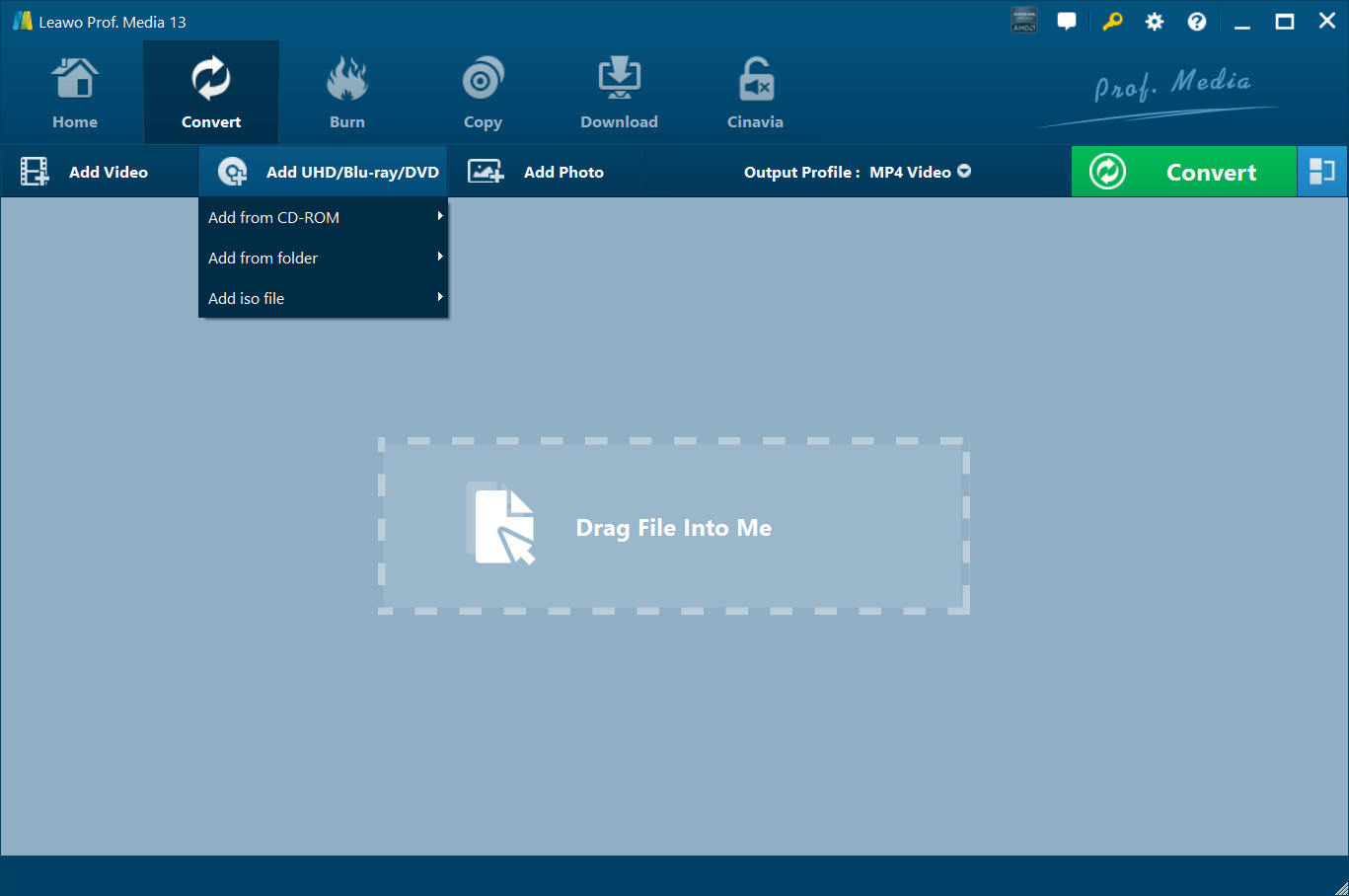
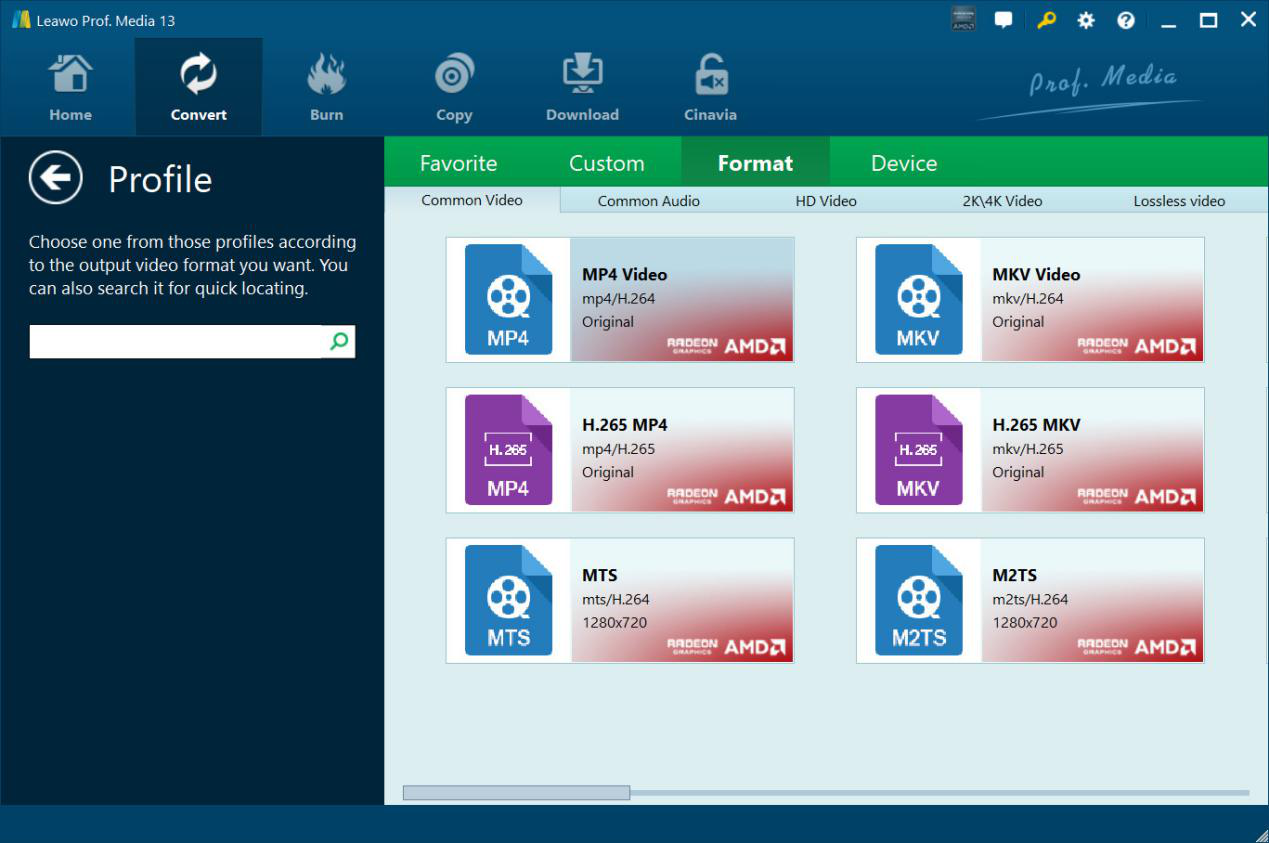
Step 1: Add source Blu-ray/DVD
Open the “Convert” tab and then click “Add UHD/Blu-ray/DVD” drop-down button to add source Blu-ray/DVD media.
Step 2: Set output format
Click the “Output Profile” drop-down button and then choose “Change” option to choose output profile.
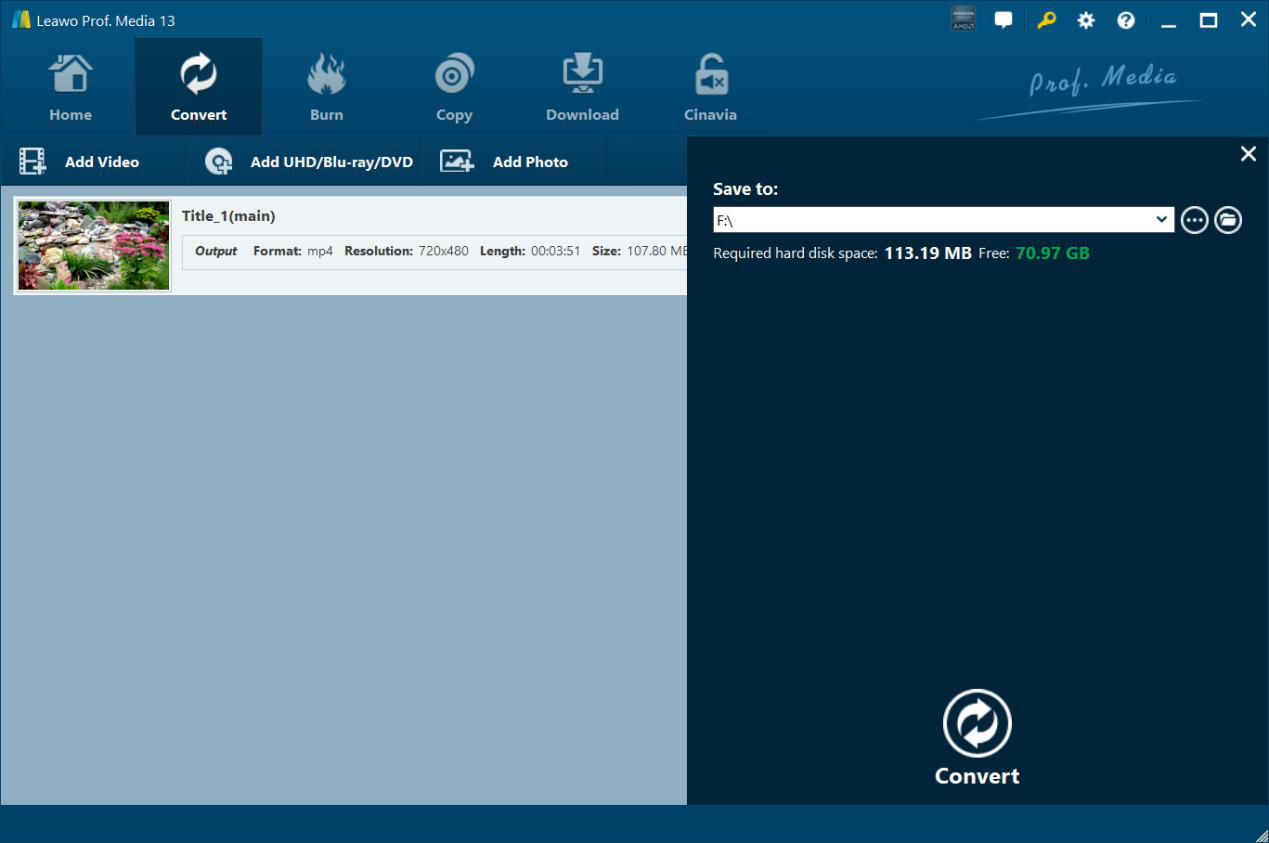
Step 3: Set output directory
Click the green “Convert” button to call out the sidebar and then set output directory.
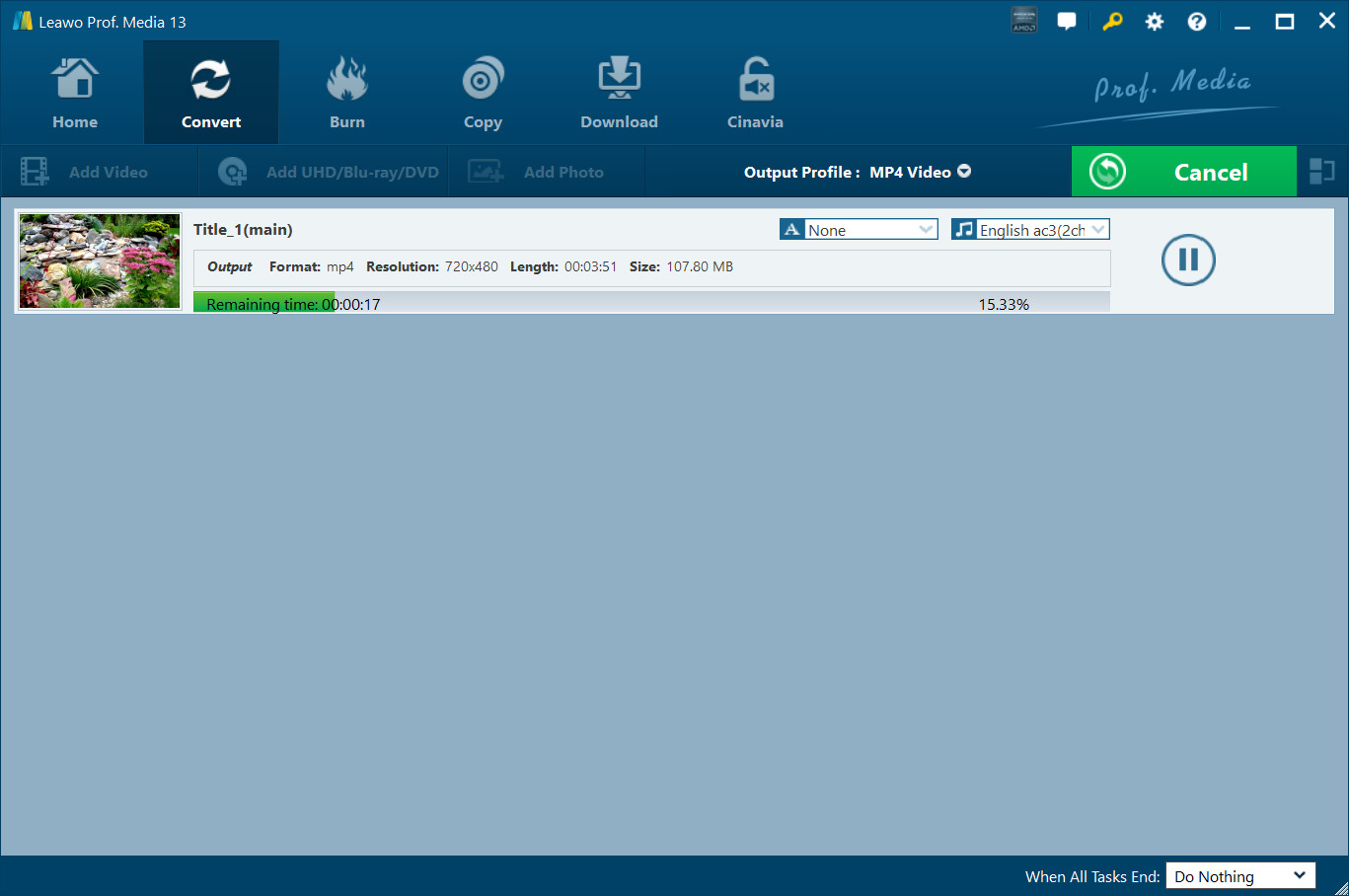
Step 4: Start converting Blu-ray/DVD
Click the bottom “Convert” button to start converting Blu-ray/DVD files.
System Requirments


Size 186 MB
Version
Update

Testimonials

"
I have used the Prof. Media for over ten (10) years. This is not only a great product, but their support staff also do an amazing job. i own lifetime products to almost all of their products.

Jay Lykins

"
I have tried a few digital coping software's and Leawo Prof. Media works as good but a whole lot faster. The one thing I am wanting to see in the future is this software that allows for close captioning that can be turned on and off.
Eddie Lusk

"
Super programme group. Fast and flawless copying or ripping. I protect my original DVDs and BR by using them on a NAS. This keeps the original DVDs scratch-free and in good condition. I have a full version on my workstation and a licence to rip only on my home computer. Very satisfied.

Ivan
Yes, Leawo Blu-ray Ripper offers free trial version, which could rip and convert the first 5-minute content for handling both encrypted and non-encrypted Blu-ray contents. Meanwhile, Leawo Blu-ray Ripper free trial handles encrypted Blu-ray content for 30 days. To unlock these limitations, you need to register and activate Leawo Blu-ray Ripper.
Yes, it is safe. Leawo Blu-ray Ripper brings no virus and malware, and does no harm to both computer and source Blu-ray content. It is secure and safe to use Leawo Blu-ray Ripper.
This highly depends on how you use the ripped Blu-ray content. It would be not illegal if you decrypt, rip and convert Blu-ray discs for personal use only. But if you rip and convert Blu-ray disc for business or profit purpose without official authority, it is illegal.
Yes, Leawo Blu-ray Ripper could remove copy protection from Blu-ray discs and then convert copy-protected Blu-ray discs to copy protection-free digital files.
MKV and MP4 are widely recommended as output format for ripping Blu-ray. Leawo Blu-ray Ripper supports lossless MKV and lossless MP4 outputs. MKV could retain the source Blu-ray quality to the most, while MP4 is most accepted by various media players and devices.
Yes, you can. Leawo Blu-ray Ripper offers Main Movie mode to let you load the main movie from source Blu-ray for ripping and converting, which greatly reduces the conversion time and increases efficiency.
Yes, Leawo Blu-ray Ripper allows you to add either image or text watermark as your own signature. It even allows you to edit watermark like setting transparency, color, position, etc.
Yes. Leawo Blu-ray Ripper supports GPU hardware acceleration to make use of NVIDIA CUDA, Intel Quick Sync or AMD APP GPU hardware graphics card to increase Blu-ray ripping and converting speed.
Leawo Blu-ray Ripper could complete Blu-ray decrypting, ripping and converting at lightening-fast speed. A 2-hour long Blu-ray movie could be completed within tens of minutes. With the GPU hardware acceleration, the entire process could be even shorter.

Purchase Leawo Blu-ray Ripper
$ 44.95

$ 99.95
40% OFF
$ 119.94 $199.9

Includes: Blu-ray Copy, Blu-ray Recorder Copy, Blu-ray to DVD Converter, DVD Copy, Blu-ray Ripper, Blu-ray Recorder Ripper, DVD Ripper, Blu-ray Creator, DVD Creator, Video Converter, CleverGet Video Downloader


![[Review] Everything You Need to Know Before You Buy LG...](https://www.leawo.org/entips/wp-content/uploads/2024/02/LG-UHD-ThinQ-65-review-300x128.jpg)

Rip Blu-ray to video and audio in 180+ formats