
How to Recover Data from iCloud Backup
This page provides you with detailed instructions for recovering data to iOS devices from iCloud backup using Leawo iOS Data Recovery.


- Home
- /
- Leawo iOS Data Recovery
- /
- User Guide
How to Recover Data from iCloud Backup
1. Choose recovery from iCloud backup
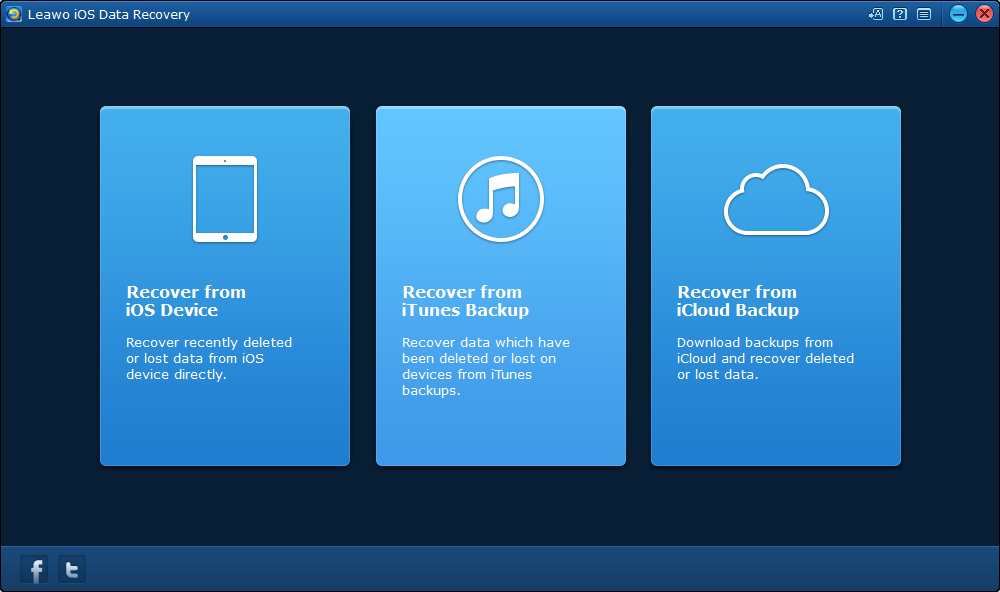
To recover data from iCloud backup, first click the third tab on the main interface.
2. Log on iCloud
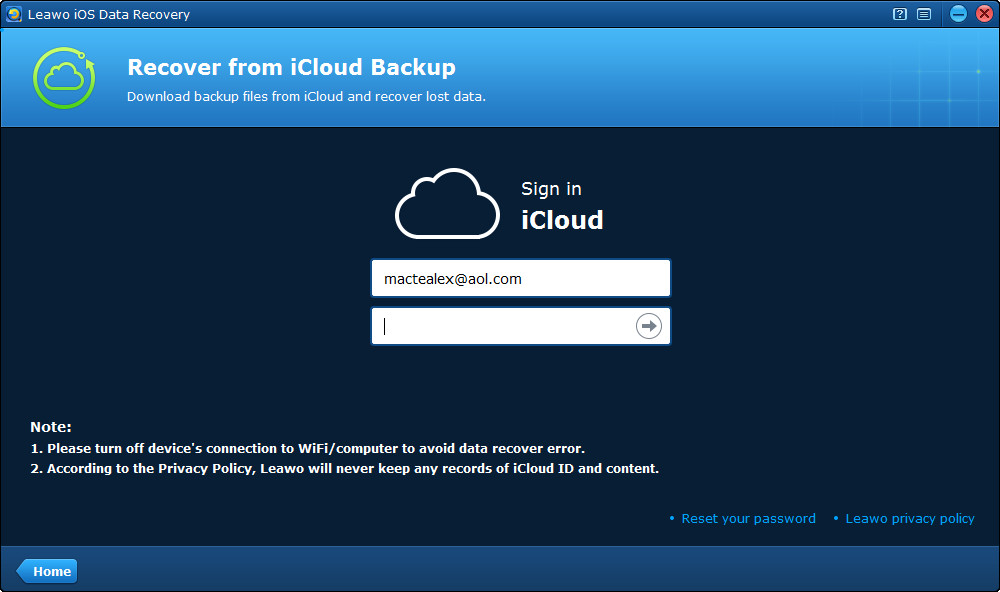
After choosing recovering from iCloud backup, on the next page you need to log on iCloud with your Apple ID.
3. Download iCloud backup
After logging on iCloud, the program would scan your backup on iCloud. After the scanning is finished, your backup would be shown on the list. Double click the backup or click Download  button at the bottom left to download the backup.
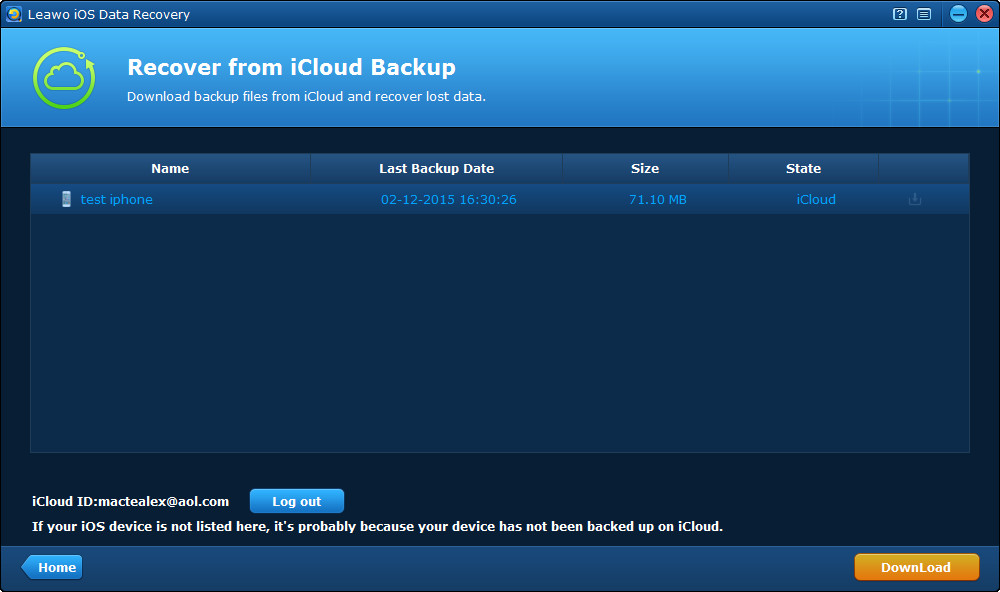
When you are downloading the backup, you can click Cancel button to stop downloading it. The time for the download depends on how big your backup is.
4. Choose files
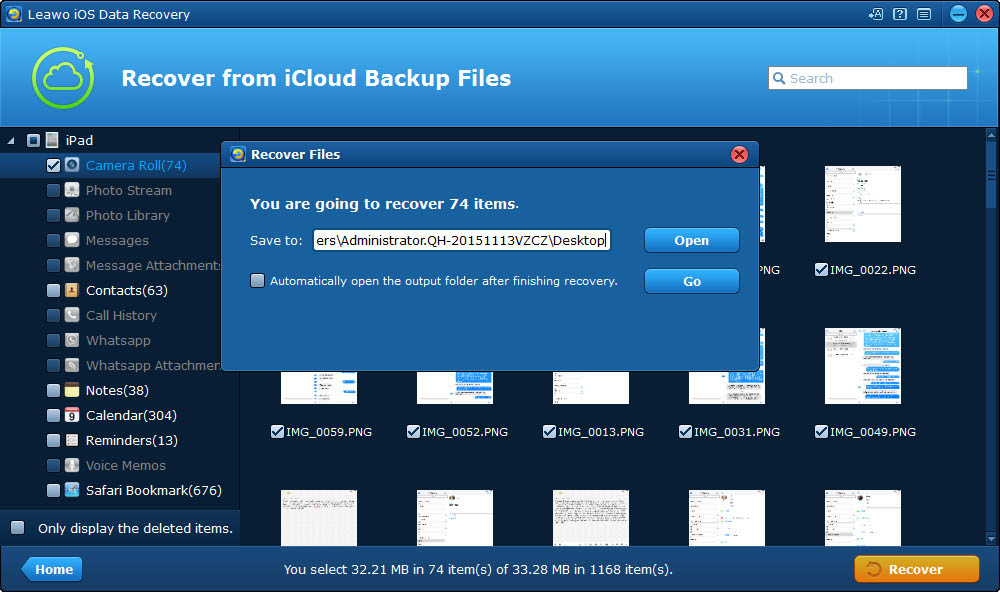
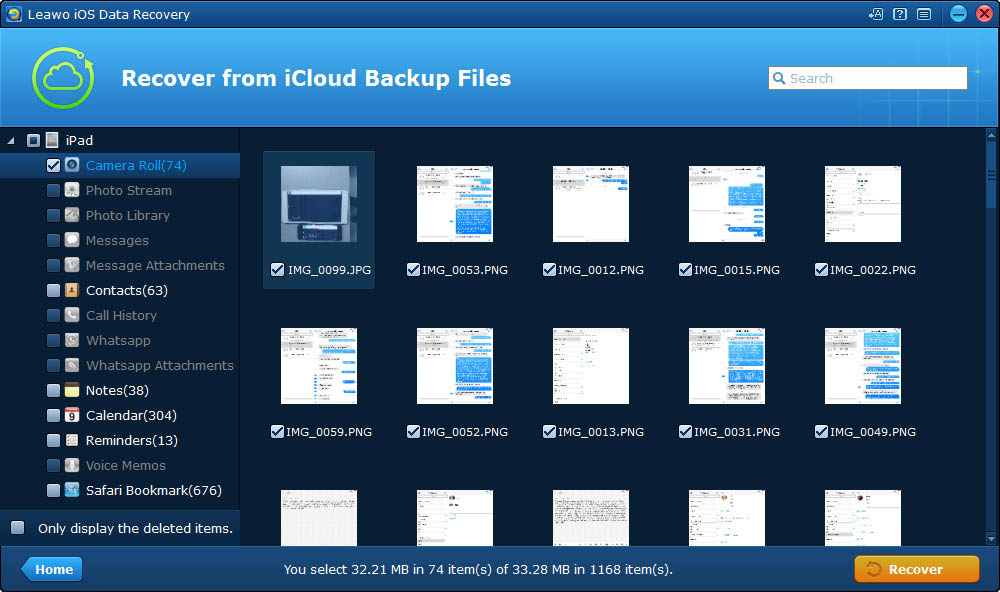
When the program finishes downloading the backup, it will start scanning it automatically and when it’s done, all the content in your backup would be shown on the interface. On the left column are the data categories. Select one category and check the files in it that you want to recover. As with other recovery modes, you can choose to display only the deleted items by ticking Only display the deleted items  .
.
5. Start recovery
When you finish choosing all the files you want to recover, click Recover  button and there would be a pop-up window. On the window you need to set the directory for the files you've chosen to recover. Click Open
  button to set the output directory and you can have the program open the output folder when it finishes restoring data to your device by ticking Automatically open the output folder after finishing recovery. And then click Go
  button.