This page shows you details on how to register Leawo Blu-ray to MKV Converter for Mac, and differences between trial version and registration version.
Although Leawo Blu-ray to MKV Converter for Mac has a free trial version, some features of the program are only available on the registered version. In order to well enjoy Blu-ray movies on MKV players, upgrade from trial version to registered version is recommended.
1.1 Registered version allows you to rip and convert Blu-ray/DVD content of any length, but trial version allows you to convert only the first-five minute content of Blu-ray/DVD to MKV.
1.2 Trial version users cannot get free technical support from Leawo Software while users of registered version can.
1.3 Registered version allows you to get program update for free while trial version does not.
With Leawo Blu-ray to MKV Converter for Mac running on, click “Help” button on the top left of computer screen to pop up a drop-down box 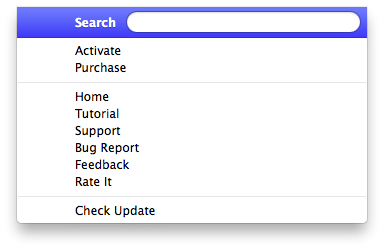 , where you need to click “Activate” button to enter the Activation Center. On the Activation Center, you need to enter the registration code into the blank box and then click the right arrow button to get the registered version.
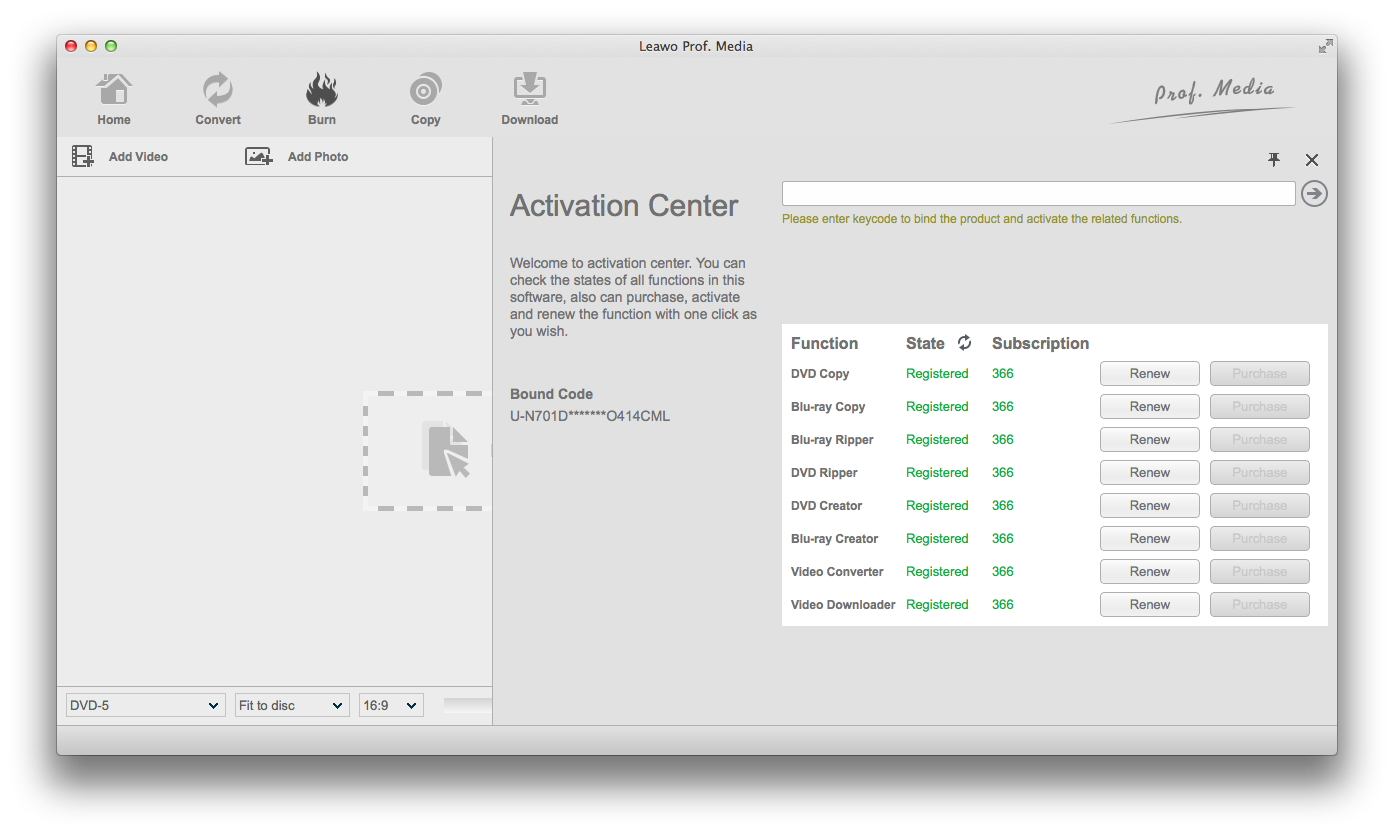
There are two ways for you to purchase a registration code. On one hand, you can click “Purchase” button on the Activation Center to enter the purchasing page. On the other hand, you can click “Help” at the top left of computer screen, and then click “Purchase” button on the pop-up panel. On the purchasing page, you can choose either one-year version or lifetime version.