
How to Use Leawo Blu-ray Creator
Featuring ISO image burner, Leawo Blu-ray Creator enables you to burn ISO image file to Blu-ray/DVD disc directly. This page shows you detailed steps on how to burn ISO to Blu-ray with Leawo Blu-ray Creator.


- Home
- /
- Leawo Blu-ray Creator
- /
- User Guide
How to burn ISO file to a blank Blu-ray/DVD disc
Step 1: Add source ISO file
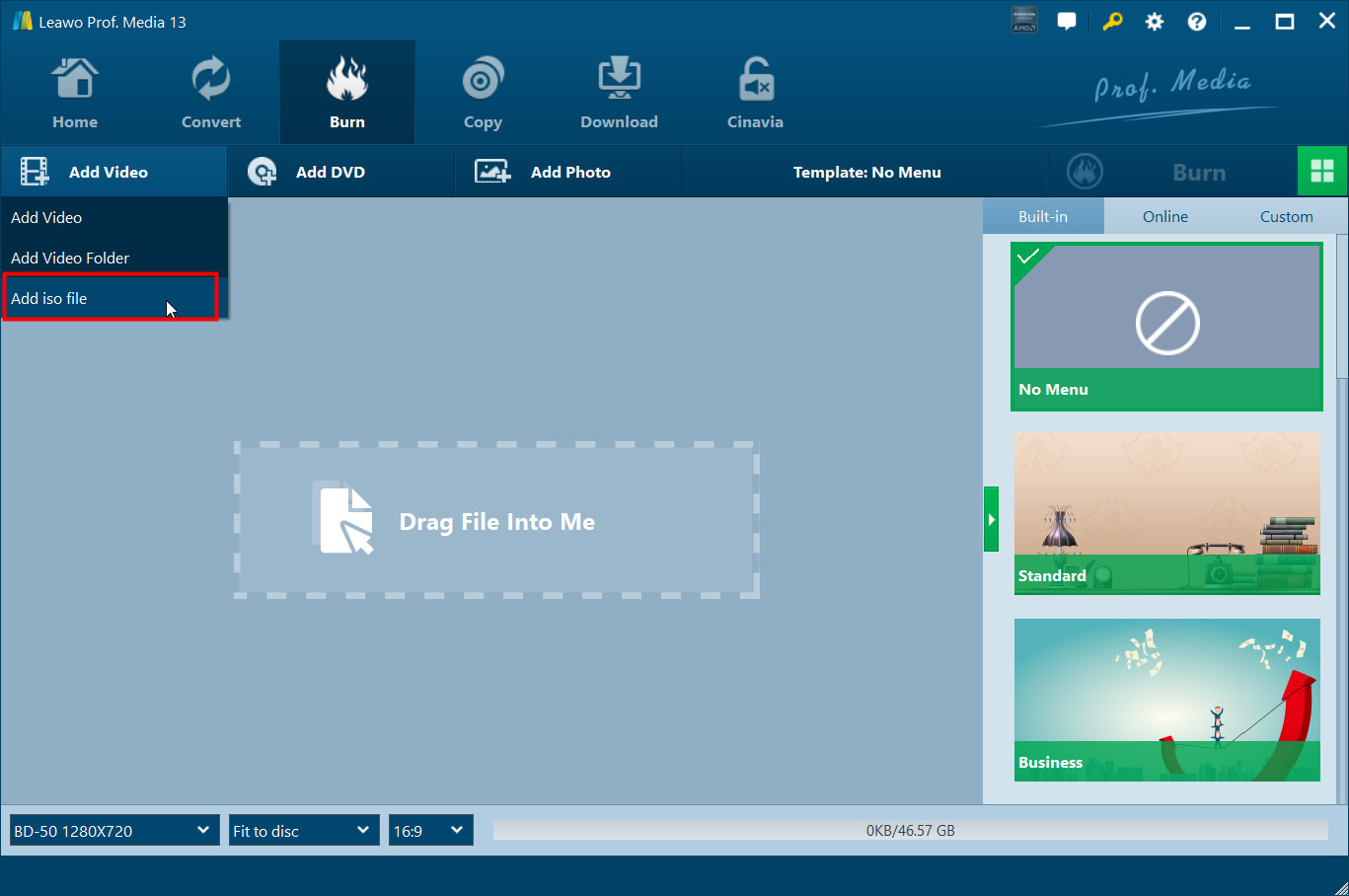
Click Add File  button, on the following pop-up menu, click Add ISO File
  and choose the ISO file on your computer to import to the BD Creator.
Step 2: Burn ISO file
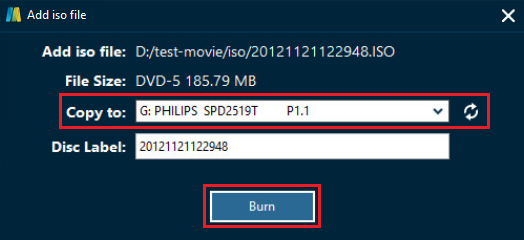
Make sure that you’ve inserted a blank disc into your CD-ROM. After you import the ISO file to the burner, there would be a pop-up window. Choose the CD-ROM you put the blank disc in as the target on the Copy to box and you can edit the disc label. And then click Burn button at the bottom to start burning the ISO file to the blank disc.