
Introduction – What is Leawo Screen Recorder?
Multifunctional screen recorder to capture any area of your screen and audio from any source with ease.


- Home
- /
- Leawo Screen Recorder
- /
- User Guide
Introduction – What is Leawo Screen Recorder?
Leawo Screen Recorder is a multifunctional screen recorder with audio that empowers you to capture any area of your screen and any audio from system sound and/or microphone with ease. You can freely add audio narration, cursor movement, and even doodles to your recordings, so that you can deliver instructions, describe problems, and share knowledge without a hitch. With Leawo Screen Recorder, improving your creativity and productivity has never been easier.
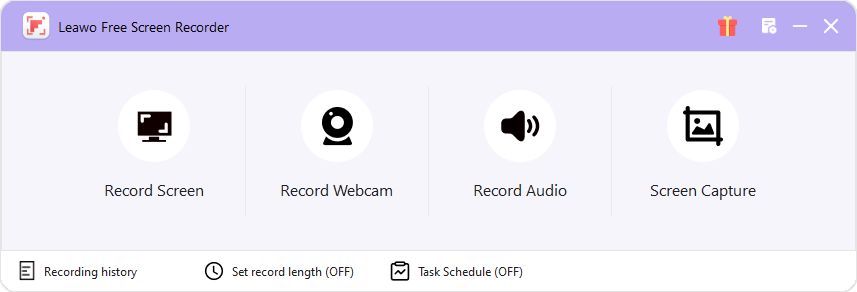
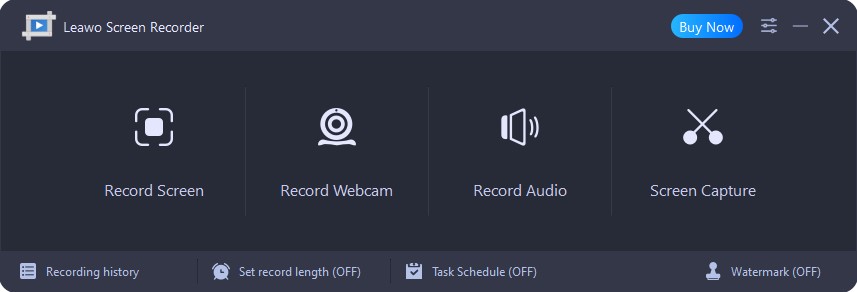
As a one-stop screen recorder, what can Leawo Screen Recorder do for you:
- Record all activities on your computer screen as HD screencast.
- Record video from your webcam.
- Record any audio from your computer and/or microphone.
- Capture anything on your computer screen as screenshot.
- Annotate or draw during recording to better present highlights.
- Add your own logo or watermark to your recordings.
- Add audio narration and background music during recording.
- Add mouse click animation while screen recording.
- Set multiple screen capture tasks for more efficient screen recording.
- Save recordings in high quality with multiple preset output formats selectable.
Comparison of Free and Paid Screen Recorder
| Features | Free Version | Paid Version |
|---|---|---|
| Free Download |
$29.95 Buy Now |
|
| Record Screen |

|
|
| Select Recording Area |
|
|
| Record Webcam |
|
|
| Record Sound on PC |
|
|
| Record Microphone Voice |
|
|
| Capture Screenshot |
|
|
| Scheduled Recording |
|
|
| Preset Recording Length |
|
|
| Mouse Effects |
|
|
| Real-time Drawing |
|
|
| Shortcut Controls |
|
|
| Add Watermark |

|
|
| Output Video Format | MP4 | MP4 (default), MKV, FLV, 3GP, MOV, TS, M2TS, AVI, MPEG, VOB, F4V, M4V |
| Output Audio Format | MP3 | MP3 (default), WMA, AAC, M4A, OGG, DTS, OPUS, AC3, MKA, FLAC, WAV |
| Output Image Format | JPG | JPG |