This page introduces users how to transfer files from iTunes to iPhone/iPad/iPod with the professional iTunes alternative. Apps, music, movies, books, etc. can be transferred from iTunes to iOS devices.
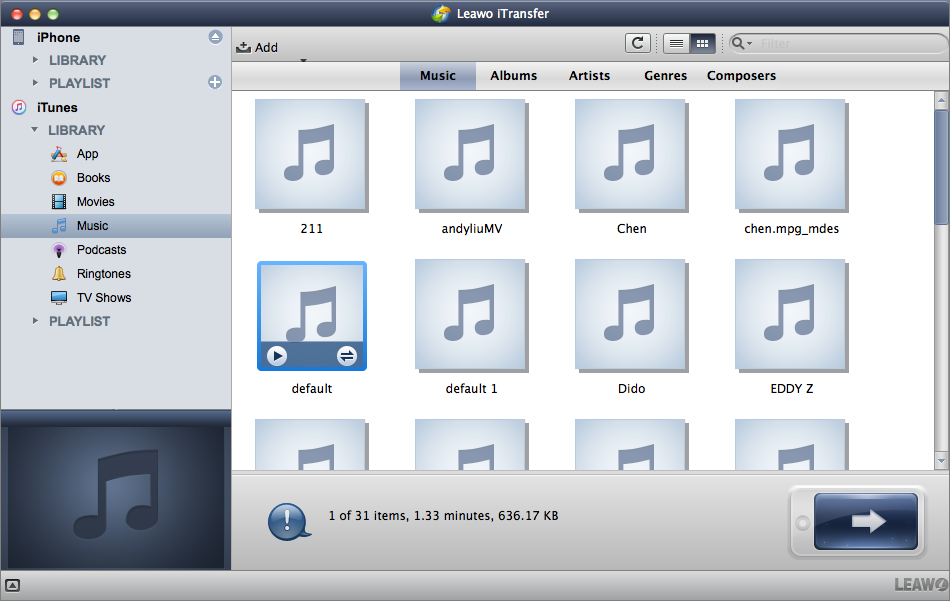
Once run the software, you will see iTunes with LIBRARY and PLAYLIST at the left sidebar. Then connect your iPhone to Mac using USB cable and the software will detect iPhone automatically. Users are allowed to transfer App, Books, Movies, Music, Podcasts, Ringtones, and TV Shows from iTunes to iPhone.
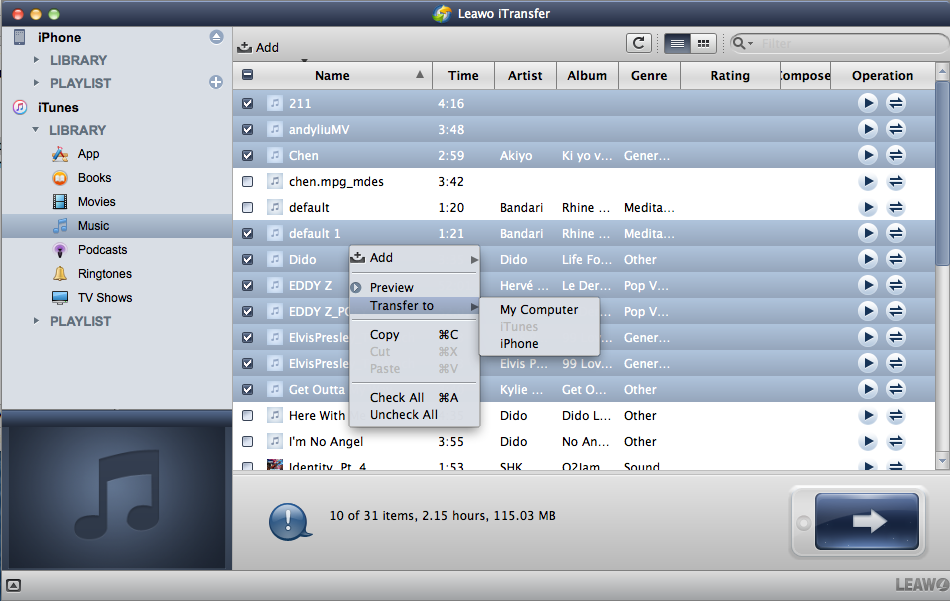
Under LIBRARY of iTunes, choose any kind of files for transfer. You can choose certain files with Command key and right click the selected files to “Transfer to > iPhone”.
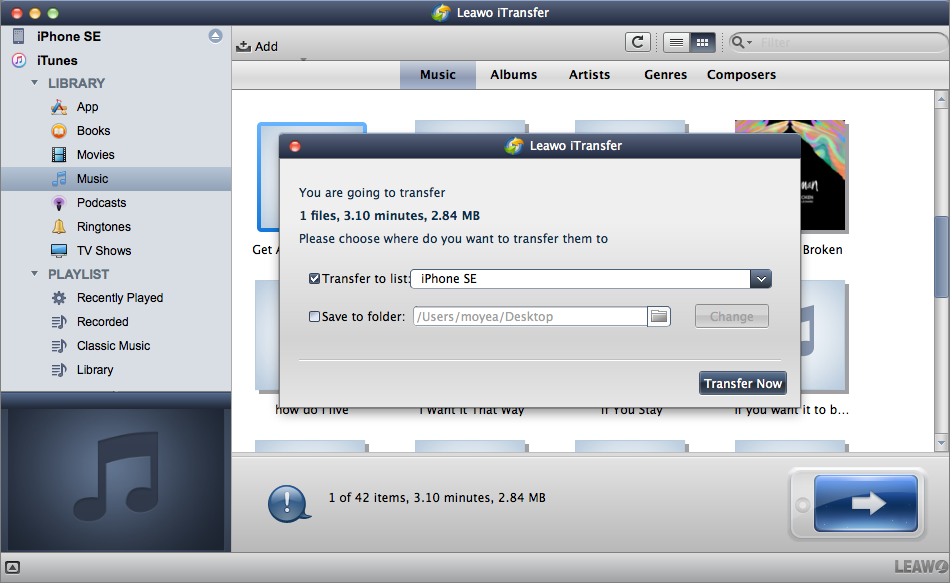
Or click the Transfer  button (the dark-blue right-arrow button at the right bottom of the software) to transfer all files at a time and set destination device to “Transfer to List: iPhone” in the pop-up window and click Transfer Now
  button.
However, if you want to search some specific files, the software offers smart filter function  on the upper right corner. Users could type the full or partial name of Name, Artist, Album, or Composer to choose certain files.
With above done, transfer process will begin with a pop-up window to show you the transfer process. It will show the name and number of the files transferring. You can click “Stop”  to stop this transfer or just wait it done.