


2023-05-26
Best Ways to Solve DVD Cinavia Problem
It is believed that quite a lot of people has...






20+ Years Experience

10,000,000+ Happy Clients

100% Safe & Clean

100+ Countries
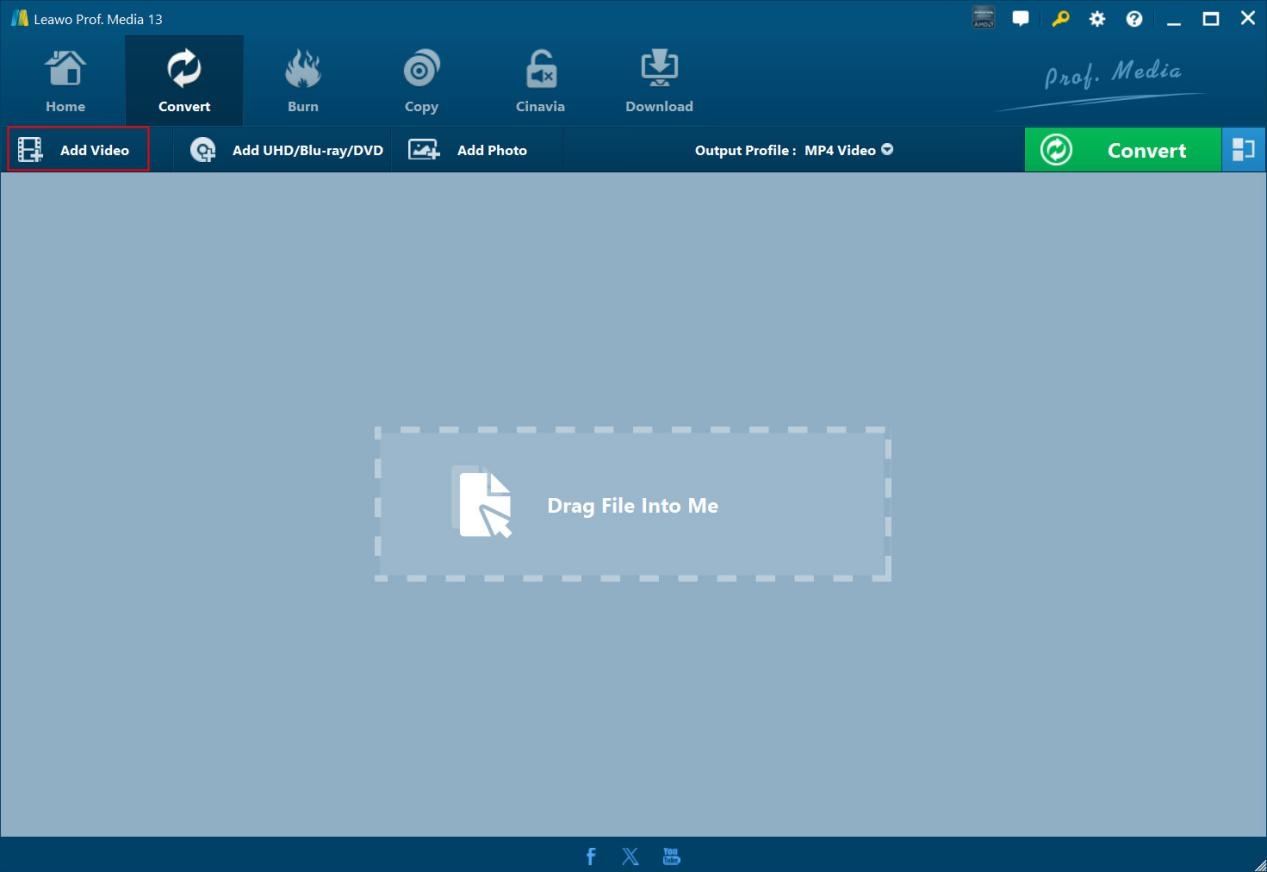
Step 1: Add Cinava watermarked DVD
On “Cinavia” tab, click “Add Blu-ray/DVD” button to add Cinavia watermarked DVD disc, folder or ISO file.
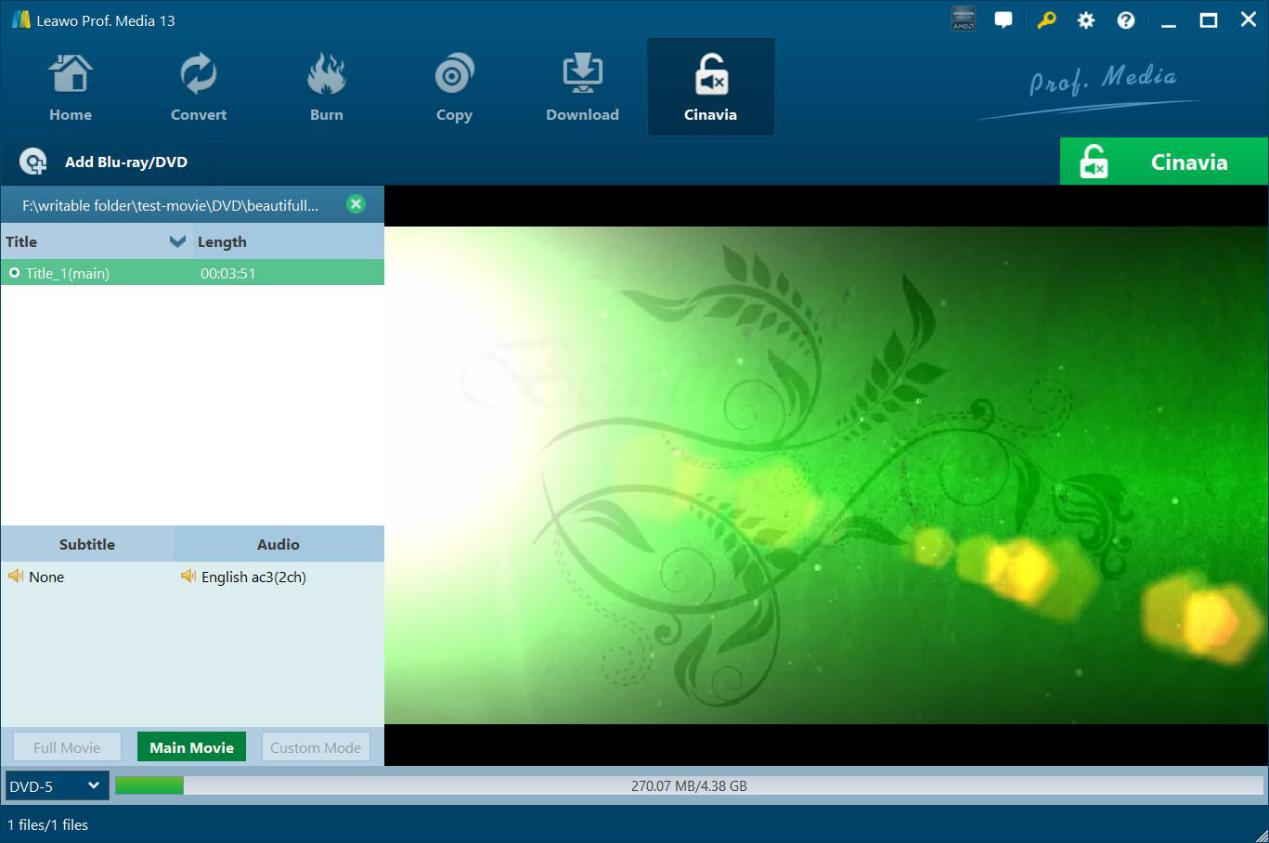
Step 2: Specify copy settings
Choose copy content, subtitle and audio track (if available), and output DVD disc type.
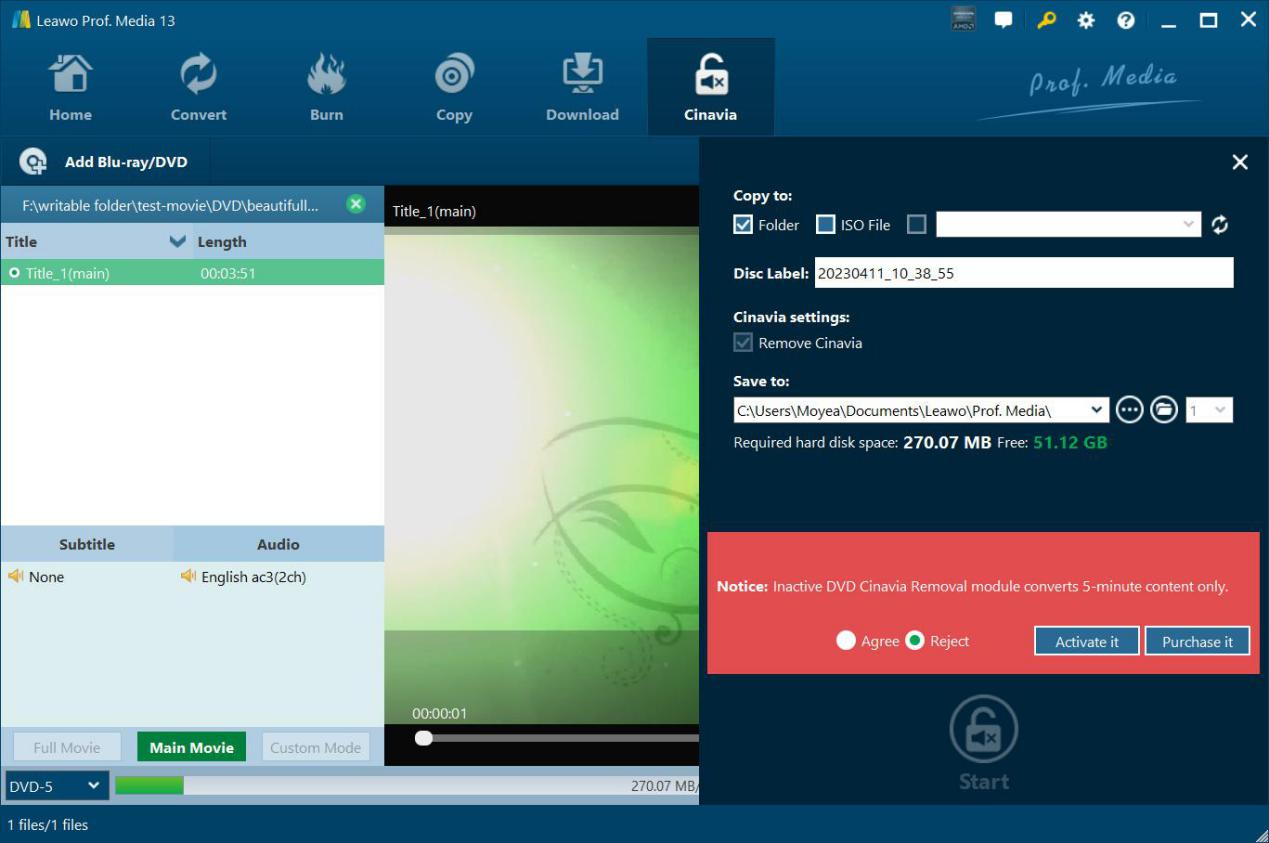
Step 3: Specify output settings
Click the green “Cinavia” button to set Copy to, Disc Label, Cinavia settings and Save to options.
Step 4: Start copying Cinavia DVD
Click the bottom “Start” button to start copying Cinavia watermarked DVD.
System Requirments


Size 186 MB
Version
Update

Testimonials

"
Quite useful and practical. It removes the mute protection well without reducing any quality of image and audio. That's wonderful.

Memphis

"
This did do what it claimed to be. No matter it’s commercial or homemade DVD disc, this software works on it well.
Michelle Myles

"
This did do what it claimed to be. No matter it's commercial or homemade DVD disc, this software works on it well.
Michelle Myles

Purchase Leawo DVD Cinavia Removal
$ 29.95

$ 39.95
$ 71.91 $119.85


Remove Cinavia Proction From Any DVD Completely and Permanently