
How to Edit Music Tags Manually on Leawo Music Recorder
Leawo Music Recorder enables you to add and edit tags of music, music users could follow the below guide to edit music tags manually after recording.


- Home
- /
- Leawo Music Recorder
- /
- User Guide
How to Edit Music Tags Manually
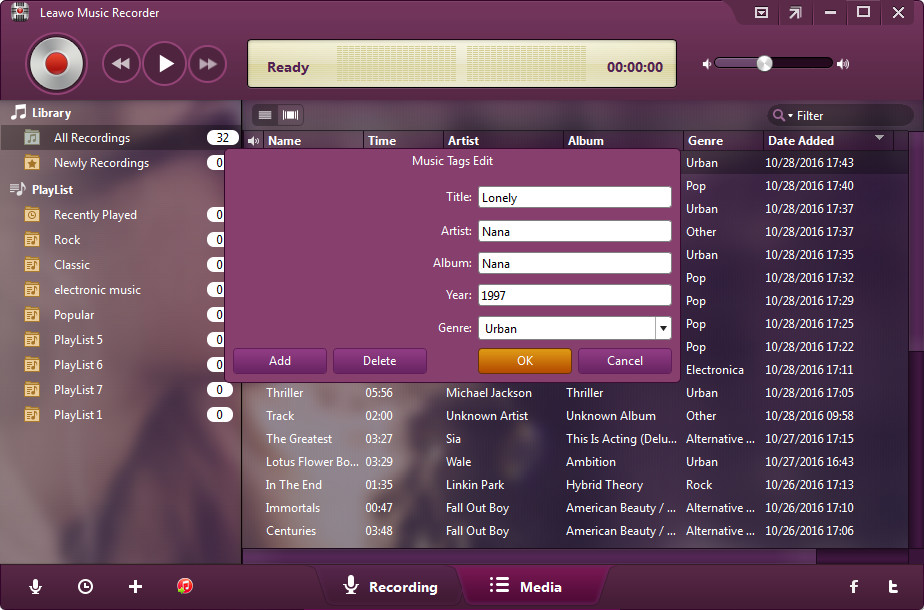
The program allows you to add and edit music tags manually. including artist, song name, album artwork, album, etc. In "Media > Library" tab, you could see all your recordings. Select a recording and right click, then choose "Edit Music Tags" to manually edit music tags.