feature
4K Videos to UHD Blu-ray

Burn and Convert 4K Videos to Blank 4K Blu-ray Disc or ISO Files/Folder

This 4K UHD burner could directly burn 4K videos to 4K BD100/BD66/BD50/BD25 blank discs, folders and/or ISO image files. The burned 4K Blu-ray discs could be played back on all standalone UHD Blu-ray players and media players that support 4K Blu-ray playback. The best UHD Blu-ray burner you could ever get.
4K Videos&Images to UHD Blu-ray

Create UHD Blu-ray from 4K Videos and Images in Any Formats

This 4K Blu-ray burning software could burn UHD Blu-ray from 4K videos and image files in various formats like AVI, MP4, MKV, WEBM, MOV, FLV, TS, PNG, JPG, JPEG, BMP, etc. With no need of 3rd-party 4K video converter tools, Leawo UHD Creator completes 4K Blu-ray burning by itself easily.
feature
feature
Customize Menu

Design Menu in Clicks at Will

Leawo UHD Creator provides multiple preset disc menu and templates, and allows downloading more from online database. Meanwhile, featuring a menu designer, this UHD Blu-ray burner enables people to DIY menu with preferred background music and images in clicks.
20X Higher Speed

GPU Acceleration Tech for 20X Higher Processing Speed

With the support of GPU acceleration technologies like NVIDIA CUDA, Intel Quick Sync and AMD APP, Leawo UHD Creator could complete 4K video to 4K Blu-ray burning tasks at 20X higher speed.
feature
Download Leawo UHD Creator for Mac Now !
  • 18+ Years Experience

  • 10,000,000+ Happy Clients

  • 100% Safe & Clean

  • 100+ Countries

How to Burn 4K Blu-ray from Video/Photo

Step 1: Add source video/photo files

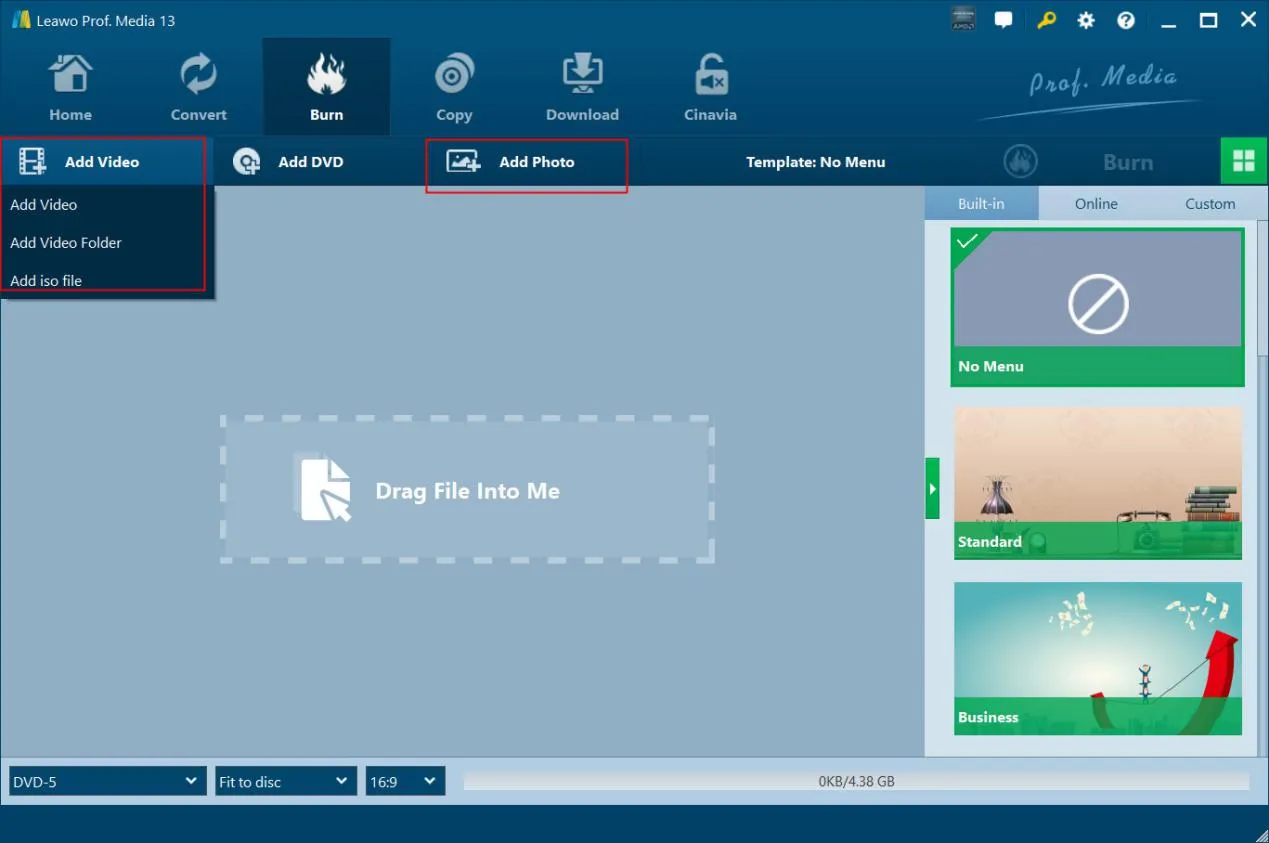
Open the “Burn” tab and add source video/photo files by clicking “Add Video” button or “Add Photo” button respectively.

Step 2: Set output 4K Blu-ray types

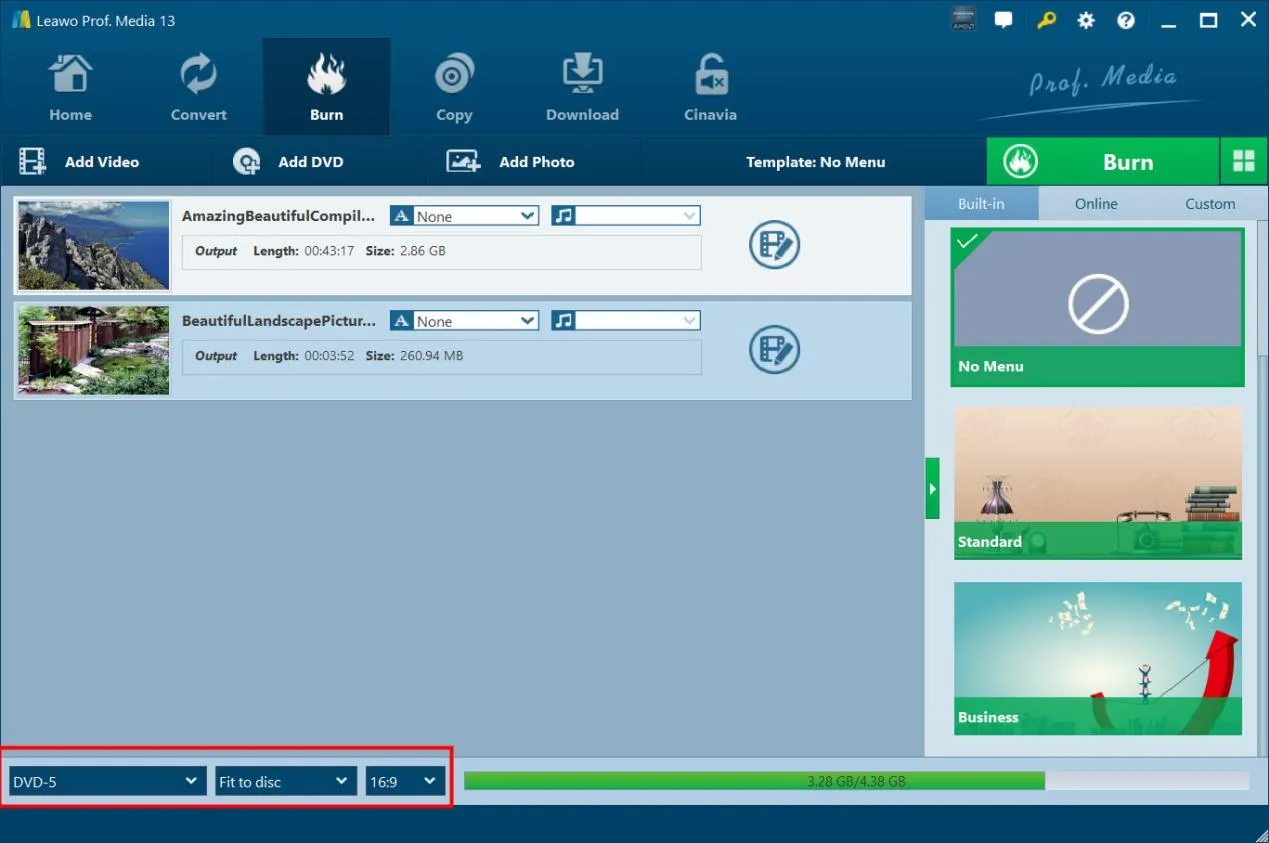
After loading source video or photo files, at the bottom left corner, choose output 4k Blu-ray type, quality and aspect ratio.

Step 3: 4K Blu-ray burning settings

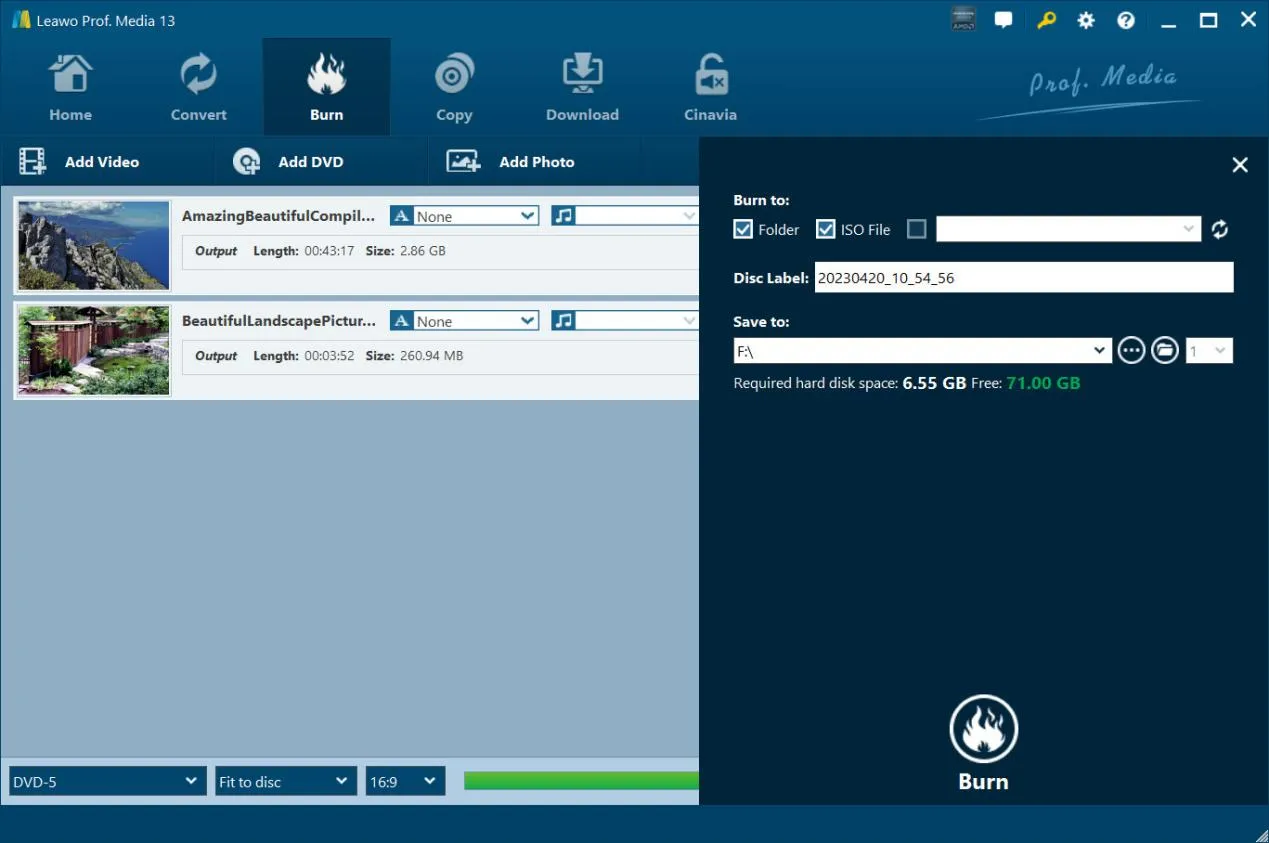
Click the green “Burn” button, and then specify “Burn to”, “Disc Label” and “Save to” settings for 4K Blu-ray burning.

Step 4: Start burning 4K Blu-ray

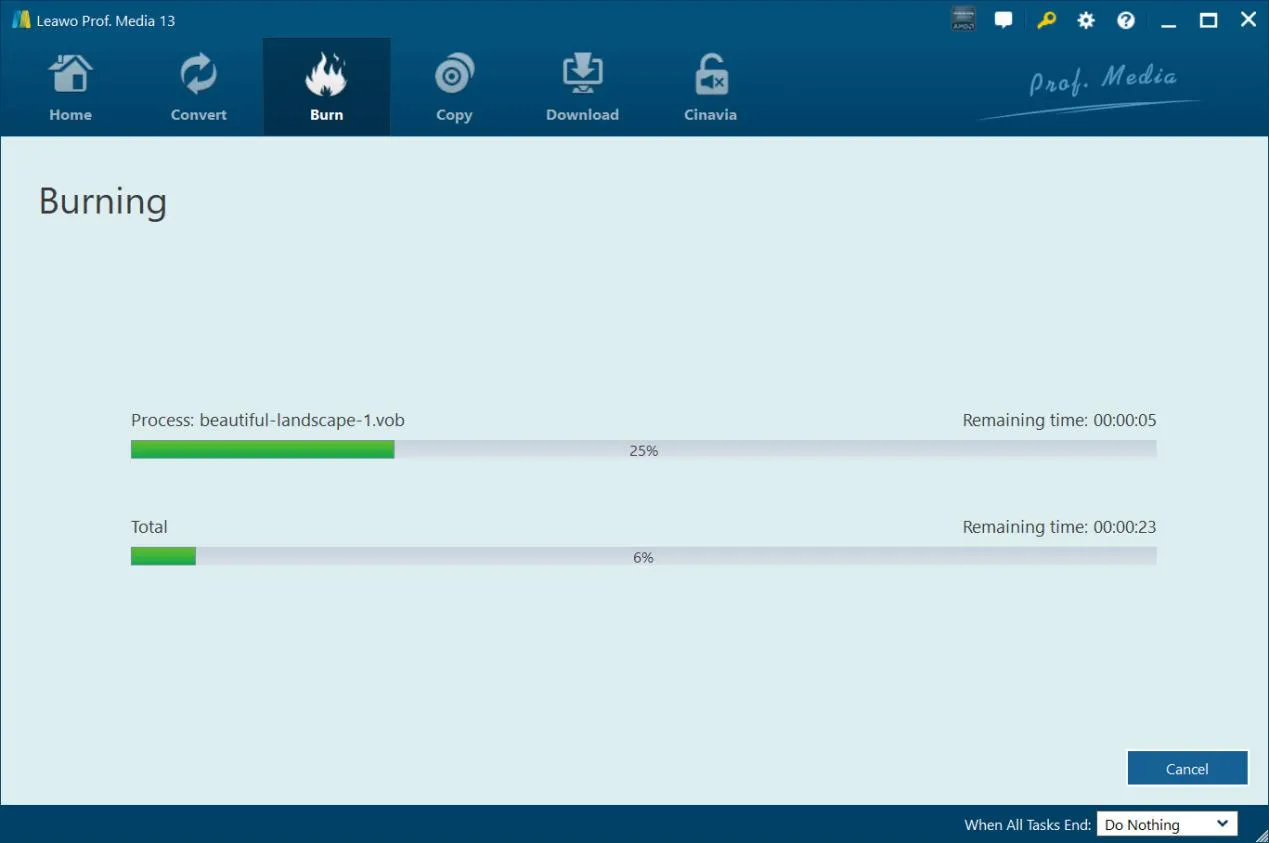
Finally, hit the “Burn” button at the bottom to start burning 4K Blu-ray disc, folder and/or ISO file.
Visit Full User Guide >
Step1 Step2 Step3 Step4

    System Requirments

    Leawo UHD Creator
    Languages
    中文 English Japan deutsch francais Italiano Español 한국어

    Size 68.41 MB

    Version

    Update

    • Supported OS : Microsoft® Windows 7, Windows 8, Windows 8.1, Windows 10, Windows 11
    • RAM : 4GB of RAM or above
    • Free Hard Disk : 200GB of free hard disk space
    • CPU : AMD Ryzen Processor 1000 Series And AboveIntel Kaby Lake series And Above
    • GPU : NVIDIA GeForce GTX 1050 And AboveAMD Radeon™ 5000 Series And Above
    • Others : Internet Connection
    • Supported Computer : MacBook Pro 2016 and above, MacBook Air 2017 and above, iMac 2017 and above, Mac mini 2018 and above, Mac Pro 2019 and above
    • Supported OS : macOS High Sierra (10.13), macOS Majave (10.14), macOS Catalina (10.15), macOS Big Sur (11), macOS Monterey (12), macOS Ventura(13), macOS Sonoma (14), macOS Sequoia (15), macOS Tahoe (26)
    • Free Hard Disk : 66GB+ free hard disk space
    • Others : Recordable Blu-ray drive, and internet connection
    button

    Testimonials

    What Our Clients Say

    • avatar

      "

      The ever best 4K Blu-ray burning software I've ever used. Quite clean interface, simple operation and fast 4K Blu-ray burning. All works smoothly. Really nice tool.

      • star
      • star
      • star
      • star
      • star

      Miles Marrock

    • avatar

      "

      Used this UHD Creator to burn some of my birthday party clips to 4K Blu-ray disc. The burning is fluent. The inner menu designer impressed me a lot. Complete complicated task in simple clicks.

      • star
      • star
      • star
      • star
      • star

      Elmore Dagwood

    • avatar

      "

      This 4K UHD Blu-ray burner meets all my requirements in burning 4K Blu-ray discs. I have burned quite a few 4K Blu-ray discs from my movie collections and all went smoothly. The entire burning process is satisfactory.

      • star
      • star
      • star
      • star
      • star

      Allen Mark

    button
    close

    Purchase Leawo UHD Creator for Mac

    Windows
    Mac
    $1 Year

    44.95

    • 1 License for 1 PC
    • All Features for 1 Year
    • Auto-renewal. Cancel Anytime
    • 5 Days Money Back Guarantee
    • Unlimited Free Upgrades
    Top Seller
    Lifetime

    $ 89.95

    • 1 License for 1 PC
    • All Features for Lifetime
    • One-time Payment
    • 14 Days Money Back Guarantee
    • Unlimited Free Upgrades
    UHD Creator + UHD Ripper + UHD Copy (Lifetime)

    $ 144.91 $289.85

    • 1 License for 1 PC
    • All Features of
      3 Modules Leawo UHD Creator , Leawo UHD Ripper , Leawo UHD Copy
      for Lifetime
    • One-time Payment
    • 14 Days Money Back Guarantee
    • Unlimited Free Upgrades
    41% OFF
    Prof. Media 13 + CleverGet Video Downloader (Lifetime)

    All of 17 modules included, provides full Solution to (4K UHD) Blu-ray, DVD and Video

    • Standard Price: $1269.15
    • Bundle Price: $389.88
    • Final Price: $229.95
    We Accept: