


 100% Safe & Clean |
 License Instant Delivery |
 4.9(
4.9(
2023-05-26
Best Ways to Solve DVD Cinavia Problem...
It is believed that quite a lot of people has developed the habit...






20+ Years Experience

10,000,000+ Happy Clients

100% Safe & Clean

100+ Countries
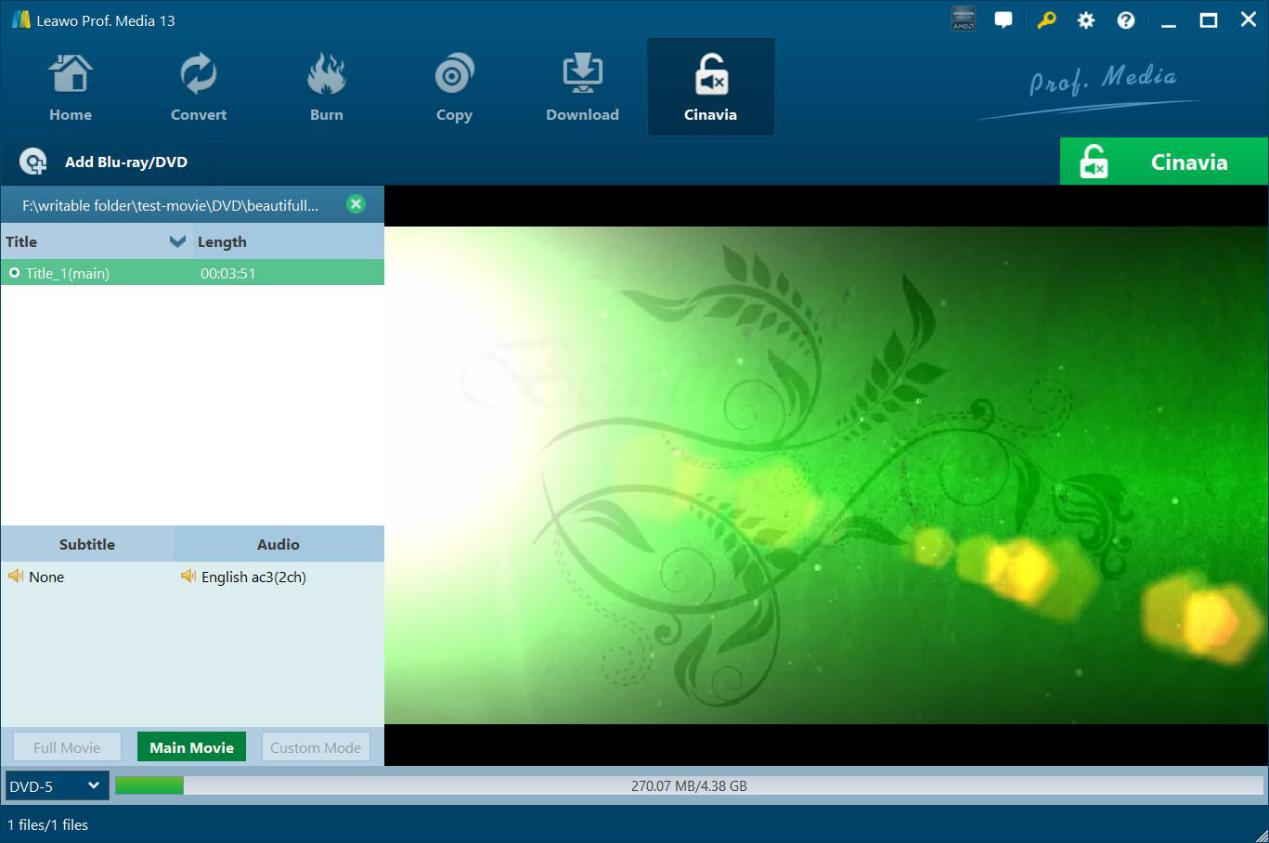
Step 1: Add Cinava watermarked DVD
On “Cinavia” tab, click “Add Blu-ray/DVD” button to add Cinavia watermarked DVD disc, folder or ISO file.
Step 2: Specify copy settings
Choose copy content, subtitle and audio track (if available), and output DVD disc type.
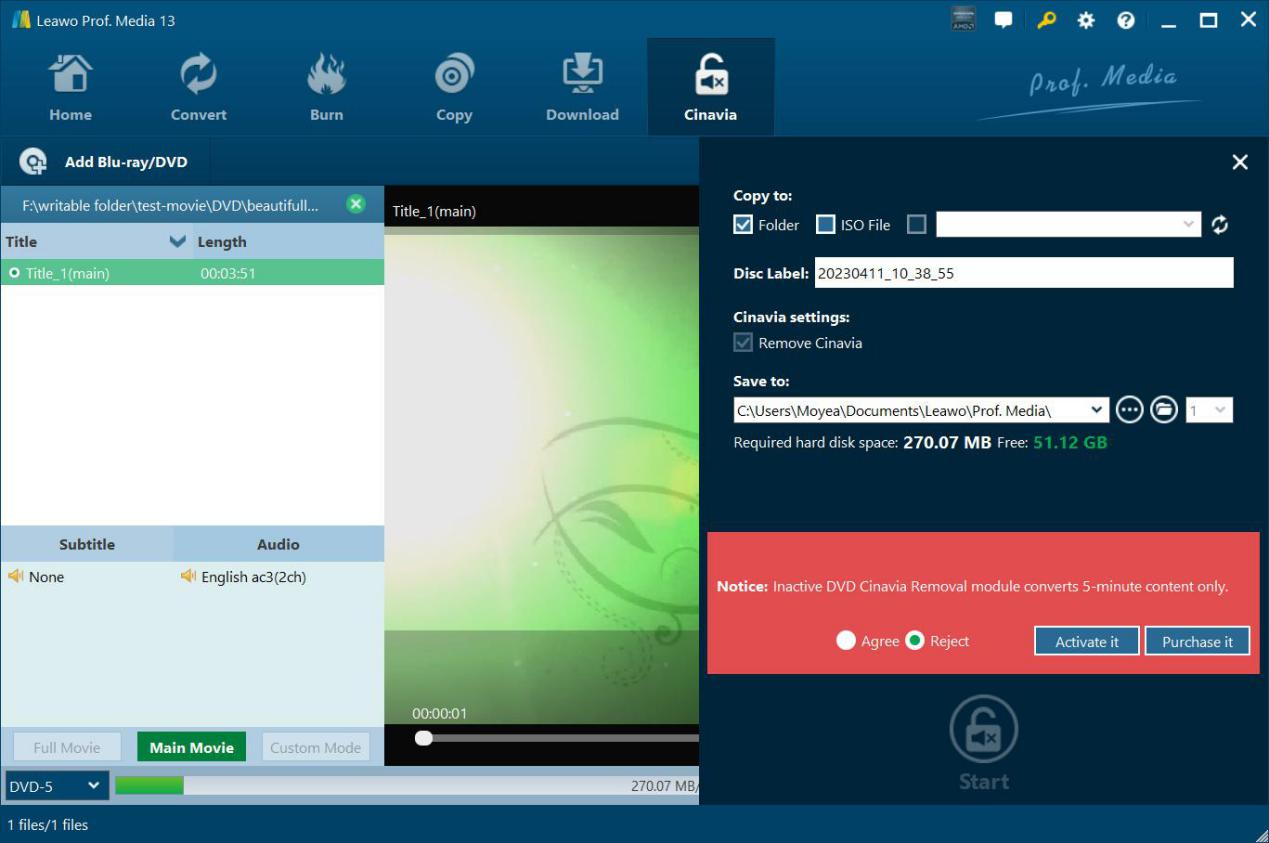
Step 3: Specify output settings
Click the green “Cinavia” button to set Copy to, Disc Label, Cinavia settings and Save to options.
Step 4: Start copying Cinavia DVD
Click the bottom “Start” button to start copying Cinavia watermarked DVD.
System Requirments


Size 186 MB
Version
Update

Testimonials

"
Quite useful and practical. It removes the mute protection well without reducing any quality of image and audio. That's wonderful.

Memphis

"
This did do what it claimed to be. No matter it’s commercial or homemade DVD disc, this software works on it well.
Michelle Myles

"
This did do what it claimed to be. No matter it's commercial or homemade DVD disc, this software works on it well.
Michelle Myles
Latest Articles

Purchase Leawo DVD Cinavia Removal
$ 29.95

$ 39.95
$ 71.91 $119.85


Remove Cinavia Proction From Any DVD Completely and Permanently