




Support Multiple File Systems
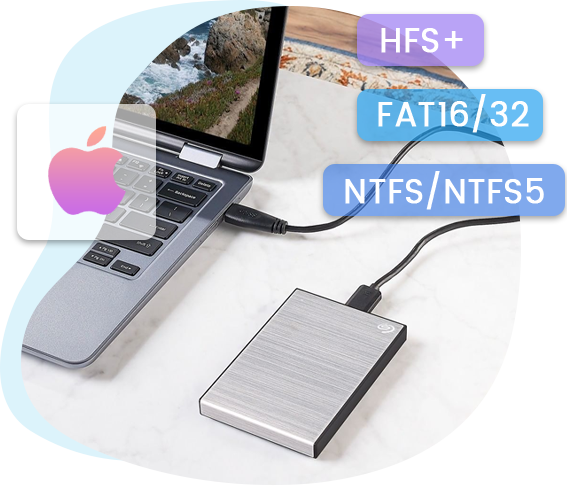

Recover Lost Data from A Wide Range of Storage Devices
Multiple Recovery Modes
Recover Deleted Files More Accurately and Faster with 3 Recovery Modes
This practical piece of data recovery software comes with 3 different recovery modes to ensure that the Mac data recovery process is accurate and efficient. It provides 3 modes: File Recovery, Photo Recovery and Lost Partition Recovery. Users could choose whichever mode to use according to their needs.
-

File Recovery
Recover deleted files from each sector in your Mac by scanning your Mac thoroughly.
-
Photo Recovery
Capable of performing hard drive recovery, SD card recovery and iPod Recovery for photos, videos and music deleted or formatted on the said storage devices.
-
Lost Partition Recovery
The Mac data recovery mode to recover lost or deleted volumes from hard drive or other mass storage devices.



Safer, More Accurate and Speedier Data Recovery


Easy-to-Use, No Technical Knowledge Needed


-

20+ Years Experience
-

10,000,000+ Happy Clients
-

100% Safe & Clean
-

100+ Countries
How to Recover Files on Mac
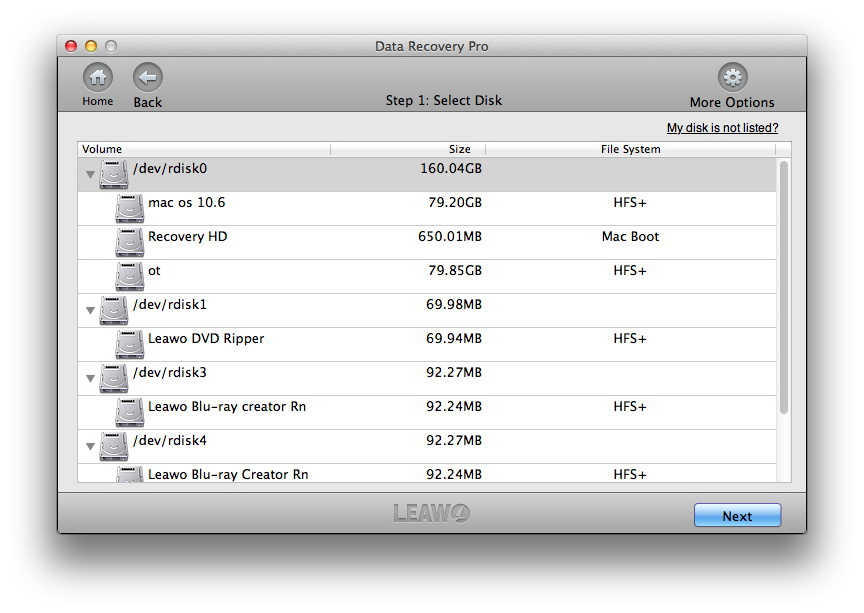
Step 1: Select disk
Choose target drive or volume and then click “Next” button.
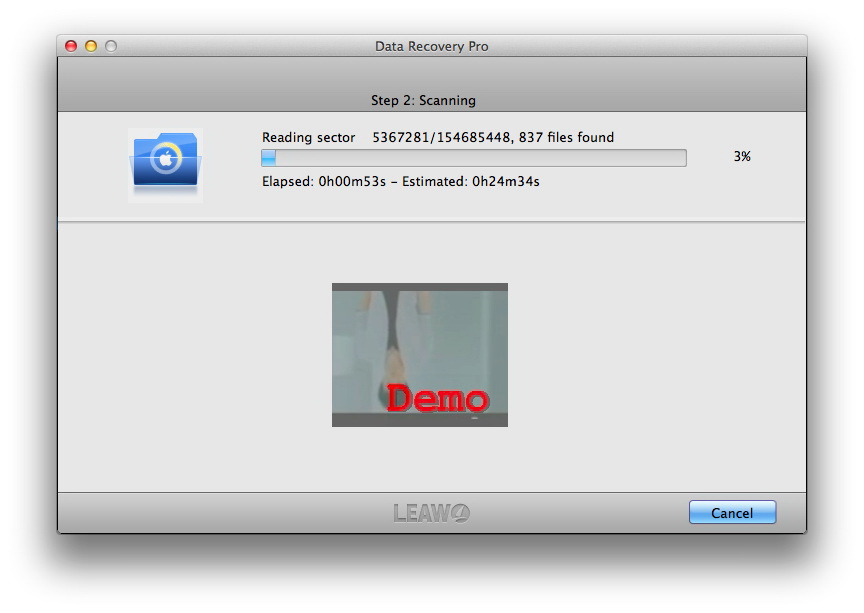
Step 2: Scan disk
The program will start to scan your target disk.
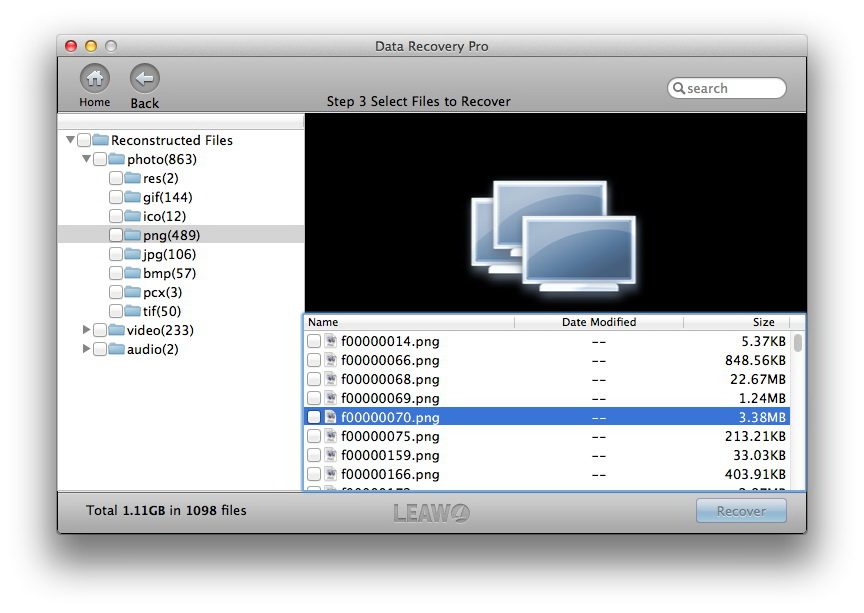
Step 3: Choose files to recover
Choose files under different tabs and click “Recover” button to start recovering.
How to Recover Lost Partition on Mac
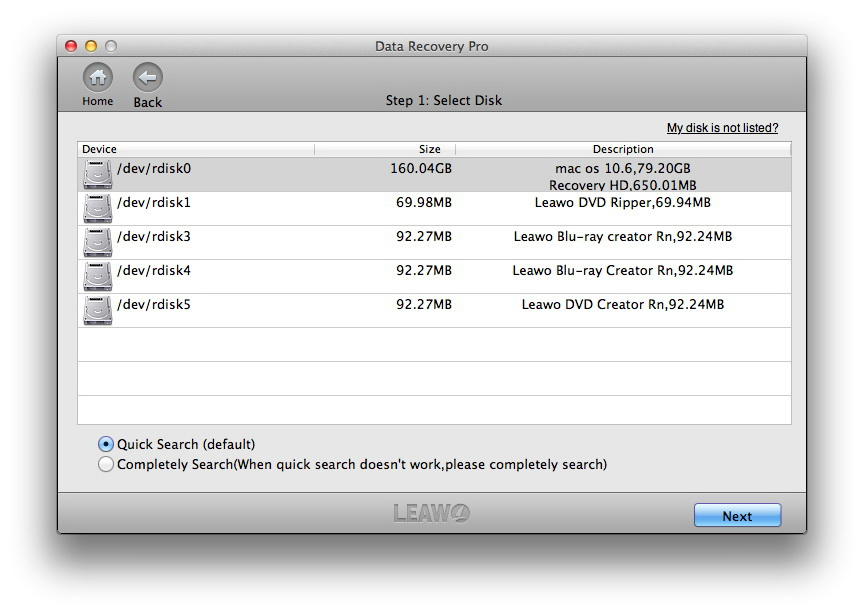
Step 1: Select disk
Choose target drive and then click “Next” button.
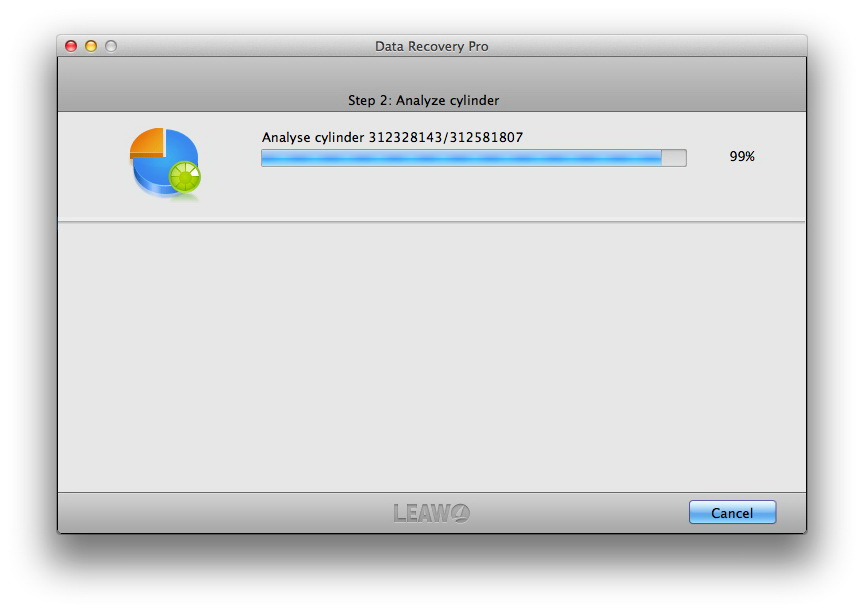
Step 2: Analyze cylinder
This program will analyze the cylinder immediately.
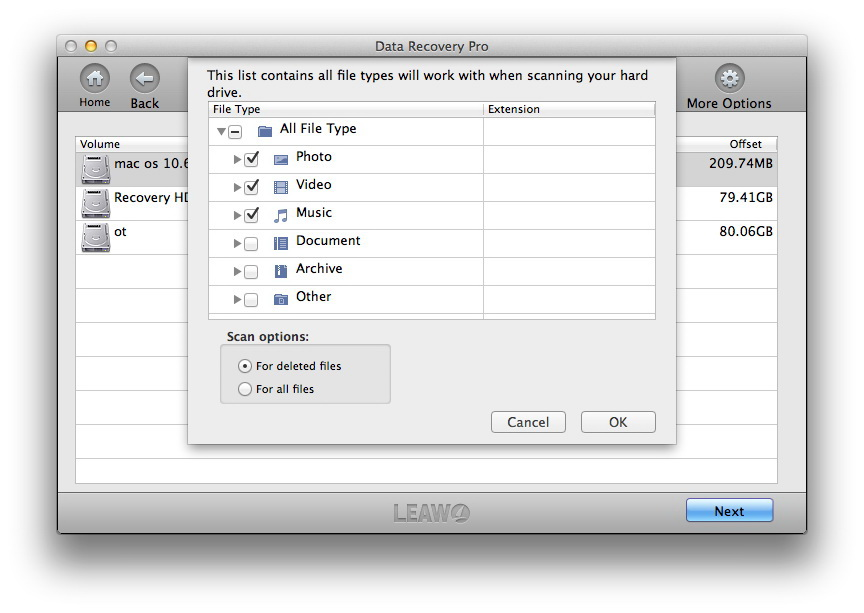
Step 3: Choose volumes to recover
Select file types to scan from your target hard drive for scanning.
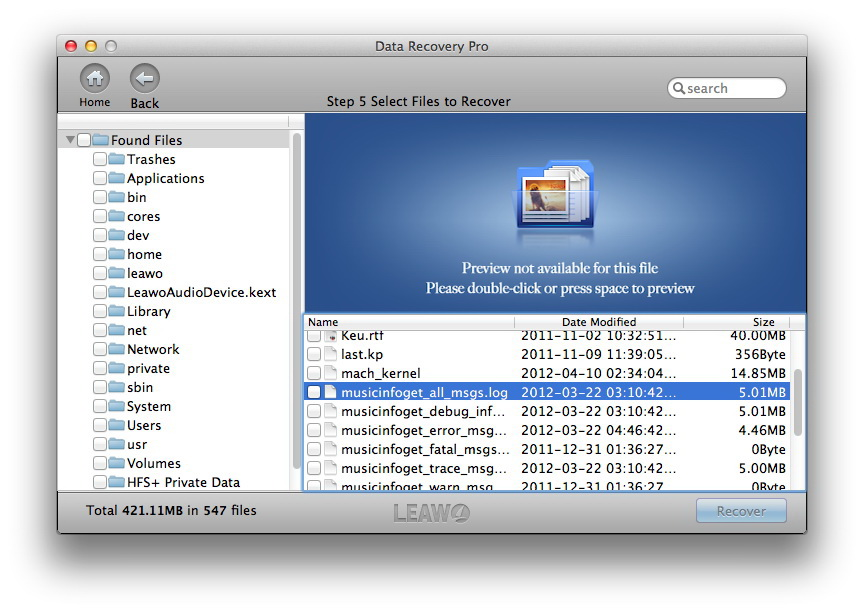
Step 4: Choose files to recover
Choose files to recover after scanning completes.
System Requirments


Size
Version
Update
- Supported OS : macOS High Sierra (10.13), macOS Mojave (10.14), macOS Catalina (10.15), macOS Big Sur (11), macOS Monterey (12), macOS Ventura(13), macOS Sonoma (14), macOS Sequoia (15), macOS Tahoe (26), macOS Big Sur (11), macOS Monterey (12), macOS Ventura(13), macOS Sonoma (14), macOS Sequoia(15), macOS Tahoe(26)
- Processor : 1 GHz or above Intel Processor
- RAM : 512MB RAM (1024MB or above recommended)
- File System supported : HFS+, FAT16/32, NTFS/NTFS5

Testimonials
What Our Clients Say
-
"
This morning i suddenly deleted some important files, and i was so worried ! luckly my friend recommended this tool for me. it worked! and it is very simple to find out files and recover them!
Chester
-
-
"
this morning i suddenly deleted some important files, and i was so worried ! luckly my friend recommended this tool for me. it worked! and it is very simple to find out files and recover them!
Chester
-
-
"
this morning i suddenly deleted some important files, and i was so worried ! luckly my friend recommended this tool for me. it worked! and it is very simple to find out files and recover them!
Harvey23
-





Restore Deleted, Formatted Files of Different Types for Mac