
How to Register Leawo Blu-ray Ripper for Mac
A detailed guide on how to register Leawo Blu-ray Ripper for Mac and how to purchase license of Leawo Blu-ray Ripper for Mac.


- Home
- /
- Leawo Blu-ray Ripper
- /
- User Guide
How to Register Leawo Blu-ray Ripper for Mac
The unregistered version of Leawo Blu-ray Ripper for Mac is limited in features and functions. To gain full access to all the features of Leawo Blu-ray Ripper for Mac, follow the instructions below and register the program.
Limitations of the Trail Version:
With the trail version you can only convert the first five minutes of a Blu-ray/DVD movie, and you won’t be able to get the free tech support from Leawo Software.
How to Register Leawo Blu-ray Ripper for Mac
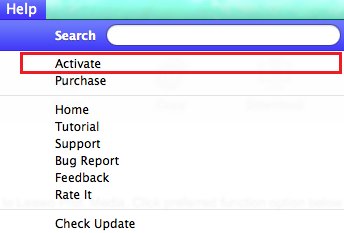
Launch the program and then click Help>Activate from the menu bar in the upper left to open the Activation Center.
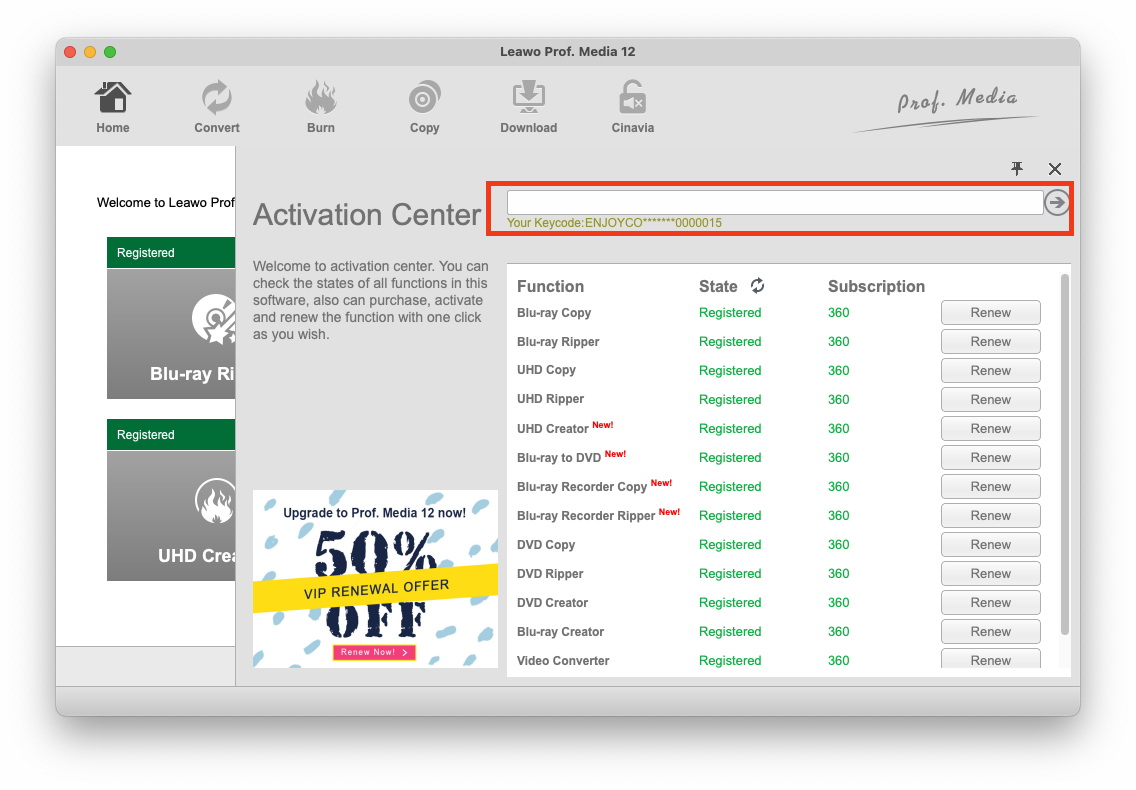
If you have the registration code, directly enter it in the box on the top to activate Leawo Blu-ray Ripper for Mac. If you don’t currently have one, click the Purchase button next to Blu-ray Ripper to go to the registration code purchasing page of the program and purchase a code from the page.
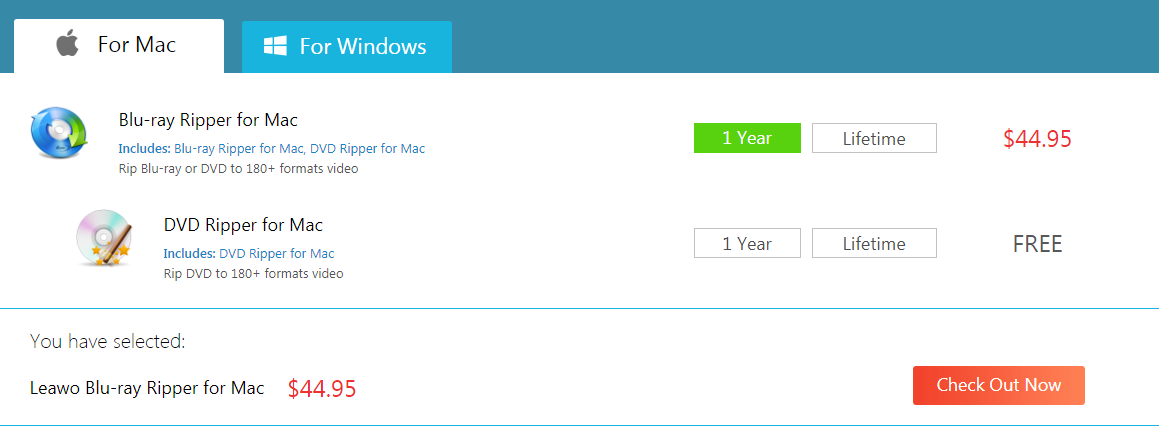
After opening the purchase page of Leawo Blu-ray Ripper for Mac, choose between getting a one-year or lifetime registration code and then click Check out Now to make the payment.