



2023-05-26
ວິທີທີ່ດີທີ່ສຸດໃນການແກ້ໄຂບັນຫາ DVD Cinavia
It is believed that quite a lot of people has...





20 + ຕໍາແຫນ່ງປີ

10,000,000 + ລູກຄ້າທີ່ມີຄວາມສຸກ

100% ປອດໄພ & ສະອາດ

100 + ບັນດາປະເທດ
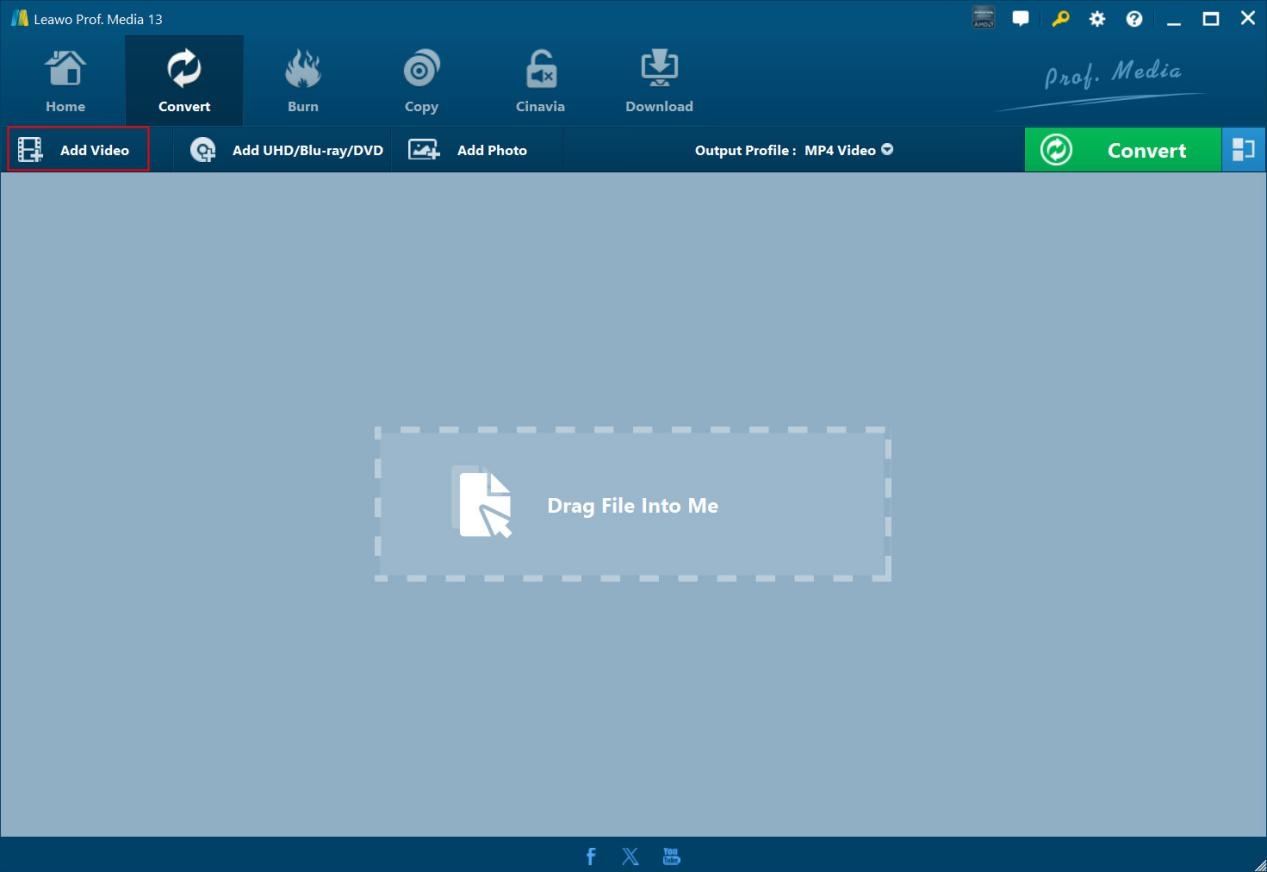
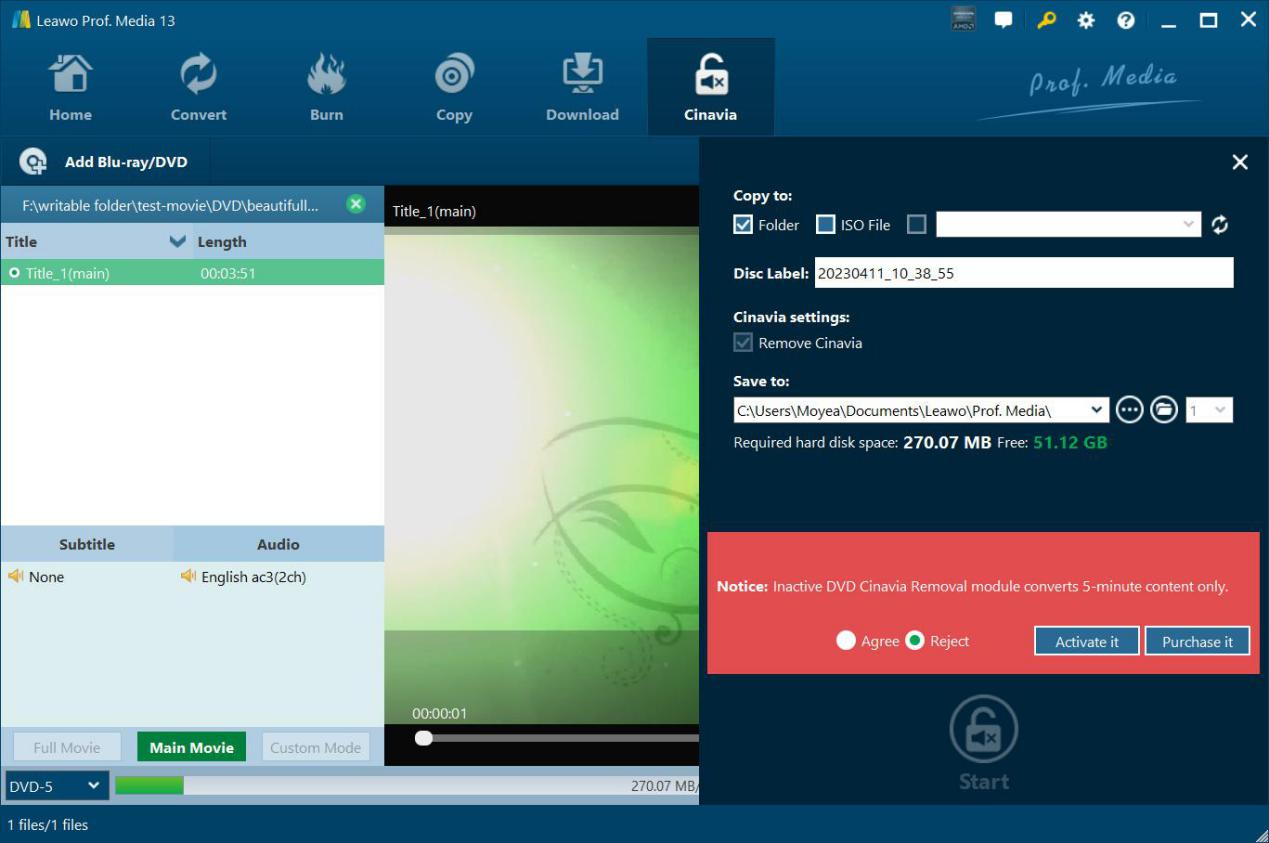
Step 1: Add Cinava watermarked DVD
On “Cinavia” tab, click “Add Blu-ray/DVD” button to add Cinavia watermarked DVD disc, folder or ISO file.
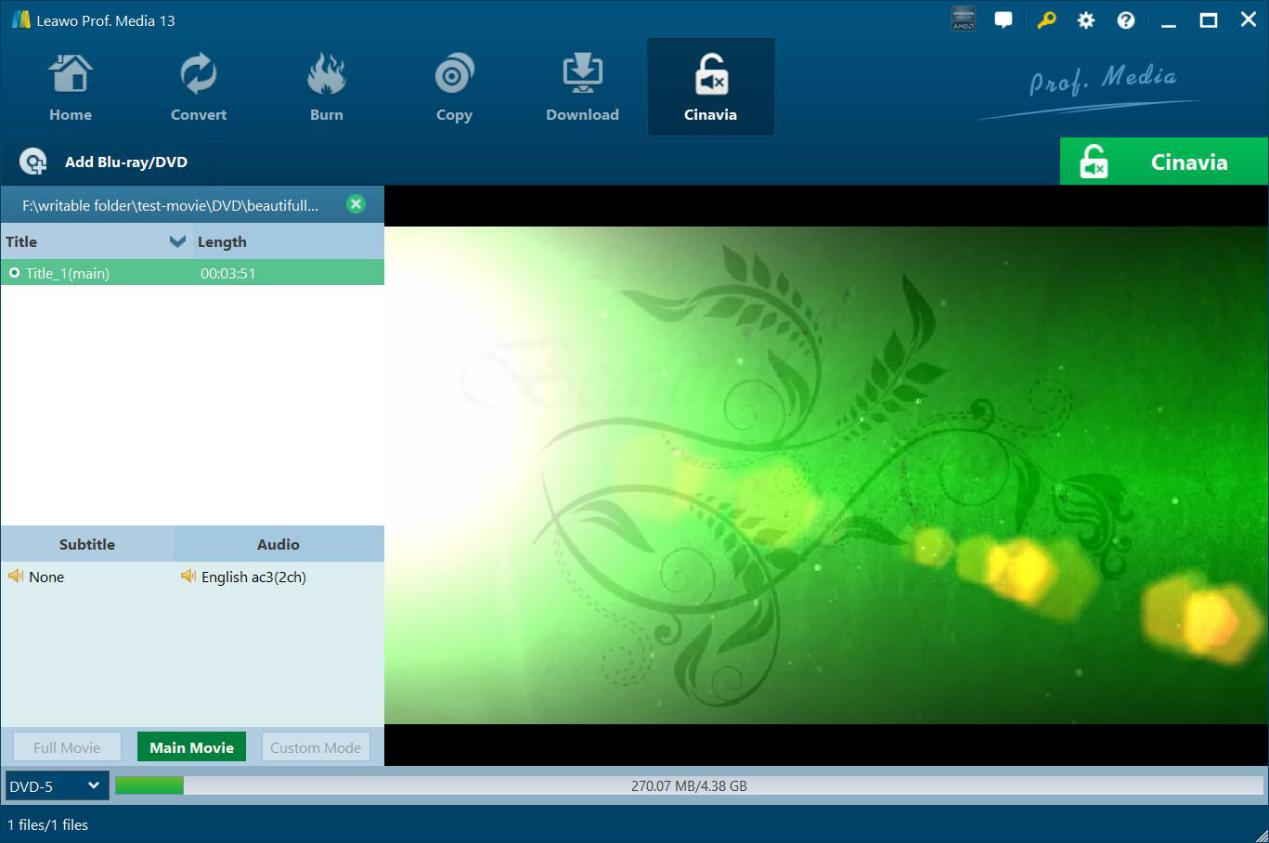
ຂັ້ນຕອນທີ 2: ກໍານົດການຕັ້ງຄ່າສໍາເນົາ
Choose copy content, subtitle and audio track (if available), and output DVD disc type.
Step 3: Specify output settings
Click the green “Cinavia” button to set Copy to, Disc Label, Cinavia settings and Save to options.
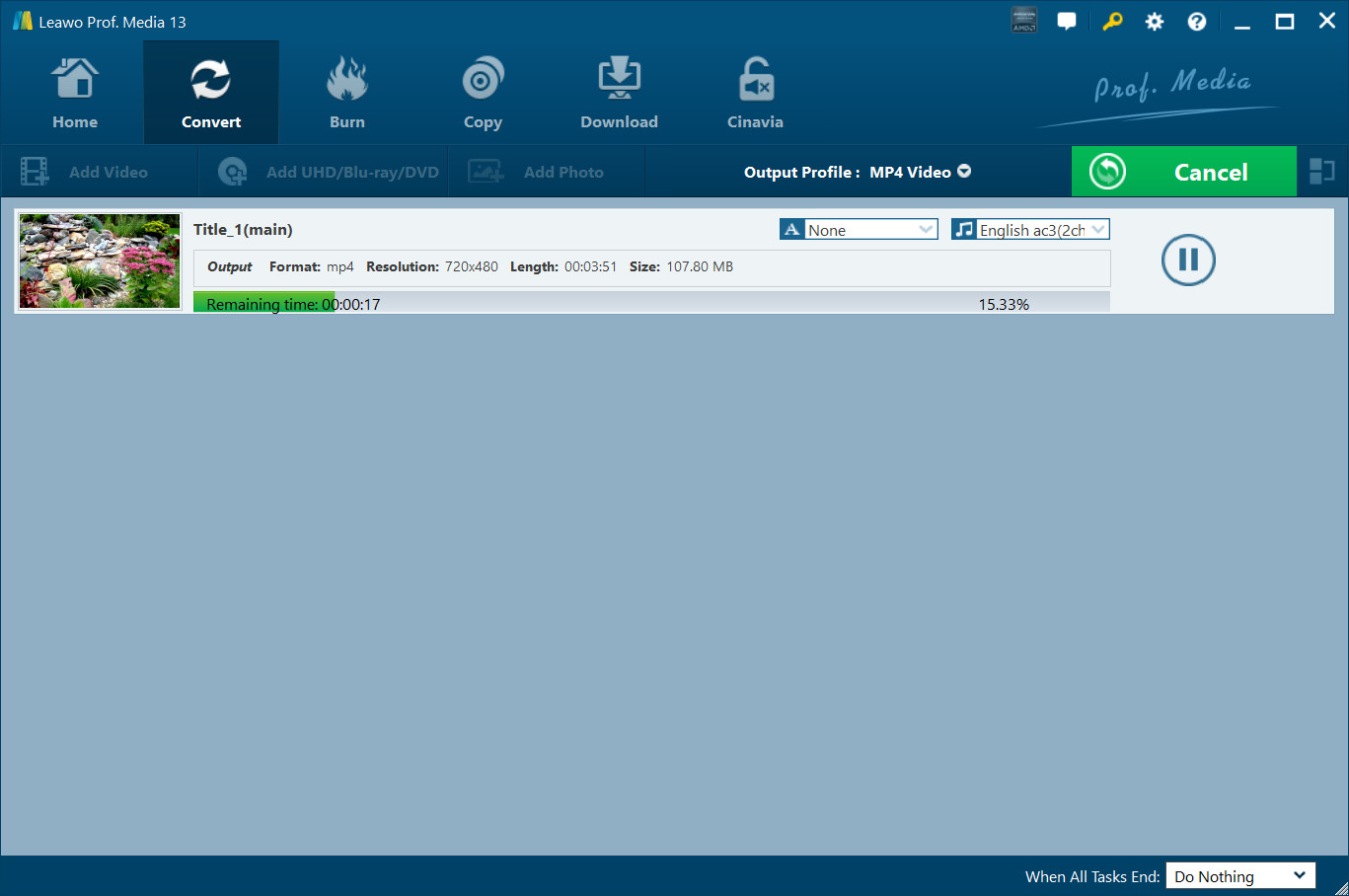
Step 4: Start copying Cinavia DVD
Click the bottom “Start” button to start copying Cinavia watermarked DVD.
ຄວາມຕ້ອງການຂອງລະບົບ


ເລືອກຂະຫນາດ 186 MB
Version
ການປັບປຸງ

ຄຳຕອບກັບຈາກລູກຄ້າ

"
ຂ້ອນຂ້າງເປັນປະໂຫຍດແລະປະຕິບັດໄດ້. ມັນເອົາການປ້ອງກັນການປິດສຽງໄດ້ດີໂດຍບໍ່ມີການຫຼຸດຜ່ອນຄຸນນະພາບຂອງຮູບພາບແລະສຽງ. ນັ້ນແມ່ນສິ່ງມະຫັດ.

Memphis

"
ນີ້ໄດ້ເຮັດສິ່ງທີ່ມັນອ້າງວ່າເປັນ. ບໍ່ວ່າມັນເປັນການຄ້າຫຼືແຜ່ນ DVD homemade, ຊອບແວນີ້ເຮັດວຽກກ່ຽວກັບມັນໄດ້ດີ.
Michelle Myles

"
This did do what it claimed to be. No matter it's commercial or homemade DVD disc, this software works on it well.
Michelle Myles

ຊື້ Leawo ການໂຍກຍ້າຍ DVD Cinavia
$ 29.95

$ 39.95
$ 71.91 $119.85


ເອົາ Cinavia Proction ຈາກດີວີດີໃດໆຢ່າງສົມບູນແລະຖາວອນ